
TL;DR

Get everyday helpers delivered free with Prime
- Fast, free delivery on millions of items
- Prime Video, Amazon Music and more included
- Member-only deals all year
A visual daily schedule uses clear visuals like icons, colors, and simple layouts to help people understand and follow their routines. Personalization, consistency, and flexible tools make it effective. Recent tech advances now integrate digital and assistive tools to support diverse needs.
Use clear, simple visuals—icons, colors, and layouts—to make routines instantly understandable.
Personalize the schedule with preferences, routines, and motivating images to boost engagement.
Maintain consistency with formats and routines, but stay flexible to adapt as needed.
Choose tools that fit your lifestyle—physical charts or digital apps—and consider combining both.
Review and update the schedule weekly to keep it relevant, engaging, and effective.
How to Set Up a Visual Daily Schedule
A visual schedule turns routines into an easy-to-read map. Clear images, predictable patterns and flexible timing reduce guesswork—helping children, students and adults move through the day with greater confidence and control.
Clarity, customization and consistency.
A brief mental and physical reset.
Physical, digital—or a hybrid of both.
Less prompting and more self-direction.
Six parts of a schedule that works
Start small. The best visual schedule is not the most detailed one—it is the one the user can understand quickly, trust consistently and adjust without losing the overall pattern.
Use instantly recognizable visuals
Choose large icons, symbols or real photographs. A plate can mean meals, a book can mean study and a bed can signal bedtime.
Create one obvious reading path
Arrange activities vertically or in a left-to-right timeline. Remove decorative clutter that competes with the actual instructions.
Assign meaning—not decoration
Use a small, stable set of category colors. The same color should represent the same type of activity every day.
Match the person, not a template
Adapt detail, imagery and pacing to age, communication style, attention needs and interests. Invite the user to select preferred visuals.
Keep anchors in familiar places
Place recurring activities in predictable positions. Stable formats help the brain anticipate what is next and reduce repeated reassurance.
Show change before it happens
Add a flexible slot, change card or buffer period. Predictable change is easier to manage than an unexplained disruption.
A five-step setup flow
Build the schedule in a deliberate sequence: understand the user first, then select content, design the visuals, test the routine and refine what does not work.
Observe
Note routines, transitions, stress points and current prompts.
Prioritize
Select only the activities the user needs to anticipate.
Visualize
Pair each task with one clear image and short label.
Practice
Model checking, completing and moving each activity.
Adjust
Refine unclear icons, unrealistic timing or weak rewards.
Design a humane rhythm
After 30–45 minutes of focused activity, show a 5–10 minute break. Add transition buffers when switching environments or task types.
Physical, digital or hybrid?
Select tools according to the user’s environment, motor and communication needs, tolerance for technology and the frequency with which plans change.
| Decision factor | Physical tools | Digital tools | Hybrid approach |
|---|---|---|---|
| Examples | Printed chart, whiteboard, Velcro cards, magnets | Calendar apps, Trello, Choiceworks, visual planners | Wall schedule plus phone or tablet reminders |
| Tactile interaction | Strong | Limited | Strong |
| Alarms and prompts | Manual | Built in | Built in |
| Fast updates | Move or replace cards | Drag, drop and edit instantly | Update digitally, reinforce physically |
| Remote sharing | Low | High | High |
| Best fit | Tactile learners and low-tech environments | Frequent changes, shared care and mobile routines | Users who need a stable visual anchor and dynamic prompts |
Moving a completed card provides a visible, concrete sense of progress.
Notifications, speech output and shared updates reduce manual prompting.
Use a stable home display with portable reminders for transitions elsewhere.
Match detail to the user
Visual schedules are widely used in homes, therapy and special education. Their effectiveness depends less on age than on whether the symbols, pacing and interaction style fit the individual.
Use real photos and fewer steps
Show one activity at a time or a short first–then sequence.
Add transitions and motivating choices
Use recognizable icons, finished pockets and visible break cards.
Reduce visual noise and add autonomy
Use discreet layouts, time blocks, reminders and self-selected priorities.
From concrete to abstract
Begin with the representation the user understands now. Move toward more abstract formats only when recognition is reliable.
Pairs visual cues with spoken instructions.
Connects schedules with communication systems.
Adjust icon size, contrast, pacing and complexity.
Helps caregivers and teachers stay coordinated.
Keep the schedule alive
A schedule should evolve with changing routines, interests and abilities. Review it weekly or bi-weekly and make one purposeful change at a time.
Can the user identify each visual without extra explanation?
Are task blocks, breaks and transition buffers realistic?
Does the user look at, touch or independently reference the schedule?
Do transitions feel calmer, or do certain steps still create distress?
Replace unclear images and outdated activities without changing everything.
Use clear visuals, personalize them to the user, keep the format consistent, include visible breaks and changes, choose tools that fit daily life, and review the schedule regularly. Simplicity makes the system readable; flexibility makes it sustainable.
Create a Clear, Simple Visual Layout Everyone Can Understand
Start with the basics: use large, recognizable icons or pictures that represent each activity. Think of a smiling sun for morning routines, a fork and knife for meals, or a bed for bedtime. Color-code categories—blue for work, green for play, red for rest—to make it quick to scan. For example, a child might see a picture of a school bus for ‘school time’ and instantly understand what’s next.
Keep the layout straightforward—list activities vertically or arrange them in a timeline from top to bottom or left to right. Avoid clutter, which can overwhelm. Using real pictures instead of symbols can boost understanding for those with language delays or new learners.
Why this matters: a cluttered or overly complex visual schedule can be confusing rather than helpful. Simplification ensures quick recognition and reduces cognitive overload, which is especially important for individuals with attention or processing challenges. The goal is to create a visual system that acts as a quick-reference guide, enabling independence and reducing frustration.
visual daily schedule for children
As an affiliate, we earn on qualifying purchases.
As an affiliate, we earn on qualifying purchases.
Personalize Your Schedule to Fit Unique Needs and Preferences
Every person is different. Some thrive with detailed step-by-step visuals; others prefer broad categories. For example, a teenager with ADHD might need more visual cues and frequent breaks, while a young child benefits from colorful, cartoon-style images.
Involve the user in the process. Ask what icons they prefer or find motivating. For instance, a person who loves dinosaurs might enjoy a dino icon for ‘playtime’—it makes the schedule feel engaging rather than a chore.
Why personalization matters: tailoring visuals and routines to individual preferences increases the likelihood that the schedule will be used consistently. When someone finds the schedule relatable and engaging, they are more motivated to follow it, which builds routine and independence. It’s also important to consider routines and interests because they serve as natural anchors, making the schedule more meaningful and less like an imposed task.
As an affiliate, we earn on qualifying purchases.
Use Consistent Formats to Build Routine and Confidence
Consistency helps the brain predict what’s coming next. Use the same layout, colors, and icon styles every day. For example, always put breakfast at the top with a sunny icon, then school or work, followed by play or relaxation.
This predictability is crucial because it creates a sense of stability. When routines are predictable, individuals can develop confidence in managing their day, which reduces anxiety associated with uncertainty. For example, a child with autism might find comfort in knowing that a blue icon always means ‘quiet time’—it signals what to expect, reducing the need for constant reassurance.
However, maintaining strict routines without flexibility can lead to frustration if unexpected events occur. That’s why it’s vital to balance consistency with adaptability. For instance, having a flexible slot for changes allows the schedule to accommodate real-life variability without causing distress. The key is to establish a reliable pattern that can be gently adjusted as needed, fostering confidence while respecting the dynamic nature of daily life.
As an affiliate, we earn on qualifying purchases.
Choose the Right Tools — From Paper to Digital
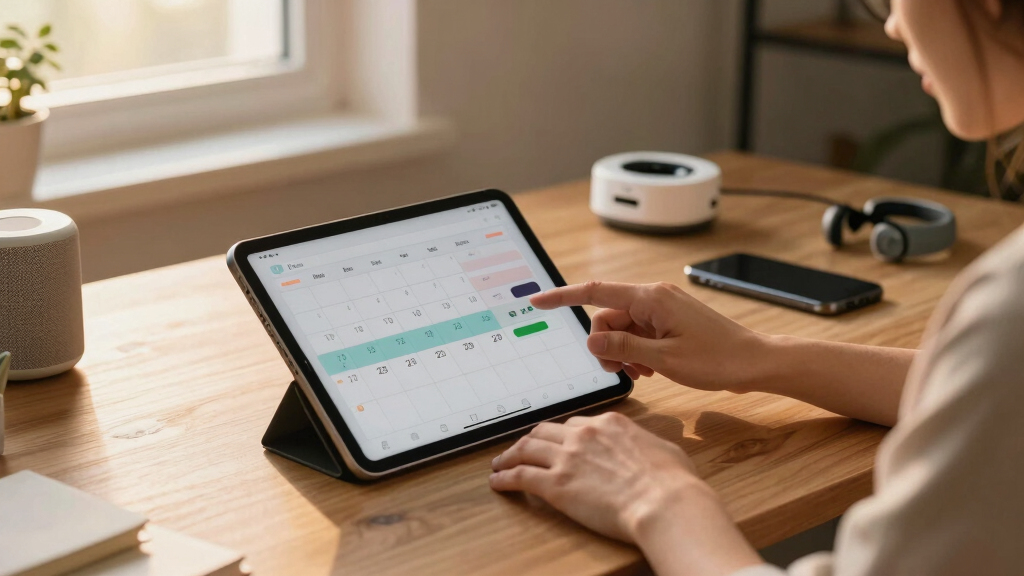
Visual schedules come in many forms. For a straightforward approach, use printed charts or whiteboards with Velcro or magnets for easy updates. For tech-savvy users, apps like Visual Schedule Planner or Choiceworks offer customizable icons and interactive features.
Here’s a quick comparison:
| Physical Tools | Digital Tools |
|---|---|
| Simple, tangible, easy to update with Velcro or magnets | Interactive, customizable, accessible from anywhere |
| Low cost, no tech needed | Offers reminders and alarms |
| Great for tactile learners | Ideal for remote help or shared schedules |
Choosing between physical and digital tools depends on the user’s environment, preferences, and needs. Physical tools are often more tactile and immediate, fostering hands-on interaction that can enhance understanding for some learners. Digital tools, on the other hand, can offer dynamic features like alarms, reminders, and easy updates, which help maintain engagement and accommodate changes quickly. Considering these tradeoffs helps ensure the schedule remains effective and user-friendly, whether it’s a simple printed chart or a sophisticated app.
customizable visual schedule icons
As an affiliate, we earn on qualifying purchases.
As an affiliate, we earn on qualifying purchases.
Build Flexibility and Include Breaks to Keep It Real
Nobody likes a schedule that feels like a prison. Including regular breaks—five to ten minutes after every 30-45 minutes of activity—serves as a mental and physical reset, preventing fatigue and frustration. Visual cues, like a clock icon or a calming image, signal these breaks clearly, helping the individual anticipate and prepare for downtime.
For example, after a 30-minute homework session, showing a picture of a snack or a favorite activity reinforces the importance of rest and reward, making transitions smoother. Flexibility in scheduling allows the person to adapt if they need more or less time, which maintains engagement and prevents feelings of being overwhelmed. Incorporating buffer periods between tasks creates a more realistic and humane routine, acknowledging that life is unpredictable and that flexibility is key to long-term adherence.
Why this matters: a rigid schedule can lead to burnout and resistance, whereas a flexible schedule with breaks fosters resilience, patience, and a sense of control. It also models real-life scenarios where plans often change, preparing individuals to handle variability gracefully.
Review, Tweak, and Keep the Schedule Fresh
Set aside a regular time—weekly or bi-weekly—to review how the schedule is working. Consider questions like: Is the pace appropriate? Are the icons clear? Does the individual seem engaged or frustrated? Use these insights to refine visuals, adjust timing, or add new activities that reflect changing interests or routines.
For example, if a child consistently skips a morning activity, it might be worth changing the icon to something more appealing or shifting its position. Keeping the schedule engaging—by adding new images, themes, or interactive elements—helps sustain interest and motivation. Remember, a static schedule can become dull or less effective over time. Regular updates show that the schedule is a living tool, adaptable to evolving needs and preferences. This ongoing process fosters a sense of ownership and encourages consistent use, which is vital for developing independence and routine mastery.
Why this matters: continuous refinement ensures the schedule remains relevant and effective. It also demonstrates to users that their input and changing needs are valued, reinforcing their engagement and commitment to using the schedule as a reliable support system.
Frequently Asked Questions
How do I create an effective visual schedule for my child or student?
Start by identifying key daily activities and choosing simple, recognizable images for each. Keep the layout consistent, involve the user in choosing icons, and tailor it to their preferences and pace. Test it out and adjust based on what works best.
What are the best tools or apps for digital visual scheduling?
Apps like Visual Schedule Planner, Choiceworks, and Trello offer customizable icons, alarms, and sharing features. Choose based on ease of use, accessibility, and whether you prefer a tablet, computer, or hybrid approach.
How can I make a visual schedule engaging and motivating?
Use favorite images, bright colors, and themes that excite the user. Incorporate rewards or fun icons—like dinosaurs, superheroes, or favorite characters—to make following the schedule feel like a game rather than a chore.
How do I handle changes or disruptions in the schedule?
Build in flexibility with buffer times and adjustable visuals. When plans shift, update the schedule calmly, and explain the reasons. Reinforce that change is normal and part of daily life.
How often should I review or update the schedule?
Plan a weekly review to see what’s working and what’s not. Adjust visuals, timing, or activities as needed to keep the schedule fresh, relevant, and effective.
Conclusion
A visual daily schedule is more than just colorful pictures; it’s a bridge to independence and peace of mind. Keep it simple, personal, and flexible. Over time, it becomes a reliable companion that turns daily chaos into confident control. Start small, stay consistent, and watch routines transform into habits that empower everyone involved.Fall Picks
fall essentials
As an affiliate, we earn on qualifying purchases.