
TL;DR
Listen free for 30 days with Audible
Thousands of audiobooks and originals — cancel anytime.
Start your free trialAs an affiliate, we earn on qualifying purchases.
Choosing a speech-generating device depends on user needs, mobility, and budget, with recent tech advances making devices more personalized and accessible. The right fit enhances independence and communication quality.
Imagine trying to tell someone what you want, but your voice doesn’t work. For many, speech-generating devices (SGDs) become the bridge to expressing thoughts, needs, and feelings. They’re more than gadgets—they’re lifelines to independence.
Choosing the right device isn’t about the latest tech. It’s about matching features, design, and support to the person’s unique abilities and goals. This guide walks you through what matters most and how recent innovations are reshaping communication tools today.
Match device features to the user’s motor skills, cognitive level, and communication goals.
Consider durability, portability, and customization when choosing between dedicated devices and apps.
Stay updated on recent tech advances like AI, eye-tracking, and smart integrations that improve usability.
Explore funding options early to avoid delays in getting the right device.
Provide ongoing training and support to maximize the device’s benefits.
Choosing Speech-Generating Devices: What to Know
The right device is not necessarily the newest device. It is the communication tool that matches a person’s abilities, daily environment, goals, and budget—and can keep adapting as those needs change.
Match the device to the person
Begin with what the user needs to say, where communication happens, and how they can access a device comfortably. A speech-language pathologist can help evaluate current skills while planning for future growth.
Define the message range
Does the user need basic yes/no choices, picture-based requests, or flexible vocabulary for complete conversations? Start with real daily routines.
Respect motor abilities
Match touchscreen sensitivity, key size, switch scanning, eye-tracking, or voice activation to the user’s most reliable movement.
Plan beyond today
Choose vocabulary, interface complexity, and customization that work now while allowing the system to expand with changing goals.
Short-term device or app trials reveal practical issues that specifications cannot: fatigue, visibility, speed, engagement, mounting, and use across home, school, work, and community settings.
Dedicated device or tablet app?
Both routes can provide powerful communication. The meaningful differences are durability, specialized access, cost, portability, support, and the environment in which the system will be used every day.
| Feature | Dedicated device | Tablet-based app | Decision cue |
|---|---|---|---|
| Durability | ✓Purpose-built for frequent use, drops, and daily wear | ~Depends heavily on the tablet and protective case | Prioritize ruggedness for active users and demanding settings |
| Upfront cost | ✗Often several thousand dollars | ✓Frequently under $500, excluding the tablet | Explore funding before ruling out either path |
| Customization | ✓Specialized hardware and tailored access options | ~Flexible, but limited by app and consumer hardware | Test the exact access method the user needs |
| Portability | ~Portable, though often heavier or bulkier | ✓Lightweight and familiar in public settings | Consider carrying, mounting, charging, and positioning |
| Reliability | ✓Communication-focused with dedicated support | ~Notifications and other apps can distract or interrupt | A communication system must be consistently available |
Reliability and rugged access come first
Often suitable for children, active users, harsh environments, or people who need specialized mounting, switches, eye gaze, amplified sound, and coordinated technical support.
Portability and affordability lead
Often suitable when standard touch access works well, consumer hardware is easy to carry, and the user values a familiar, discreet form factor with flexible app choices.
Smarter, faster, more personal
Recent advances reduce the effort required to build a message and expand who can access communication. The strongest innovations are those that make conversations quicker without taking control away from the user.
Context-aware phrases
Systems can suggest likely words and commonly used phrases, helping users communicate with fewer selections.
Communication through gaze
Eye-gaze selection opens access for people whose motor impairments make touch or switch input difficult.
Words become actions
Smartphone, computer, and smart-home integration can turn communication commands into greater everyday independence.
A system that can evolve
Expandable vocabulary, cloud backups, updated software, and adaptable access methods help the device grow with its user.
Plan funding early
The price tag is only one part of the financial picture. Include assessments, protective equipment, mounting, repairs, software updates, training, and replacement planning when comparing long-term value.
Gather assessments, daily-use examples, trial results, and professional justification.
Coverage rules differ, so confirm eligibility and required paperwork before purchase.
Equipment libraries, school programs, clinics, and loan schemes can reduce delays.
Nonprofits, community programs, leasing, and manufacturer support may fill funding gaps.
Include maintenance, accessories, updates, repairs, training, and future adaptation.
Practical answers before you choose
Selection is a process, not a one-time product decision. These questions help families, users, educators, and care teams focus on sustainable communication.
How do I know which SGD suits my child?
Assess current communication, motor access, interests, and daily routines with a speech-language pathologist. Whenever possible, compare trial devices before committing.
What matters most with limited hand mobility?
Prioritize reliable alternatives such as switch access, eye tracking, head pointing, or voice activation rather than relying on fine touchscreen control.
Are affordable options available?
Yes. Tablet-based AAC apps, lending programs, Medicaid, insurance, school resources, grants, and nonprofit assistance may reduce costs.
How long does learning take?
Basic functions may become familiar within weeks, while fluent use can take months. Progress depends on complexity, practice, teaching, and communication-partner support.
Can the system change as needs evolve?
Many systems support new vocabulary, updated layouts, software improvements, alternative access, and expanded integrations. Confirm this flexibility before purchase.
What prevents device abandonment?
Good initial fit, meaningful vocabulary, dependable access, easy availability, partner modeling, regular training, and prompt technical support all matter.
Choose the voice, not the gadget.
The best speech-generating device supports what the person wants to communicate, works wherever life happens, and adapts over time. Fit, access, training, and support are the features that turn technology into confident communication.
How to Pick an SGD That Fits Like a Glove
The first step in choosing an SGD is understanding the user’s communication needs. Do they need simple yes/no responses or full conversations? For example, a young child might need basic picture buttons, while an adult with degenerative disease may require complex vocabulary and voice output.
Assess their current skills and future goals. Think about their speech, motor skills, and cognitive level. Match these with device features like vocabulary size, customization options, and input methods.
For instance, someone with limited hand mobility might benefit from eye-tracking or switch access. A person with strong verbal skills might prefer voice recognition or customizable vocabulary.
Deep understanding of these needs ensures the chosen device can effectively support communication. Using an ill-matched device can lead to frustration, decreased participation, or abandonment. Therefore, thorough evaluation—possibly involving speech-language pathologists—is crucial to identify the most suitable options that align with both current abilities and future growth.
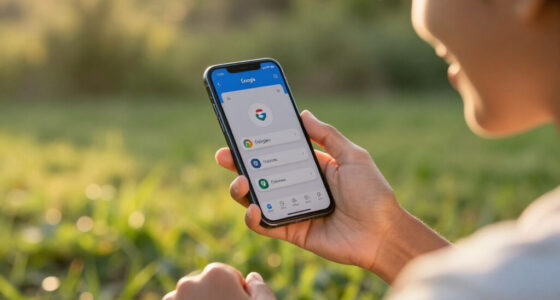
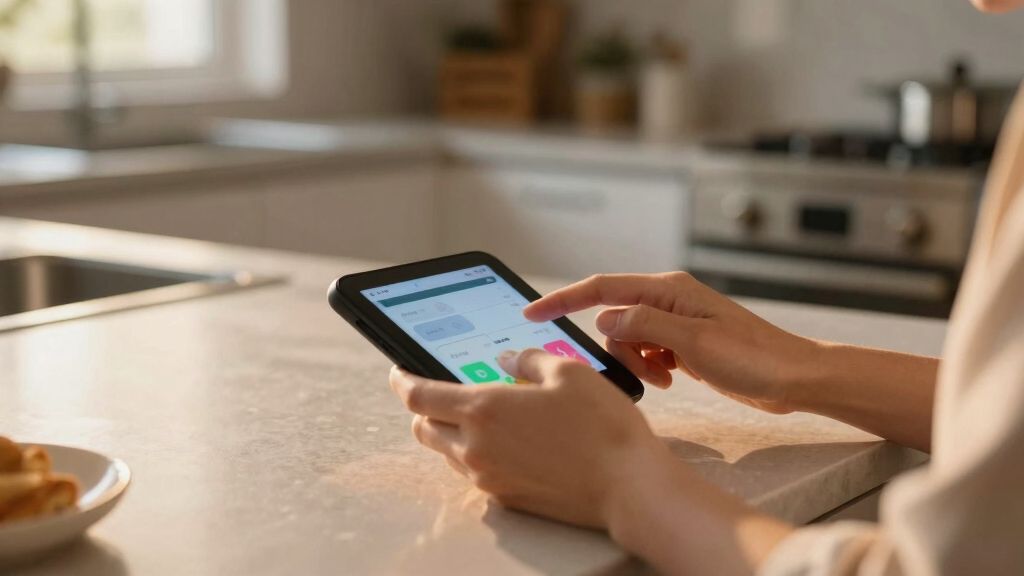
speech generating device for communication
As an affiliate, we earn on qualifying purchases.
As an affiliate, we earn on qualifying purchases.
Dedicated Devices vs. Tablet-Based Apps: Which Is Better?
| Feature | Dedicated Devices | Tablet-Based Apps |
|---|---|---|
| Durability | Built tough, designed for daily wear and tear | Fragile, depends on device case |
| Cost | Often several thousand dollars | More affordable, often under $500 |
| Customization | Highly tailored, with specialized hardware | Limited by app options, but flexible |
| Portability | Usually portable but bulkier | Lightweight, fits in your pocket |
Choosing between dedicated devices and tablet-based apps involves understanding the tradeoffs. Dedicated devices are often more durable and reliable for daily use, especially in environments where accidental drops or spills are common, making them ideal for children or active users. However, their higher cost can be a barrier. Conversely, tablet-based apps are more affordable and portable, making them accessible for many, but they may require protective cases and may not withstand rough handling as well. The decision hinges on assessing the user’s lifestyle, environment, and budget, but it’s also important to consider long-term maintenance and adaptability. For example, a child in a school setting might benefit from a rugged dedicated device, while an adult seeking convenience might prefer a lightweight tablet app, understanding that tradeoffs in durability and customization exist.
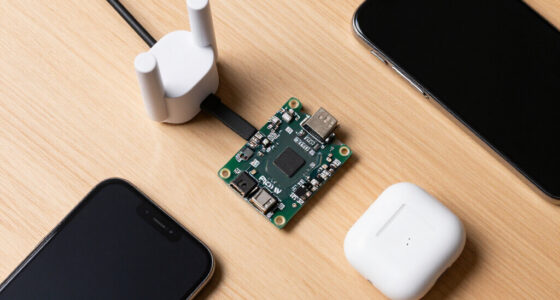
AAC device with eye-tracking technology
As an affiliate, we earn on qualifying purchases.
As an affiliate, we earn on qualifying purchases.
The Latest Tech That’s Changing How We Communicate
Recent advances are making SGDs smarter and more adaptable. AI-driven features now suggest words or phrases based on context, speeding up conversations and reducing frustration for users who struggle to find the right words quickly. Eye-tracking technology, which allows users to select symbols or words simply by looking, has opened communication channels for individuals with severe motor impairments that previously made traditional input methods impossible.
These innovations are not just about convenience—they can drastically improve the quality of life by enabling more natural, fluid conversations. For instance, devices that learn a user’s most common phrases can anticipate needs, making interactions smoother and less effortful. Connectivity features that integrate with smartphones and smart home systems transform speech output into actionable commands, fostering independence in daily tasks. Modular designs, which allow devices to be customized or expanded as the user’s vocabulary and needs grow, ensure that communication aids evolve with the individual. These technological progressions help bridge gaps caused by physical or cognitive limitations, emphasizing that the future of SGDs is about personalized, adaptable, and integrated communication solutions.
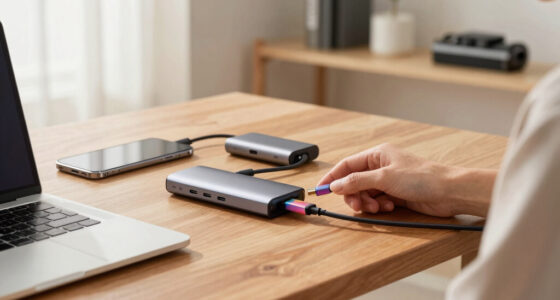
portable speech aid for speech impairment
As an affiliate, we earn on qualifying purchases.
As an affiliate, we earn on qualifying purchases.
What You Need to Know About Cost and Funding
SGDs can range from a few hundred dollars for basic apps to over $10,000 for advanced dedicated devices. Understanding the financial landscape is vital because costs can be a significant barrier. Insurance, Medicaid, and specialized grants are available, but navigating these options requires effort and documentation.
For example, many families find that school-based programs or healthcare providers have funding options or equipment loan programs that can reduce out-of-pocket expenses. Additionally, organizations dedicated to supporting communication needs often provide financial assistance or leasing plans that make acquiring a suitable device more feasible. Recognizing early which funding opportunities exist and preparing the necessary documentation—such as assessments and justification letters—can prevent delays and ensure timely access to communication tools. Moreover, considering the long-term costs, including maintenance, updates, and training, helps in making sustainable choices that won’t create ongoing financial strain.
customizable speech therapy device
As an affiliate, we earn on qualifying purchases.
As an affiliate, we earn on qualifying purchases.
Frequently Asked Questions
How do I know which SGD suits my child’s needs best?
Start by assessing your child’s current communication skills and daily routines. Consult speech-language pathologists, and consider trial devices or apps to see what feels most natural and engaging for your child.What features are most crucial for someone with limited hand mobility?
Look for devices with switch access, eye-tracking, or voice activation. These features allow users to operate the device without needing fine motor control, making communication more accessible.Are there affordable options or funding sources I should explore?
Yes, many programs, Medicaid, and grants can help cover costs. Also, tablet-based AAC apps are often budget-friendly and compatible with devices you already own. Always check eligibility and support options early.How long does it typically take to become comfortable using an SGD?
It varies. Some users master basic functions in a few weeks, while others take months to become fluent. Consistent practice, patience, and support make a big difference.Can I modify or update an SGD as needs evolve?
Absolutely. Many devices and apps offer software updates and customizable vocabulary. As users grow or their needs change, the device can often be adjusted to fit new goals.Conclusion
Choosing an SGD isn’t about picking the most high-tech gadget. It’s about finding the right tool that feels natural, reliable, and grows with the user.
As technology advances, options become more personalized and accessible. The goal? Giving everyone a voice that’s as clear and confident as their thoughts.
Back to school Picks
back to school
As an affiliate, we earn on qualifying purchases.