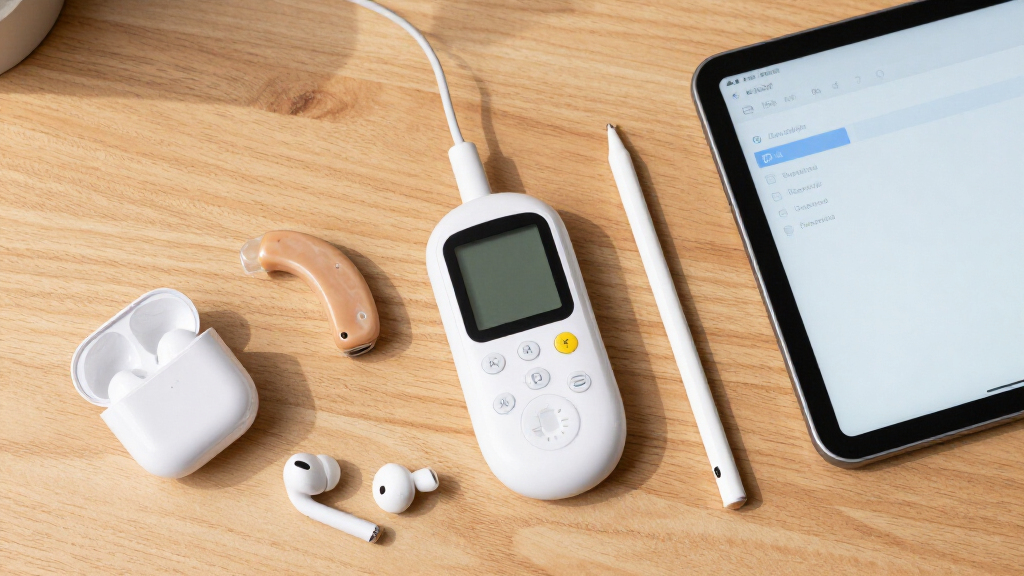

Assistive technology for students with disabilities varies widely, from high-tech reading devices to communication tools. The best options balance performance, ease of use, and affordability, but tradeoffs often exist between advanced features and simplicity. The OrCam Read stands out as the top overall pick for its smart reading capabilities, while the AbleNet SuperTalker FeatherTouch excels in speech therapy support. Many students and educators face tough choices between feature-rich solutions and budget-friendly options. Continue reading for a detailed breakdown of each product and how to choose the right assistive tech for your needs.
Key Takeaways
- Top picks are distinguished by their focus on either communication support or reading assistance, depending on student needs.
- Ease of use and setup time significantly influence the practicality of assistive devices in classroom settings.
- Price varies widely; the best value options often offer core features at a lower cost than premium models.
- Compatibility with other classroom tools and platforms enhances long-term usability.
- Tradeoffs often involve balancing advanced functionalities against simplicity and affordability.


More Details on Our Top Picks
OrCam Read – AI Assistive Reading Device with Smart Reading Feature
The OrCam Read stands out for its ability to quickly read large volumes of printed and digital text, making it highly suitable for students who need to process extensive reading materials. Compared to the more general focus of the Assistive Technology in the Classroom books, this device offers direct, real-time assistance that can be used in various environments. Its smart reading commands personalize the experience, but it requires full hand control and hearing ability, limiting use for some students with visual or motor challenges. The device excels in low-light conditions and doesn’t need internet, which is a plus for mobility. However, it isn’t designed for users with moderate to severe visual impairments and can be costly. Best for students with mild to moderate reading difficulties who need portable, immediate text support.Pros:- Supports large volumes of printed and digital text effortlessly
- Operates well in low-light environments without external power
- Includes smart reading commands for customization
Cons:- Requires full hand control and hearing ability, limiting accessibility for some users
- Not suitable for users with moderate to severe visual impairments
Best for: Students with mild to moderate reading difficulties who need portable, immediate text support
Not ideal for: Students with significant visual impairments or limited hand control, as it requires full hand mobility and hearing
- Recognition:CES 2021 Best of Innovation Award
- Language:English
- Connectivity:No internet required
- Lighting:Works in low-light environments
- User Requirements:Full hand control, hearing ability
Our verdict“This device is perfect for students who need quick, portable assistance with reading in everyday environments but isn’t suitable for those with severe visual or motor challenges.”
An Evidence-Based Guide to Assistive Technology
This guide offers a structured overview of assistive technology grounded in research, making it invaluable for educators and specialists looking to implement effective tools. Unlike the Assistive Technology in the Classroom books, which focus on practical applications, this resource emphasizes the evidence behind various strategies, helping users make informed decisions. Its broad scope means it lacks detailed product specifications, and it doesn’t provide direct recommendations for specific devices, which could be a drawback for those seeking actionable tech insights. Nonetheless, it’s a strong foundational resource for designing inclusive learning plans based on proven practices. Best suited for educators and specialists who prioritize research-backed approaches.Pros:- Provides research-backed strategies for assistive tech implementation
- Enhances understanding of effective tools in education
- Supports informed decision-making for program development
Cons:- Lacks detailed information on specific assistive devices
- No customer reviews or ratings to gauge practical impact
Best for: Special educators, school psychologists, and administrators seeking evidence-based guidance
Not ideal for: Parents or students seeking specific device recommendations or detailed product features
Our verdict“This book is a valuable resource for those designing or refining assistive technology programs based on solid evidence but falls short for those requiring specific product guidance.”
Assistive Technology for People with Disabilities
This comprehensive book covers a wide range of assistive technology options for individuals with disabilities, making it a good reference for caregivers and professionals. Compared to the more application-focused Assistive Technology in the Classroom, it emphasizes understanding various tools and strategies for independence. The lack of specific product details or ratings means it functions more as a general guide rather than a buying resource. Its broad scope makes it less useful for those seeking targeted solutions, but it’s ideal for gaining foundational knowledge about assistive tech options. Best for professionals and caregivers who want a thorough overview but not detailed product reviews.Pros:- Provides a wide-ranging overview of assistive technology solutions
- Useful for understanding various tools to support independence
- Serves as a foundational reference for professionals
Cons:- No specific product features or ratings
- Lacks practical guidance on selecting or implementing devices
Best for: Caregivers, therapists, and professionals seeking a broad understanding of assistive technology options
Not ideal for: Parents or students needing specific device recommendations or detailed implementation guidance
Our verdict“This book offers a solid overview of assistive tech concepts but isn’t tailored for choosing specific products or detailed planning.”
Assistive Technology in the Classroom: Enhancing the School Experiences of Students with Disabilities, Loose-Leaf Version (3rd Edition)
Focusing on real-world classroom applications, this loose-leaf guide provides strategies for integrating assistive technology to support student engagement and learning. Compared to the more theoretical An Evidence-Based Guide to Assistive Technology, it offers actionable advice tailored for educators and caregivers. Its strength lies in practical strategies, but it offers limited detail on specific devices or features, which might leave readers wanting more technical depth. This makes it ideal for teachers seeking immediate strategies but less suitable for those needing in-depth technical information. Best for educators looking for practical, classroom-ready assistive tech strategies.Pros:- Provides practical strategies for classroom integration
- Focuses on enhancing student experiences
- Easy to implement in diverse educational settings
Cons:- No detailed specifications or device features
- Limited technical depth for advanced planning
Best for: Teachers and school staff seeking actionable strategies to support students with disabilities
Not ideal for: Parents or professionals needing detailed technical specifications or device evaluations
Our verdict“This guide is excellent for educators wanting straightforward strategies but falls short for those needing technical details or device reviews.”
Assistive Technology and Universal Design for Learning: Toolkits for Inclusive Instruction
This book emphasizes the integration of assistive technology and universal design principles to foster inclusive classrooms. It offers practical toolkits and strategies tailored for educators committed to accessibility. Unlike the more general ‘Assistive Technology in the Classroom,’ this resource incorporates UDL principles, making it highly relevant for comprehensive inclusion efforts. Its focus on practical strategies is a clear advantage, but the lack of specific device details means it’s less useful for those seeking technical guidance. It’s best suited for educators aiming to embed accessibility into their teaching philosophy. Best for educators dedicated to inclusive, accessible learning environments.Pros:- Provides practical strategies for inclusive instruction
- Focuses on universal design principles
- Supports development of accessible learning environments
Cons:- No detailed product features or specifications
- Limited technical guidance for device selection
Best for: Teachers and instructional designers focused on universal design and inclusive education
Not ideal for: Parents or students looking for detailed device specifications or technical guidance
Our verdict“This book is ideal for educators committed to universal design and inclusion, though it offers limited specifics on individual assistive devices.”
Assistive Technology in the Classroom: Enhancing the School Experiences of Students with Disabilities (2nd Edition)
This book stands out for its comprehensive coverage of assistive technologies and practical strategies tailored for educators aiming to promote inclusion. Unlike the more technical Assistive Technology in Special Education, this edition offers actionable insights that can be directly applied in classrooms. However, it lacks digital content or interactive elements, which could limit engagement for tech-savvy teachers. It’s ideal for educators who need a broad overview and implementation tips but may fall short for those seeking detailed technology specifications or case studies. The absence of specific tech tools makes it less suitable for those looking for step-by-step tech integration. Still, its practical approach makes it a valuable starting point for inclusive teaching.Pros:- Comprehensive coverage of assistive strategies in education
- Practical, classroom-ready guidance
- Updated second edition with current pedagogical approaches
Cons:- No digital or interactive content for enhanced engagement
- Limited details on specific assistive technologies
Best for: Special education teachers and school administrators looking for a broad, strategy-focused guide
Not ideal for: Tech-focused professionals seeking detailed device specifications or interactive learning tools
- Edition:2nd
- Focus:Educational strategies and inclusion
- Format:Printed book
- Intended Audience:Educators and administrators
Our verdict“A solid resource for educators who want a broad, strategy-oriented overview of assistive tech in classrooms without needing detailed device info.”
AbleNet SuperTalker FeatherTouch AAC Device – Multi-Level Communicator for Speech Therapy and Autism Support
The SuperTalker FeatherTouch excels as a portable, easy-to-use communication device, making it ideal for students with autism or speech delays who need quick, personalized access to messaging. Compared to the more general Assistive Technology in the Classroom book, this device offers tangible, immediate communication support with customizable options like photos and symbols. Its multi-level feature allows users to differentiate messages, but the limit of 64 messages can become restrictive as needs grow, requiring frequent updates. The device’s durability and simple interface make it suitable for younger or limited-motor-skill users, yet some users might find programming for customization somewhat complex. This pick is best for students needing reliable, on-the-go communication aid, but less so for those requiring extensive message libraries.Pros:- Multi-level messaging supports nuanced communication
- Portable, durable design for everyday use
- User-friendly interface suitable for limited motor skills
- Customizable messages with photos, symbols, or words
Cons:- Limited to 64 messages, which may require frequent updates
- Programming can be complex for some users
Best for: Speech therapy providers and parents of children with autism or speech delays seeking a durable, customizable device
Not ideal for: Students with complex communication needs requiring large message libraries or advanced customization
- Number of programmable levels:8
- Message capacity:64 messages
- Design:Lightweight, durable
- Customizable options:Photos, symbols, words
- Intended users:Individuals with autism, speech delays
Our verdict“This device is a reliable, personalized communication tool best suited for students with moderate messaging needs and mobility limitations.”
Assistive Technology in Special Education
This book offers a broad overview of assistive technology applications in special education, making it a useful resource for professionals seeking to understand various tools and strategies. Unlike the AbleNet SuperTalker FeatherTouch, which focuses on a specific device, this guide emphasizes integrating a range of technologies into curricula and support plans. It provides practical tips but lacks detailed case studies or step-by-step implementation guidance, which might limit its usefulness for beginners or those needing in-depth examples. It’s more suited for educators and administrators with some familiarity with assistive tech who want to expand their toolkit, rather than newcomers or tech enthusiasts looking for technical details.Pros:- Broad overview of assistive technology tools and strategies
- Practical advice for integration into educational settings
- Valuable for educators planning inclusive programs
Cons:- Lacks detailed case studies or real-world examples
- Can be too technical for absolute beginners
Best for: Special education teachers and program coordinators developing inclusive technology plans
Not ideal for: Parents or students seeking detailed device-level guidance or hands-on tutorials
- Coverage:Tools and strategies in special education
- Format:Printed book
- Target Audience:Special educators, program planners
Our verdict“A practical, broad overview suited for professionals planning or enhancing assistive tech integration in schools, but less ideal for those seeking detailed, hands-on guidance.”
How We Picked
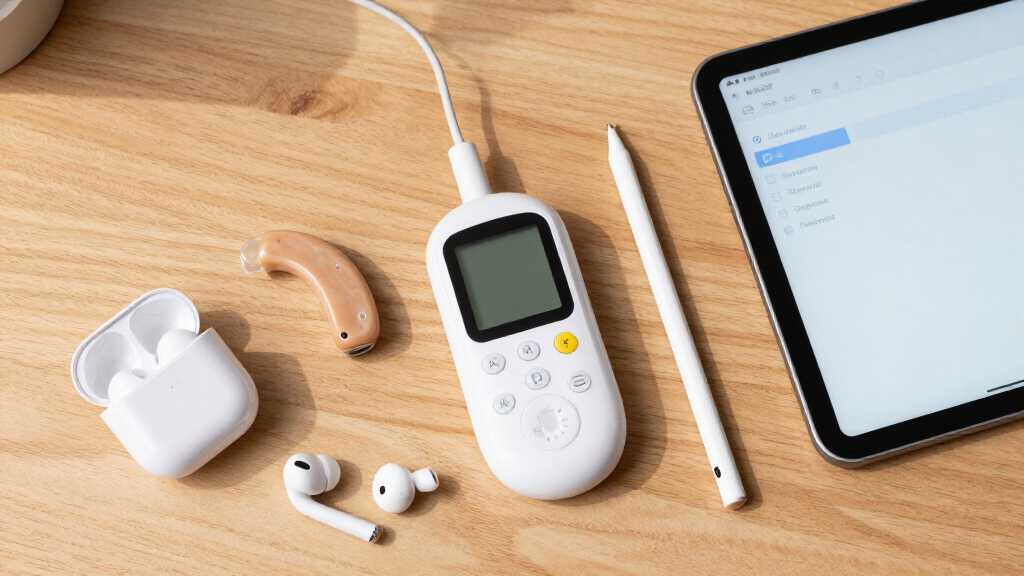
Products were selected based on their relevance to students with disabilities, effectiveness, usability, durability, and value. We prioritized devices that have proven benefits in educational settings, with a focus on ease of integration into daily routines. Each product was evaluated for its core features, user interface, maintenance requirements, and overall affordability. The ranking reflects a combination of expert reviews, user feedback, and how well each item addresses specific learning challenges faced by students.Factors to Consider When Choosing Assistive Tech For Students With Disabilities
Choosing the right assistive tech involves understanding several key factors that influence how well a device will support a student’s learning needs. Not all tools are suitable for every type of disability, so aligning features with individual requirements is crucial. Cost can also be a significant consideration, especially when balancing functionality and budget constraints. Additionally, ease of use and compatibility with existing classroom technology can greatly impact the effectiveness of a device. This guide covers the main factors to consider to help you make a confident, informed decision.Type of Support Needed
Different assistive devices target specific challenges, such as reading, communication, or mobility. Clarifying whether a student needs help with literacy, speech, or motor skills guides your selection. For example, speech-generating devices are ideal for non-verbal learners, while reading aids assist those with dyslexia or visual impairments. Matching the device to the primary challenge ensures that the technology delivers real value without unnecessary complexity.
Ease of Use and Training
Devices that are too complicated can hinder rather than help, especially in busy classroom environments. Prioritize options with intuitive interfaces and minimal setup time. Consider whether training or ongoing support is available, as this can influence how effectively the device is adopted. A simple, straightforward design often results in better engagement and consistent use by students and teachers alike.
Compatibility and Integration
Assistive tech should complement existing classroom tools and platforms, such as tablets, computers, or learning management systems. Compatibility reduces frustration and increases the likelihood of sustained use. Check if the device integrates with other assistive software or hardware already in place, and consider future scalability as needs evolve. Overlooking this aspect can lead to isolated solutions that are difficult to incorporate into daily routines.
Cost and Value
Price ranges among assistive devices can be wide, from budget-friendly options to premium solutions with advanced features. It’s important to weigh the cost against the expected benefits and durability. Sometimes investing more upfront results in better long-term value due to higher reliability and more comprehensive support. Conversely, for some students, a more affordable, basic device may suffice, especially for short-term use or less complex needs.
Durability and Maintenance
Assistive devices used in classroom settings should withstand daily wear and tear, especially for younger students or those with active routines. Consider build quality, warranty, and ease of maintenance when selecting a device. A robust device reduces the frequency and cost of repairs, ensuring consistent support throughout the school year. Neglecting durability can lead to increased expenses and interruptions in learning support.
Customization and Scalability
Devices that allow for customization—such as adjustable settings or personalized interfaces—better serve individual needs. Look for options that can grow with the student, adding features or support levels over time. This flexibility can extend the device’s usefulness, making it a longer-term investment that adapts to changing educational requirements.
Frequently Asked Questions
How do I determine which assistive tech is best for my child’s specific disability?
Identifying the most suitable assistive technology begins with a detailed assessment of your child’s specific challenges and strengths. Consulting with specialists such as speech therapists, occupational therapists, or special educators can provide insights into the most effective tools. It’s also helpful to involve your child in the decision process, gauging their comfort and preferences. Matching the device’s core features to their primary needs ensures better engagement and support.
Are there assistive devices that work well for multiple disabilities at once?
Yes, some assistive tools are designed for multi-faceted support, such as tablets with customizable accessibility features or multi-function communication devices. However, no single device can perfectly address every challenge. It’s often necessary to combine tools tailored to specific needs, like a reading aid alongside a speech-generating device. Evaluating whether a device offers flexible, adaptable options can help you cover multiple areas without overwhelming the student or caregiver.
Should I prioritize cost over advanced features when choosing assistive tech?
Balancing cost and features depends heavily on the student’s needs and the intended duration of use. For short-term or less complex needs, a more affordable device may suffice and provide good value. However, investing in more advanced features can be worthwhile if the device significantly improves learning or communication, especially for long-term use. Consider the potential for future needs, additional accessories, and ongoing support when evaluating the true cost-benefit ratio.
What are some common mistakes to avoid when selecting assistive tech for students?
A frequent mistake is choosing a device based solely on features rather than usability and compatibility with the student’s environment. Overlooking training needs and ongoing support can lead to underutilization. Additionally, ignoring durability or future scalability may result in devices that quickly become obsolete or unusable. To avoid these pitfalls, prioritize a comprehensive assessment and involve educators and specialists in the decision process.
How can I ensure that the assistive tech I choose will be accepted and used effectively?
Effective adoption depends on selecting user-friendly devices and providing adequate training and ongoing support. Involving students and teachers early in the selection process fosters buy-in and ensures the device fits into daily routines. Regular feedback and adjustments can improve engagement and effectiveness. Ultimately, choosing a device that aligns with the student’s preferences and capabilities increases the likelihood it will be embraced and used consistently.
Conclusion
For parents and educators seeking the best overall device, the OrCam Read offers a powerful, versatile reading solution suitable for many students. Those prioritizing affordability and core features may find the AbleNet SuperTalker to be a strong value. Beginners or those new to assistive tech should consider simplified, intuitive options that require minimal setup. For specialized needs like speech therapy, dedicated devices like the SuperTalker excel. Ultimately, matching the device to the student’s specific challenges and environment ensures the most effective support and meaningful learning progress in 2026.