
The best video doorbells for accessibility make it easier to see, hear about, and respond to visitors without relying on a quick trip to the door. I name the Arlo Video Doorbell 2K (2nd Gen) my best overall pick for its flexible wired or wireless installation, while the Eufy Security Video Doorbell E340 stands out for its dual-camera view and the Wyze Battery Video Doorbell for its head-to-toe framing. The right fit depends on more than image quality: alert clarity, viewing angle, installation demands, connectivity, and any subscription or chime requirements can affect daily use. Some models offer extra views or higher resolution, while others prioritize straightforward setup or fewer ongoing costs. Read on for the full breakdown and practical guidance on choosing a doorbell that suits your home and access needs.

Get everyday helpers delivered free with Prime
- Fast, free delivery on millions of items
- Prime Video, Amazon Music and more included
- Member-only deals all year
Key Takeaways
- Installation flexibility separates the leading options: Arlo and Chamberlain support wired or battery-powered setups, while a buyer should verify each model’s power and chime requirements before ordering.
- More than one camera angle can solve a real access problem: Eufy E340 and Anona’s dual-camera design can show areas a single front-facing view may miss, though extra views do not replace checking the actual mounting position.
- Head-to-toe framing is a distinct strength, not a universal need: Wyze’s 1:1 view can help show packages and visitors close to the door, while a wide horizontal view may better suit other entry layouts.
- Resolution claims alone do not determine accessibility: Ring’s 4K and Aosu’s 5MP emphasize image detail, but clear alerts, usable app controls, dependable network coverage, and night visibility matter just as much.
- Ongoing service and setup needs vary across the lineup: Anona and BOIFUN advertise use without a subscription, while buyers should compare each model’s recording options, chime arrangement, and ongoing requirements before choosing.
| Arlo Video Doorbell 2K (2nd Gen) Wireless or Wired – 1 Camera |  | Best Overall for Wide-Area Awareness | Resolution: 2K | Field of view: 180 degrees | Weather resistance: IP65 | VIEW LATEST PRICE | See Our Full Breakdown |
| Tapo 2K Wireless Smart Video Doorbell with Chime, 160° Wide View |  | Best for Local-Storage Choice | Resolution: 2K | Field of view: 160 degrees diagonal | Battery: 6400 mAh rechargeable | VIEW LATEST PRICE | See Our Full Breakdown |
| Ring Wired Doorbell 4K Pro (Newest Model), Retinal 4K with Wide-Angle Video, 10x Enhanced Zoom, Night Vision |  | Best for Detailed Remote Viewing | Video resolution: 4K | Field of view: 140 degrees horizontal by 140 degrees vertical | Zoom: 10x enhanced zoom | VIEW LATEST PRICE | See Our Full Breakdown |
| Eufy Security Video Doorbell E340, Dual Cameras, 2K FHD |  | Best for Package Visibility Without Cloud Fees | Camera resolution: 2K FHD | Viewing angle: 160 degrees | Camera arrangement: Dual cameras for visitor and package views | VIEW LATEST PRICE | See Our Full Breakdown |
| Wyze Battery Video Doorbell Wireless Camera with Color Night Vision and 1:1 Head-to-Toe View |  | Best for Head-to-Toe Framing | Resolution: 1536 × 1536 HD+ | Field of view: 150 × 150 degrees | Battery life: Up to 6 months | VIEW LATEST PRICE | See Our Full Breakdown |
| Anona 3K Dual Cam Video Doorbell Camera Wireless No Subscription with Chime |  | Best for Multiple Doorway Views | Camera resolution: 3K 5MP | Battery capacity: 5200mAh | Detection: AI detection for people, pets, and packages | VIEW LATEST PRICE | See Our Full Breakdown |
| BOIFUN Video Doorbell Camera Wireless, No Subscription Required, 2K HD | 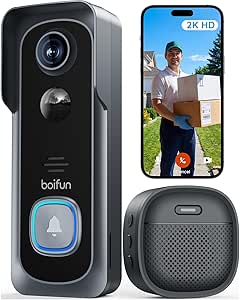 | Best for Drill-Free Setup | Resolution: 2K HD | Field of view: 166° | Night vision: HDR, 940 nm infrared up to 10 meters | VIEW LATEST PRICE | See Our Full Breakdown |
| Chamberlain myQ Video Doorbell 2K Camera, Battery/Wired, Color Night Vision, 150° Wide View, Black |  | Best for Color Night Viewing | Resolution: 2K | Night vision: Color night vision | Field of view: 150° | VIEW LATEST PRICE | See Our Full Breakdown |
| Aosu 5MP Ultra HD Wireless & Wired Video Doorbell Camera |  | Best for Subscription-Free Local Recording | Resolution: 5MP Ultra HD | Field of view: 166° | Storage: 8GB local storage; 60-day loop recording | VIEW LATEST PRICE | See Our Full Breakdown |
| video doorbells for accessibility | Field of view | Resolution | Connectivity |
|---|---|---|---|
| Arlo Video Doorbell 2K | 180 degrees | 2K | 2.4 GHz Wi-Fi |
| Tapo 2K Wireless Smart Video D | 160 degrees diagonal | 2K | 2.4 GHz Wi-Fi |
| Ring Wired Doorbell 4K Pro | 140 degrees horizontal by 140 degrees vertical | — | Wi-Fi 6, dual-band 2.4 GHz and 5 GHz |
| Eufy Security Video Doorbell E | — | — | — |
| Wyze Battery Video Doorbell Wi | 150 × 150 degrees | 1536 × 1536 HD+ | — |
| Anona 3K Dual Cam Video Doorbe | — | — | 2.4GHz Wi-Fi and Wi-Fi 6 |
| BOIFUN Video Doorbell Camera W | 166° | 2K HD | 2.4 GHz Wi-Fi |
| Chamberlain myQ Video Doorbell | 150° | 2K | Wi-Fi and Bluetooth |
| Aosu 5MP Ultra HD Wireless & W | 166° | 5MP Ultra HD | — |
More Details on Our Top Picks
Arlo Video Doorbell 2K (2nd Gen) Wireless or Wired – 1 Camera
For accessibility, the Arlo’s 180-degree field of view is its clearest advantage: visitors and deliveries are less likely to sit outside the frame, which can help when checking the door remotely is easier than reaching it. Its 2K video, two-way audio, and detection alerts give users several ways to see and communicate with callers. Flexible battery or wired-trickle power also suits homes where running a new cable is difficult. Compared with the Eufy Security Video Doorbell E340, Arlo uses one camera rather than a dedicated second package view, but its wider stated view may suit users prioritizing broad coverage. The tradeoff is that advanced detection and extended history depend on a subscription after the included trial, and dependable alerts rely on 2.4 GHz Wi-Fi.
Pros:- 180-degree field of view can capture more of the entrance in one image
- 2K video and two-way audio support remote checking and conversation
- Rechargeable battery or wired trickle charging offers installation flexibility
- Smart detection can identify people, packages, vehicles, and animals
Cons:- Full smart detection features and extended video history require a subscription
- Advanced-feature trial lasts only one month
- Performance depends on a stable 2.4 GHz Wi-Fi connection
Best for: People who want a wide view, remote two-way conversations, and the option to install without running new doorbell wiring
Not ideal for: Buyers who want ongoing advanced alerts and video history without a subscription, or whose Wi-Fi is unreliable at the entrance
- Resolution:2K
- Field of view:180 degrees
- Weather resistance:IP65
- Power options:Rechargeable battery or wired trickle charging
- Connectivity:2.4 GHz Wi-Fi
- Cloud video history:60 days; trial included
Our verdict“Choose the Arlo if broad coverage and flexible power matter more than subscription-free advanced alerts.”
Tapo 2K Wireless Smart Video Doorbell with Chime, 160° Wide View
The Tapo D210 is a strong fit for people who want a wireless doorbell with a choice of storage methods. Its 2K image, two-way audio, and indoor chime let someone check and answer the door without having to get there immediately; the included angled wedge can also help aim the camera toward an approach. Unlike the Arlo Video Doorbell 2K (2nd Gen), Tapo supports a microSD card for local recording, so cloud service is not the only storage route. That flexibility is useful, but the card is not included, and cloud storage still requires a subscription. Full-color night vision uses a spotlight, which may help visibility after dark but can be more noticeable than infrared-only illumination. The chime is indoor-only, and battery life varies with activity and conditions.
Pros:- 2K resolution and 160-degree diagonal view cover the entrance in useful detail
- MicroSD support provides a local-storage option alongside subscription cloud storage
- Two-way audio and included indoor chime offer convenient ways to respond remotely
- Alexa and Google Assistant compatibility supports existing smart-home setups
Cons:- MicroSD card is not included, and cloud storage requires a subscription
- Chime is designed for indoor use only
- Battery life can change with use and environmental conditions
Best for: Households seeking a battery-powered doorbell with two-way audio, an indoor chime, and the option to record locally
Not ideal for: People who need an outdoor chime, do not want to buy storage separately, or prefer night vision without a spotlight
- Resolution:2K
- Field of view:160 degrees diagonal
- Battery:6400 mAh rechargeable
- Local storage:MicroSD up to 512 GB; card not included
- Cloud storage:Available by subscription
- Connectivity:2.4 GHz Wi-Fi
- Night vision:Full color with spotlight
- Audio and compatibility:Two-way audio; Alexa and Google Assistant
- Mounting:Includes 15-degree angled wedge
Our verdict“Pick the Tapo if local recording and a bundled indoor chime matter more than an included memory card or outdoor chime.”
Ring Wired Doorbell 4K Pro (Newest Model), Retinal 4K with Wide-Angle Video, 10x Enhanced Zoom, Night Vision
The Ring Wired Doorbell 4K Pro suits buyers who need to inspect fine detail from a distance. Its 4K video and 10x enhanced zoom may make it easier to examine a visitor or parcel on a phone screen, while customizable 3D motion zones can focus alerts on selected areas. Adaptive night vision and two-way audio add useful remote checks after dark. Compared with the battery-powered Wyze Battery Video Doorbell, Ring is a better fit for a wired setup and offers higher stated resolution, but it demands more from installation: a compatible power source or separate adapter and transformer are needed. Its 140-by-140-degree view is narrower than the Arlo’s stated 180-degree field, so the extra detail does not mean the broadest coverage. Full features also require a compatible Ring subscription.
Pros:- 4K video and 10x zoom support closer inspection of visitors and deliveries
- Customizable 3D motion zones help narrow alerts to selected areas
- Adaptive night vision and two-way audio support remote checks at night
- Dual-band Wi-Fi 6 connectivity supports 2.4 GHz and 5 GHz networks
Cons:- Power adapter and compatible transformer are not included
- Full feature access requires a compatible Ring subscription
- Field of view is narrower than the Arlo’s stated 180-degree view
Best for: People with compatible doorbell wiring who want zoomed-in detail and control over where motion alerts are triggered
Not ideal for: Renters or users who need a battery-powered installation, lack compatible wiring, or want advanced features without a subscription
- Video resolution:4K
- Field of view:140 degrees horizontal by 140 degrees vertical
- Zoom:10x enhanced zoom
- Night vision:Adaptive
- Motion detection:3D motion detection with customizable zones
- Power:Standard doorbell system, Ring plug-in adapter, or compatible hardwired transformer
- Transformer requirements:16 or 24 VAC, 10 to 40 VA
- Connectivity:Wi-Fi 6, dual-band 2.4 GHz and 5 GHz
- Dimensions:1.95 × 1.02 × 5.45 inches
Our verdict“Choose Ring if wired power is available and zoomed detail matters more than broadest-angle coverage or subscription-free features.”
Eufy Security Video Doorbell E340, Dual Cameras, 2K FHD
The Eufy E340’s dual-camera design gives it a distinct accessibility advantage: one view covers visitors while another helps monitor parcels near the ground. That can save repeated trips to the door to check a delivery. Its 2K video, human and package alerts, and local 8 GB eMMC storage make this a practical alternative to the subscription-dependent features of the Arlo Video Doorbell 2K (2nd Gen). Eufy also offers battery or wired power, although battery life varies with use. The main compromise is its stated 160-degree viewing angle, narrower than Arlo’s 180-degree view, and the plastic enclosure may feel less robust than some alternatives. Smart-home integration also depends on compatible devices, so the dual views and local storage are the more persuasive reasons to choose it.
Pros:- Dual cameras provide separate visitor and package views
- Built-in 8 GB eMMC storage avoids relying on a cloud subscription for local recordings
- Battery or wired power allows different installation approaches
- Human and package alerts can help users check activity remotely
Cons:- 160-degree viewing angle is narrower than the Arlo’s stated 180-degree field of view
- Plastic enclosure may be less durable than a metal-bodied alternative
- Battery life varies, and full smart-home integration requires compatible devices
Best for: People who frequently receive deliveries and want a separate package view with recordings stored locally
Not ideal for: Buyers who prioritize the widest single-camera view, a metal enclosure, or broad smart-home integration without compatible devices
- Camera resolution:2K FHD
- Viewing angle:160 degrees
- Camera arrangement:Dual cameras for visitor and package views
- Local storage:8 GB eMMC
- Power source:Battery powered or wired
- Night vision range:16 feet
- Alerts:Audio, motion, human, and package
- Effective video resolution:1440 pixels
- Mount type:Wall mount
Our verdict“Choose the Eufy if monitoring low-placed deliveries and keeping recordings local matter more than the widest view.”
Wyze Battery Video Doorbell Wireless Camera with Color Night Vision and 1:1 Head-to-Toe View
Wyze is the most focused pick here for head-to-toe framing: its 1:1 view is designed to show a visitor and parcels close to the door without relying on the Eufy E340’s second camera. That straightforward composition can make a quick phone check easier, while two-way audio lets users respond remotely. Local microSD recording also offers a route that does not require cloud service, unlike the subscription-dependent advanced features on the Ring Wired Doorbell 4K Pro. Wyze offers wireless or wired operation and claims up to six months of battery life, though actual runtime depends on use. Its 1536 × 1536 resolution is lower than the 2K options from Tapo and Eufy, and the card is sold separately. Buyers should also verify Wi-Fi and smart-home compatibility before installation.
Pros:- 1:1 head-to-toe view frames visitors and nearby deliveries together
- Color night vision and two-way audio support clearer remote checks
- Wireless or wired operation gives installation flexibility
- MicroSD local storage is available without requiring cloud service
Cons:- 1536 × 1536 resolution is below the 2K Tapo and Eufy options
- MicroSD card and some accessories are sold separately
- Battery runtime varies with use, and smart-home setup requires compatible devices
Best for: People who want a simple, square head-to-toe view of callers and parcels with optional local recording
Not ideal for: Buyers who prioritize 2K-or-higher resolution, need included local storage media, or want to avoid checking smart-home compatibility
- Resolution:1536 × 1536 HD+
- Field of view:150 × 150 degrees
- Battery life:Up to 6 months
- Power options:Wireless or wired
- Local storage:MicroSD up to 256 GB
- Cloud storage:Optional
- Audio:Two-way audio
- Compatibility:Alexa, Google Assistant, and IFTTT
- Video format:MP4
Our verdict“Choose Wyze for an easy-to-read head-to-toe view and optional local recording, not for the highest resolution.”
Anona 3K Dual Cam Video Doorbell Camera Wireless No Subscription with Chime
The Anona 3K Dual Cam is the accessibility-minded pick for households that need more than a single view of the doorstep. Its dual-camera setup and 5MP video can help show visitors and packages from different angles, while people detection and included chime offer more ways to notice a door event. Two-way audio adds a remote response option, though the listing does not specify accessibility features such as captions or hearing-aid integration.
Compared with the Aosu 5MP, Anona adds pet and package detection and supports Wi-Fi 6, while Aosu lists built-in local storage and a 166° field of view. Anona offers battery or wired power, but setup may take more effort, and local recording requires a separately purchased microSD card. It also depends on Wi-Fi for full functionality.
Pros:- Dual cameras provide more than one perspective on the entry
- AI detection covers people, pets, and packages
- Battery or wired installation offers power flexibility
- Included chime gives another way to receive door alerts
Cons:- MicroSD card for local storage is sold separately
- Full functionality requires a Wi-Fi connection
- Setup may be complex for buyers seeking a straightforward installation
Best for: Households that want two views of the entry, an included chime, and alerts for people, pets, and packages.
Not ideal for: People who need a simple setup or ready-to-use local recording, since setup may be complex and the microSD card is not included.
- Camera resolution:3K 5MP
- Battery capacity:5200mAh
- Detection:AI detection for people, pets, and packages
- Storage:Up to 512GB microSD card; cloud support
- Connectivity:2.4GHz Wi-Fi and Wi-Fi 6
- Weather resistance:IP65
- Smart-home compatibility:Alexa and Google Assistant
- Power and chime:Rechargeable battery or wired installation; chime included
Our verdict“Choose Anona if multiple camera views and varied detection matter more than the simplest setup or included local storage.”
BOIFUN Video Doorbell Camera Wireless, No Subscription Required, 2K HD
The BOIFUN 2K suits renters or people who want to avoid drilling: its wireless installation is described as quick and drill-free, and the 166° view covers a broad area around the doorway. Human detection, two-way audio, and alerts without a required subscription can make visitor communication easier from a phone. Its invisible infrared night vision avoids visible illumination, but the listing does not identify features such as captions or hearing-access options.
Unlike the Chamberlain myQ 2K, BOIFUN includes local microSD playback without requiring a separate video monitoring plan for core features. The tradeoff is a built-in, non-removable battery and support for only 2.4 GHz Wi-Fi. Its stated battery life is based on lab conditions, so frequent alerts may mean more charging than that estimate suggests.
Pros:- Drill-free wireless installation can suit rental homes
- 166° field of view and 2K video cover a broad entry area
- Core alerts, two-way audio, and playback do not require a subscription
- Supports local microSD storage up to 128GB
Cons:- Works only with 2.4 GHz Wi-Fi
- Built-in battery is non-removable
- Actual battery life can be shorter than the lab estimate, and the microSD card is not included
Best for: Renters and first-time buyers who want a broad view, phone-based two-way talk, and installation without drilling.
Not ideal for: Households using only 5 GHz Wi-Fi or buyers who want to swap in a spare battery rather than recharge the built-in one.
- Resolution:2K HD
- Field of view:166°
- Night vision:HDR, 940 nm infrared up to 10 meters
- Connectivity:2.4 GHz Wi-Fi
- Battery:Built-in, non-removable rechargeable battery; up to 60 days in lab conditions
- Local storage:microSD up to 128GB; card not included
- Detection:Human detection
- Warranty:2 years
Our verdict“Pick BOIFUN for a renter-friendly installation and subscription-free core features, provided 2.4 GHz Wi-Fi and periodic recharging suit your home.”
Chamberlain myQ Video Doorbell 2K Camera, Battery/Wired, Color Night Vision, 150° Wide View, Black
The Chamberlain myQ 2K is a straightforward choice for buyers who prioritize seeing the doorway in color after dark. Its color night vision and 150° view can make it easier to distinguish activity around the entrance, while two-way talk lets users respond through a smartphone. Battery or wired installation gives households a choice between avoiding door wiring and using a wired setup. The provided details do not mention an included chime or specific hearing-access features.
Compared with the BOIFUN 2K, Chamberlain offers color rather than infrared night vision, but BOIFUN lists subscription-free core playback and a wider 166° view. Chamberlain’s AI alerts require a separate Video Monitoring Plan, and a wireless chime is an additional accessory. Wired installation may also be difficult for people who are not comfortable working with existing doorbell wiring.
Pros:- Color night vision can provide more visual detail after dark
- 2K video and a 150° lens cover a broad area
- Battery or wired installation offers a choice of power setup
- Smartphone control and two-way talk support remote responses
Cons:- AI alerts require a separate Video Monitoring Plan
- Wireless chime is sold separately
- Wired installation may be challenging for some households
Best for: Smartphone users who value color night footage and want the choice of battery or wired installation.
Not ideal for: Buyers who want AI alerts without a separate plan, an included chime, or installation that avoids wiring work.
- Resolution:2K
- Night vision:Color night vision
- Field of view:150°
- Installation:Battery or wired
- Connectivity:Wi-Fi and Bluetooth
- Control:Smartphone control
- Mount type:Wall mount
- Weather resistance:Weather resistant
Our verdict“Choose Chamberlain if color night footage and flexible power matter more than avoiding a plan for AI alerts or buying a separate chime.”
Aosu 5MP Ultra HD Wireless & Wired Video Doorbell Camera
The Aosu 5MP is the strongest fit here for buyers who want recordings stored at home without a subscription. Its built-in 8GB local storage and 60-day loop recording mean there is no separate memory card to buy, while triple-sensor detection combines radar, infrared, and AI human recognition to help filter alerts. A 166° view and 5MP footage give a broad, detailed view that may help when checking who or what is at the door.
Compared with the Anona 3K Dual Cam, Aosu has built-in storage and supports 2.4/5 GHz Wi-Fi, while Anona offers two camera perspectives and detection for pets and packages. Aosu still relies on Wi-Fi for full functionality, and its 8GB capacity is limited. Its listed weight is 930 g, so buyers should check whether the mounting location can support it.
Pros:- Built-in 8GB storage supports 60-day loop recording without a subscription
- Triple-sensor detection is designed to reduce false alerts
- 166° view and 5MP resolution provide broad, detailed footage
- Battery or wired power and 2.4/5 GHz Wi-Fi provide installation flexibility
Cons:- 8GB local storage may be limiting for households that want more recording space
- Full functionality requires a Wi-Fi connection
- The 930 g listed weight may make mounting less suitable for some surfaces
Best for: Households seeking subscription-free recording, fewer unwanted alerts, and compatibility with either 2.4 or 5 GHz Wi-Fi.
Not ideal for: Buyers needing extensive recording capacity, pet and package detection, or a lightweight device for a difficult mounting surface.
- Resolution:5MP Ultra HD
- Field of view:166°
- Storage:8GB local storage; 60-day loop recording
- Detection:Triple-sensor radar, PIR infrared, and AI human recognition
- Power:Battery or wired
- Weather resistance:IP66
- Night vision range:23 feet
- Connectivity and control:2.4/5 GHz Wi-Fi; Alexa and Google Assistant
- Dimensions and weight:6.1 x 2.4 x 5.4 inches; 930 g
Our verdict“Pick Aosu if built-in, subscription-free recording and broader Wi-Fi support are priorities, and its limited storage capacity fits your needs.”

How We Picked
I ranked these doorbells by how well their stated features could support everyday access: seeing who is at the door, noticing an arrival, and checking the entry without needing to answer in person. I gave weight to field of view and camera arrangement, battery or wired flexibility, night visibility, included chimes, and the clarity of the product’s stated setup and recording requirements. A feature only counted as a benefit when it could address a practical access need; higher resolution alone did not earn a top position.
The ranking favors options with a useful balance of viewing flexibility and installation choice, then distinguishes picks that serve narrower needs such as a second camera angle, head-to-toe framing, or no-subscription positioning. Product listings do not establish how accessible every app, alert sound, or voice-control feature is, so I avoid treating those capabilities as guaranteed. Before buying, check current app accessibility settings, compatibility with your phone and existing chime, and whether the stated recording features require a plan.
Factors to Consider When Choosing Best Video Doorbells For Accessibility
Accessibility needs differ: one household may need to check the door from another room, while another may need a broad view or an easier installation. I would start with the daily task the doorbell needs to make easier, then check whether the camera, alerts, power setup, and app support it together.
Match the Camera View to Your Entry
Camera labels such as wide-angle, head-to-toe, or dual-camera describe different views, not a guarantee that every visitor or delivery will appear clearly. Check the lens direction, porch depth, steps, and likely package location before settling on a style. A narrow porch may benefit from a view that includes the area immediately below the camera, while a broad landing may make horizontal coverage more useful. Dual cameras can show different zones, but they may require more interpretation in the app. A common mistake is choosing the largest resolution number without checking what the frame leaves out. If possible, compare the published field of view with the height and angle where the doorbell can actually be mounted.
Treat Alerts as Part of the Accessibility Setup
A useful doorbell needs to reach you in a form you can notice and act on. Check whether the app supports adjustable notification sounds, vibration, visual alerts, or sharing alerts with another household member; do not assume a listing confirms each option. An included chime can help when a phone is muted or out of reach, but its sound, placement, and compatibility with an existing chime matter. Too many motion notifications can make important visitor alerts easier to miss, so look for ways to tune detection areas and alert frequency. A camera can show a visitor clearly and still be a poor fit if its notification arrives late or is easy for you to overlook. Review app settings and phone accessibility options together rather than treating the doorbell as a standalone device.
Choose Power Around Your Mobility and Maintenance Needs
Battery models avoid some wiring work, which may help renters or homes without suitable doorbell wiring, but recharging creates a recurring task. Wired models can reduce battery maintenance, yet installation may involve existing wiring, electrical compatibility, or help from another person. Dual-power models offer flexibility, but buyers should confirm exactly how each power mode works instead of assuming every feature remains available in both. Think about who will notice a low-battery warning and who can safely recharge or replace a unit. Mounting height also affects whether the camera captures the intended view and whether upkeep is manageable. A lower-maintenance setup may be worth choosing even if another model advertises a more impressive camera specification.
Check Network, Phone, and Household Access Before Buying
Live video and timely alerts rely on a working connection between the doorbell, home network, and phone. Weak Wi-Fi at the entrance can make a feature-rich model less useful, so check signal strength where the unit will be mounted rather than only beside the router. Confirm that the app works with the household’s phones and that the person who needs access can receive alerts and view the feed. Shared access may help a caregiver or family member respond, but the doorbell’s account and permission options should be checked before purchase. Consider what happens during internet or power interruptions, since a smart doorbell cannot provide its full remote functions when its connection is down. A simple network check can prevent more trouble than upgrading camera resolution.
Compare Recording Access and Ongoing Requirements
A live view and a saved recording serve different needs: one helps answer the door now, while the other can help review a missed visitor later. Check which events can be saved, how long they remain available, and whether recording depends on a paid plan, local storage, or a separate device. “No subscription required” does not automatically mean every storage or notification feature is included, so read the details for the exact model. Also consider whether household members can retrieve a clip without navigating an unfamiliar account setup. If reviewing past visits is central to your access needs, prioritize a recording arrangement you can manage reliably. Buyers focused mainly on immediate alerts may have less reason to pay for features they will not use.
Pay for Features That Address a Specific Barrier
Higher resolution can help when a person needs to inspect a distant face or small detail, but it cannot fix glare, poor placement, slow alerts, or a weak network. A second camera is more compelling when the entrance has a blind spot; a simple included chime may matter more when a phone is not always nearby. Before paying for extra camera detail, name the task it will improve and check whether another feature addresses the same barrier more directly. Product descriptions do not settle questions about captioning, screen-reader support, or alert customization, so verify those with the manufacturer or app documentation. A useful comparison is the full setup cost and maintenance effort, not just the hardware on the box. The best choice is the one that reduces a real obstacle without adding an upkeep burden the household cannot manage.
Frequently Asked Questions
Can a video doorbell help if I cannot get to the door quickly?
It can let you check who is outside and decide whether to respond, but the benefit depends on receiving a clear, timely alert and being able to open the live view. A doorbell does not automatically let you speak to a visitor hands-free, so check the app’s two-way audio controls and whether they suit your needs. Consider a chime or a second household member’s phone if one device is often out of reach. Test notification settings and the camera’s view after installation, since mounting angle and network strength affect the experience. If you need help answering, shared access may be more useful than a higher-resolution camera.
Is a wider view or a second camera better for accessibility?
It depends on the layout of the entry. A wide view can cover more of a flat porch, while a second camera may show a separate area, such as the space directly below the doorbell. Neither approach guarantees a clear view if the unit is mounted too high, too low, or at an awkward angle. Look at where visitors stand and where deliveries are left, then compare that with each camera’s stated framing. If a particular area is a safety or access concern, confirm that it appears in the live view before relying on the doorbell.
Should I choose a battery doorbell if wiring work is difficult?
A battery model can avoid connecting the doorbell to existing wiring, which may simplify installation, but it still needs charging or battery maintenance. Check how the low-battery notice appears and whether someone in the household can manage recharging. A wired unit may reduce that ongoing task, though it can require compatible wiring or installation help. Some models offer both power methods, but buyers should verify which features work in each mode. Choose based on the task that is easier for your household to manage over time, not only the initial installation.
Do I need a subscription to use accessibility features?
Subscription needs depend on the model and on which functions you want. Live viewing, alerts, saved clips, and longer recording history may have different requirements, and a no-subscription claim does not by itself explain every included feature. Check the manufacturer’s current details for recording, local storage, and any plan limits before choosing. Also confirm whether the app settings you need, such as alert adjustments or shared access, are available without a plan. If you mainly need a live notification, you may not need the same recording arrangement as someone who often reviews missed visits.
How can I tell whether a doorbell app will work for my access needs?
Product specifications rarely describe every accessibility detail of an app, so check the app documentation and ask the manufacturer about the specific feature you rely on. Useful questions include whether the app supports your phone’s screen reader, text resizing, visual or vibration alerts, and shared household access. Check whether important controls are easy to reach and whether alerts can be distinguished from other notifications. If possible, review the app before installation or buy from a seller with a clear return policy. A capable camera cannot make up for an app that is difficult for the person using it.
Conclusion
For most buyers, I would start with the Arlo Video Doorbell 2K (2nd Gen) as the best overall choice because its wired-or-wireless setup gives households more room to match the installation to their needs. The Tapo 2K Wireless Smart Video Doorbell is my best value direction for shoppers who want a wireless model with an included chime and broad stated view, while the Ring Wired Doorbell 4K Pro is the best premium fit for buyers prioritizing detailed video and who can accommodate wired installation. For a simpler starting point, compare the Wyze Battery Video Doorbell and its head-to-toe framing with your entry layout before choosing it as the best for beginners. If blind spots are the main barrier, look first at the Eufy E340 or Anona 3K Dual Cam; if avoiding a subscription is your priority, examine BOIFUN and Anona’s stated recording terms. Before deciding, verify app accessibility, chime behavior, power requirements, and recording limits for the exact model you plan to buy.
Columbus Day / Indigenous Peoples' Day Picks
long weekend sales
As an affiliate, we earn on qualifying purchases.