
TL;DR

Get everyday helpers delivered free with Prime
- Fast, free delivery on millions of items
- Prime Video, Amazon Music and more included
- Member-only deals all year
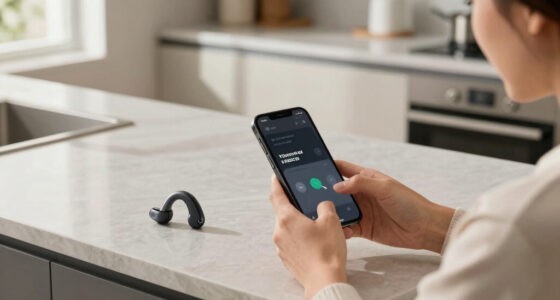
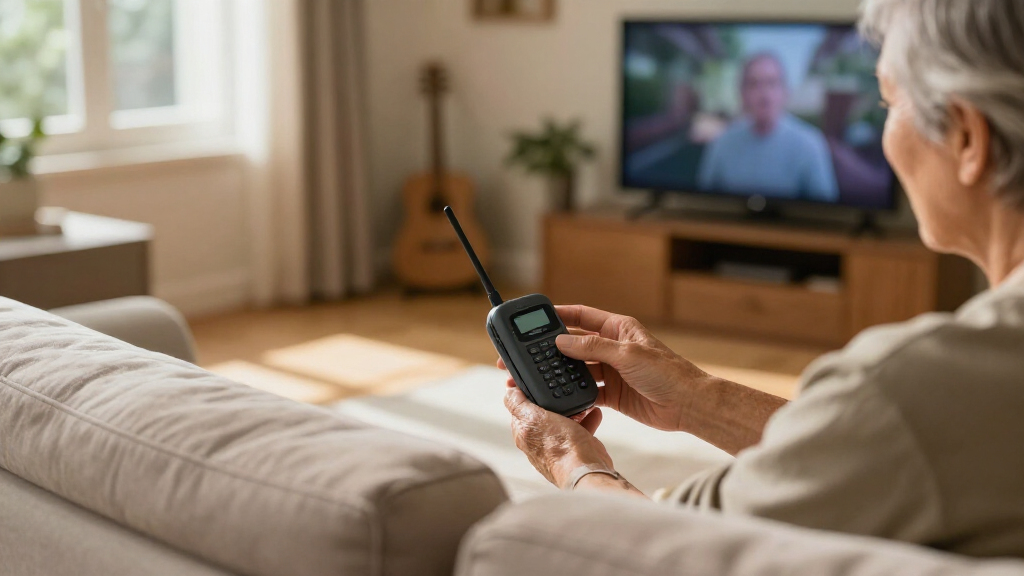
A TV listening system sends television sound to headphones, hearing aids, earbuds, or a nearby speaker so one person can hear dialogue more clearly without raising the TV volume for everyone. Before you choose, check the TV’s audio outputs, hearing-device compatibility, lip sync, and whether other viewers can keep using the TV speakers. Comfort and simple controls matter as much as wireless range.
One person wants the dialogue louder; everyone else wants the living room quieter. A TV listening system can give each viewer more control by sending sound to headphones, hearing aids, or a small personal speaker.
This guide explains the main system types and how to choose one that fits your TV connections, hearing devices, room, and daily routine. You’ll also learn what to check for lip sync, independent volume, comfort, and support before buying, so you can make a confident choice and avoid a frustrating setup.
Identify your TV’s audio outputs and confirm the listening system accepts one of them.
Check the exact hearing-aid or cochlear-implant model; some setups need a dedicated streamer, neckloop, or telecoil setting.
Ask whether TV speakers keep playing and whether the listener can set a separate personal volume.
Match wireless connection type to your room, movement, and need for lip sync.
Compare comfort, controls, charging, instructions, return terms, and support alongside sound features.
A practical buyer’s guide · Personal audio
How to Choose a TV Listening System
Hear dialogue more clearly without turning up the television for everyone. Match the listening style to your hearing devices, TV connections, room, and daily routine.
01 / Choose your listening style
Start with how you want to listen
The right setup depends on more than sound quality. Think about privacy, hearing people nearby, comfort, and how independently you need to set your volume.
Private · Direct
TV headphones
Wired or wireless headphones offer personal volume and privacy. They can make conversation or a doorbell harder to hear.
Good fit: focused listening in a quiet room.Wireless · Flexible
Personal receiver
A transmitter sends TV sound to a receiver, headphones, earbuds, or a clip-on unit. Check how it connects and how easy it is to operate.
Good fit: moving around or choosing your own headset.Hearing devices · Specific
Hearing-aid streamer
Compatible hearing aids or cochlear implants may receive TV audio through a dedicated accessory, Bluetooth, neckloop, or telecoil setup.
Good fit: listening through the devices you already wear.Nearby sound · Open ear
Personal speaker
Placed near your chair, a small speaker can help when headphones feel uncomfortable. Sound remains audible to others and offers less privacy.
Good fit: keeping one ear open to the room.Shared sound · Whole room
Soundbar or TV mode
Dialogue enhancement, center-channel adjustments, or a soundbar may help everyone, but may not provide enough separation or personal control.
Good fit: improving speech for all viewers.Household balance
Set the room goal
Imagine a quiet drama: one person wants louder dialogue while others prefer low volume. Choose the arrangement before settling on a connection.
Ask: privacy, shared listening, or independent volume?02 / Wireless connection
Match the signal to your room
Range on a product label is only part of the picture. Walls, distance, obstacles, device placement, and interference can affect reliability.
| Method | What to expect | A good fit when |
|---|---|---|
| RF | Often works through walls; actual range varies by system and home. | You want to move around without keeping the receiver in direct view. |
| Infrared | Generally needs a clear line of sight between transmitter and receiver. | You sit in one place with the transmitter visible. |
| Bluetooth | Range and reliability depend on the TV, receiver, and room layout. | Your devices support a compatible connection and you want a familiar wireless option. |
Lip sync matters: look for low-latency support and check whether the TV or system can adjust audio delay. Bluetooth performance varies; matching codecs can help when both ends support them. Bluetooth LE Audio and Auracast are designed for efficient, broadcast-style listening, but compatibility is still uneven.
03 / Before you buy
Check both ends of the connection
A system may power on yet deliver no useful sound if the TV output and listening device do not support the same path. Confirm the setup that works with the shows and devices you use.
Identify TV audio outputs
Check the TV panel, manual, or settings for optical, HDMI ARC/eARC, a headphone jack, or analog RCA. Newer TVs may omit analog outputs.
Verify the exact hearing-device model
Ask the manufacturer or a qualified hearing professional about compatibility and any dedicated streamer, neckloop, or telecoil setting.
Ask whether TV speakers stay on
Some TVs mute their built-in speakers when an output is connected. Confirm separate speaker and personal volume control.
Trace the audio source
If you use a cable box or streaming device, check where its audio goes and which setting controls it.
Prioritize comfort and clarity
Consider weight, fit, ear sensitivity, simple controls, charging, battery life, speech enhancement, and left/right balance.
Review support before committing
Clear instructions, replacement parts, customer support, and a return period can help if the setup proves incompatible at home.
Compatibility is a chain: the TV must send audio through an output the transmitter accepts, and the receiver must deliver it in a way your headphones or hearing devices support. A TV’s Bluetooth label alone does not guarantee direct pairing with a specific hearing aid.
A simple decision path
From listening need to confident setup
Choose the listening style that feels right
A TV listening system sends television audio to a listener’s headphones, hearing aids, earbuds, or nearby speaker. The choice affects more than sound quality: it determines how much privacy you get, whether you can hear people nearby, and how independently you can set your volume. Start with the listening experience you want, then check what equipment can deliver it.
TV headphones give you private sound, and models may connect by wire or through a wireless transmitter. They suit someone who wants a clear personal volume and doesn’t mind wearing headphones. The privacy is useful when others prefer a quiet room, but it can make conversation or a doorbell harder to hear. A wireless system can send sound to headphones or a small receiver that you clip to your clothing; some receivers connect to earbuds. A personal speaker placed near your chair offers another option if headphones feel uncomfortable or you want to keep one ear more open to the room. Because its sound remains audible to others, it may offer less privacy and less separation from background noise.
TV streamers for hearing aids send audio to compatible hearing aids, sometimes through a brand-specific accessory. Depending on the hearing device and setup, you may need a separate streamer, a neckloop, or a telecoil setting. This can avoid wearing another set of headphones, but compatibility is specific: a TV’s Bluetooth label alone doesn’t establish that it will connect directly to a particular hearing aid. Confirming the exact hearing-device model matters because an incompatible accessory may not pair or provide the controls you expect.
Think about an evening when you watch a quiet drama beside someone who likes a low volume. Headphones may provide private listening; a personal speaker might let you hear the room as well. A soundbar or a TV’s dialogue mode can help everyone, but it may not give one viewer enough extra volume or independent control. Choose the listening arrangement first, then check the connections that support it; this keeps a convenient connection from steering you toward a listening style you don’t actually want.
Popular right now

Dyson V8 Cyclone Cordless Vacuum

Samsung 42-Inch S90H OLED 4K Smart TV Bundle

Dyson Car+Boat Cordless Handheld Vacuum
As an affiliate, we earn on qualifying purchases.
Check your TV and hearing devices before you buy
How to choose a TV listening system starts with two checks: identify an audio output on your TV, then confirm that the system works with that output and your hearing devices. Compatibility is a chain: the TV must send audio through an output the transmitter accepts, and the receiver must deliver it in a way your headphones or hearing devices support. A mismatch at either end can leave you with equipment that powers on but receives no useful sound.
- Find the TV’s audio outputs. Look at the back or side panel and in the manual or settings menu for optical, HDMI ARC/eARC, a headphone jack, or analog RCA outputs. These are different connection types, so a cable or transmitter that fits one may not work with another. Some newer TVs omit analog connections.
- Check the hearing-device model. If you use hearing aids or cochlear implants, confirm the exact model and accessory requirements with the manufacturer or a qualified hearing professional. A neckloop or telecoil setting may be needed for some arrangements. This check can prevent buying a generic wireless device that cannot send sound to your specific hearing device.
- Confirm speaker behavior. Ask whether the TV speakers keep playing when you connect the system. Some TVs mute them, while others allow separate control. This determines whether the listener can raise personal volume while other viewers keep the TV at their preferred level.
- Review setup support. Check the instructions, return period, replacement parts, and customer support before you commit. Clear support is useful because some systems require choosing an audio output or changing a TV setting, and a return option matters if the combination proves incompatible at home.
For example, a TV with an optical output may work with a transmitter that accepts optical audio, but that does not answer whether the television speakers will stay on. If you use hearing aids, write down their model number and ask whether they need a dedicated streamer. Compatibility is a pairing question: both the TV output and the listening device must support the same connection path.
If a cable box or streaming device is part of your setup, check where its audio goes too. Some devices send sound through the TV, while others may use a separate connection or setting. You want the system to work with the shows you actually watch, not only with a built-in TV menu. When the labels are confusing, the TV manual or manufacturer support can help you identify the available output before purchase.
Compare wireless connections for your room
Wireless TV listening uses a transmitter to send sound to a receiver, headphones, earbuds, or speaker, and the connection method affects range, obstacles, and compatibility. The advertised range is only part of the decision: walls, distance, device placement, and interference can change whether audio stays steady in your home. RF, infrared, and Bluetooth each behave differently, so match the method to where you sit and how you move around the room.
| Connection | What to expect | Good fit when |
|---|---|---|
| RF | Often works through walls, though range varies by system and home. | You want to move around without keeping the receiver in direct view. |
| Infrared | Generally needs a clear line of sight between transmitter and receiver. | You sit in one place with the transmitter visible. |
| Bluetooth | Range and reliability depend on the TV, receiver, and room layout. | Your devices support a compatible connection and you want a familiar wireless option. |
The practical difference is where each system places limits on you. RF can suit a listener who walks to another room during a program, though actual range depends on walls and interference. Infrared can work well for a fixed chair with a clear view of the transmitter, but moving behind an obstacle may interrupt sound. Bluetooth can avoid a separate proprietary receiver when the TV and listening device already support a compatible connection, but performance and available controls vary across models. The convenience of fewer components is useful only if the TV and receiver pair reliably and provide the controls you need.
Imagine you often step into the kitchen during a program. An infrared system may lose its signal when a wall or doorway blocks the transmitter, while RF systems often work through walls. Bluetooth may be convenient, especially if your devices already use it, but performance varies by device and distance. Consider the route you actually take around your home, since a connection that works beside the TV may not stay reliable from the next room.
Low latency matters when you want spoken words to match lip movements. A delay can make a conversation scene feel oddly out of step, even when the sound is otherwise clear. Bluetooth performance depends on the TV and receiver; matching audio codecs can help, but compatibility varies. Check whether your TV or listening system lets you adjust audio delay, and look for low-latency support on both sides of the connection. A system with strong range can still be frustrating if its audio arrives noticeably after the picture, so judge timing from actual speech as well as the advertised wireless distance.
Newer standards such as Bluetooth LE Audio and Auracast are designed to support more efficient audio sharing and broadcast-style listening. Availability and compatibility remain uneven. Check that every part of your setup supports the feature before relying on it. A shared broadcast feature may be useful in a suitable home or public venue, but it does not remove the need to verify that your TV, transmitter, and listening device can all use it. If one component lacks support, the setup may fall back to another connection or fail to provide the intended sharing feature.
Keep volume and dialogue clear for everyone
The right setup lets the listener adjust personal volume without forcing everyone else to hear the TV at that level. Ask whether a system and TV can keep the built-in speakers playing while headphones or a personal receiver are connected. Independent volume control can make a shared living room feel more comfortable for everyone because each person can listen at a level that suits them.
That feature is not automatic. Some televisions mute their speakers when you connect a headphone jack or another audio output. Others include settings that let the internal speakers and an external device play together, sometimes with separate volume controls. Check the television manual or menus before buying and ask the manufacturer if the instructions are unclear. If both outputs play but share one volume setting, the arrangement may still force a compromise, so verify how the controls behave in practice.
Speech clarity is more than loudness. Dialogue-enhancement modes, tone controls, and left/right balance can help you tailor what you hear. These settings change aspects of the sound, so one adjustment may make voices easier to follow while another may simply make all audio louder. A soundbar with a dialogue mode may improve clarity for the whole household, while a personal listening system can offer more control to one person. Neither works the same for everyone. Start with a familiar scene and adjust one setting at a time; if you change several at once, it can be hard to tell what helped.
For example, two people share a sofa: one wants the news at a modest volume, and the other misses some words. A receiver with independent volume can let the second viewer listen through headphones while the TV speakers remain at a comfortable level for the first. If the TV mutes its speakers instead, a nearby personal speaker may be worth exploring, provided the TV supports it. Confirm speaker behavior before you buy. That check determines whether the setup can meet both viewers’ needs at once.
TV settings such as dialogue-focused audio modes and audio description can improve access for some viewers. They may not provide enough personal volume or tailored sound for someone who needs more separation from the room’s audio. Treat them as useful options to try, not a substitute for a system that fits your listening preference.
Make comfort and everyday controls part of the choice
A system you can wear and operate comfortably is more useful than one with impressive range that stays on the table. Consider fit, weight, ear sensitivity, controls, charging, battery life, and whether you can locate the receiver easily. These details shape whether you use the system every evening or avoid it after setup. If instructions are hard to follow or tiny buttons are difficult to use, setup may become a daily chore.
Try to picture a normal evening, not just a quick demonstration. You may want to pause a show, adjust your volume, or get up to answer the door. Can you reach the volume control without removing your headphones? Is the receiver easy to find in a dim room? Does the charger sit somewhere convenient, rather than behind a cabinet that’s awkward to reach? A control that is easy to find and press makes small adjustments less disruptive, while a hard-to-reach charger can turn a comfortable system into an unreliable one.
Headphones and earbuds trade privacy for wearability. Headphones may feel stable over a long program but heavy or warm to some listeners. Earbuds may be lighter, though they might not suit sensitive ears or someone who needs hearing devices in place. A nearby speaker avoids wearing anything on the head, but it offers less privacy and may make it harder to keep separate volume levels. Think about how long you usually watch and what else you need to hear around you; those habits can matter more than a brief first impression.
For instance, if you watch the evening news from an armchair and dislike pressure on your ears, a small speaker close to your seat may be more inviting. If you share the room and want a quiet background, headphones may suit you better. Comfort is personal, so compare the fit and controls with your own routine where possible, and check the return terms in case the setup doesn’t work at home.
Also look for clear setup instructions, accessible controls, replacement batteries or parts, and responsive support. When a receiver loses power or a connection stops working, a simple reset guide can save an evening. Practical support is part of the listening experience because it affects how quickly you can return to watching when something goes wrong.
Try a simple setup check when sound feels wrong
If a TV listening system produces no sound, interference, or an echo, start by checking the connection path and audio settings. These problems often come from a loose cable, a muted output, or two audio paths playing with different timing. The symptoms point to different parts of the setup, so a calm, step-by-step check can help identify the issue without guessing.
- Check power and pairing. Confirm that the transmitter and receiver are on, charged, and connected to each other. If they are not paired or the receiver battery is empty, changing TV audio settings will not restore sound.
- Follow the audio cable. Make sure it is plugged into an output the transmitter supports, such as optical or analog audio, and check the TV’s selected sound output. This verifies that the TV is sending a signal along the path the transmitter can receive.
- Test one audio path. If you hear an echo, temporarily mute either the TV speakers or the personal receiver to see whether both are playing out of sync. This helps separate a timing difference between two sources from a delay within the listening system.
- Move closer and test again. If sound cuts out, reduce the distance or remove an obstacle, then see whether the connection becomes steady. If that helps, range or placement is more likely than a cable or volume problem.
- Adjust delay only if needed. If speech still trails behind the picture, check for audio-delay controls on the TV or system and consult the manuals. A delay setting can help when timing is the issue, but it will not fix a weak connection or an incompatible output.
Each check isolates a different part of the setup. Power and pairing address whether the receiver is communicating at all; the cable and TV output setting establish whether audio reaches the transmitter. Muting one audio path helps distinguish a timing mismatch between speakers and headphones from a delay inside the personal system. Moving closer tests whether range or an obstacle is responsible before you change settings that may not be related.
Say you hear the speaker’s voice twice: once from your headphones and again from the TV across the room. Those signals may reach you at different times, creating an echo. Muting the TV temporarily can show whether the second path is the cause. If the sound then lines up, check the TV’s speaker and delay settings before changing the listening device.
When sound drops as you leave the sofa, range or an obstacle may be involved. Bluetooth performance varies with both devices and your home layout; infrared generally needs line of sight, while RF often works through walls. If the issue continues, use the manufacturer’s support instructions and note your TV model, device model, connection type, and the problem you hear. Those details help support staff trace whether the issue lies with the TV output, the wireless link, or the receiver.
Change one thing at a time. That way, you can tell whether a cable, setting, distance, or second audio path fixed the problem.
Frequently Asked Questions
Can I connect my existing Bluetooth headphones to my TV?
Possibly. Check that the TV supports Bluetooth audio output and that your headphones pair with its model. Range, reliability, and lip sync vary by TV and headphones, and connecting them may mute the TV speakers.
Will a TV listening system let other people hear the TV speakers?
That depends on the TV and connection. Some televisions mute their speakers when you connect headphones or a transmitter; others let both play, sometimes with independent volume controls. Check your TV’s manual or settings before choosing a system.
Can my hearing aids connect directly to the television?
Some hearing aids connect to TV audio through a dedicated accessory, while other setups use different compatible connections. The word “Bluetooth” alone doesn’t confirm that your hearing aids will connect directly to your TV. Check the exact model and ask the manufacturer or a qualified hearing professional about the right accessory.
Do I need a neckloop or telecoil setting?
Some hearing-device setups use a neckloop with a telecoil setting, while others send TV sound through a dedicated streamer. What you need depends on your hearing-device model and the system. Check your device documentation or ask the manufacturer which connection it supports.
Which is better for TV listening: RF, infrared, or Bluetooth?
No one connection suits every home. RF often works through walls, infrared generally needs a clear line of sight, and Bluetooth range and reliability vary by the TV, receiver, and room. Compare the connection with where you sit and whether you want to move around while listening.
How can I improve dialogue without making the TV louder for everyone?
Try a dialogue-enhancement mode or tone controls, or consider a personal listening system with its own volume control. A nearby speaker may help if headphones are uncomfortable, while headphones or compatible hearing-aid streaming can give you private sound. Confirm whether your TV lets its own speakers keep playing when another output is connected.
Conclusion
Start with compatibility and independent volume. Check your TV’s outputs, your hearing-device model, and whether other viewers can keep using the TV speakers. Then choose headphones, a streamer, or a nearby speaker that fits how you want to watch and listen.
The goal is a shared room where everyone can settle into the story at a comfortable level—and the dialogue doesn’t have to compete with the whole house.