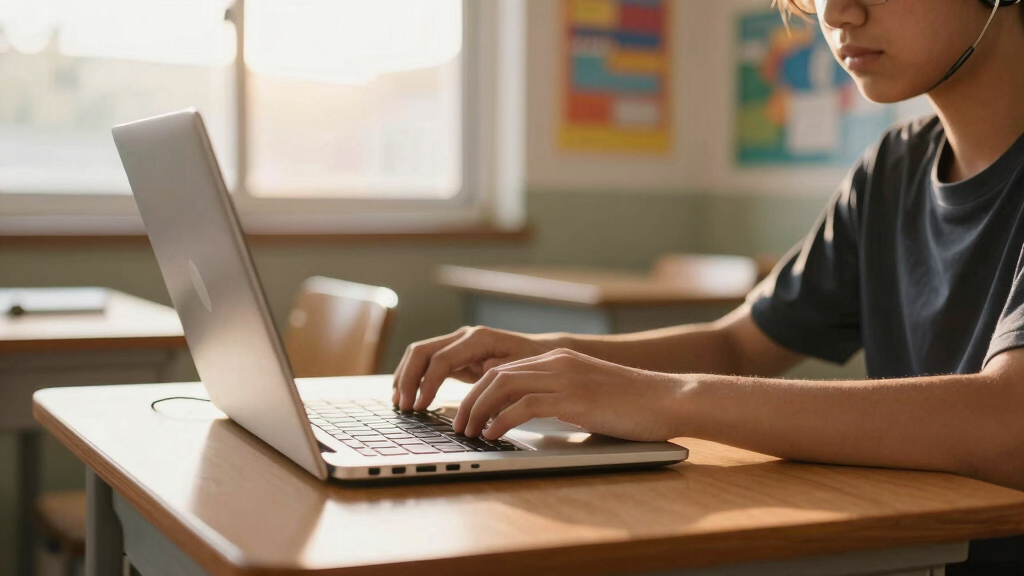

Finding a school laptop that combines accessibility with everyday usability can be challenging. The best choices balance ease of use, affordability, and compatibility with assistive technologies. The Dell Chromebook 11 3100 stands out for its simplicity and durable design, making it ideal for students needing straightforward access. Meanwhile, the Lenovo IdeaPad 3i offers a larger screen and more RAM, suited for students who want a bit more power and flexibility. However, tradeoffs often involve balancing affordability with advanced accessibility features. Continue reading for a detailed breakdown of the top options for accessible school laptops in 2026.

Get everyday helpers delivered free with Prime
- Fast, free delivery on millions of items
- Prime Video, Amazon Music and more included
- Member-only deals all year
Key Takeaways
- Chromebooks dominate this list due to their affordability and compatibility with accessibility tools, but some models offer better display and RAM options for enhanced usability.
- Larger screens, like 15.6 inches, provide easier reading but tend to increase the device’s weight and reduce portability, which can impact daily use for students on the move.
- More RAM (8GB) is a significant advantage for multitasking and running assistive software smoothly, making higher RAM models better suited for students with complex needs.
- Build quality and keyboard layout are crucial—durability and familiar layouts help reduce frustration for students with accessibility requirements.
- Price differences reflect the level of performance and features; investing in a slightly higher-priced device often yields better long-term accessibility support.


| accessible school laptop | Storage | Processor | RAM | Display |
|---|---|---|---|---|
| Dell Chromebook 11 3100 11.6" | 16 GB Flash Memory | Intel Celeron N4020 | 4 GB | — |
| Lenovo Flagship Chromebook 14" | 64GB eMMC | MediaTek Kompanio 520 (Octa-Core) | 4 GB | 14-inch FHD Touchscreen |
| Acer Chromebook 315 Laptop | 64GB eMMC | Intel Celeron N4500 | 4 GB | 15.6" Full HD IPS |
| Samsung 14" Galaxy Chromebook | 64GB | Intel Celeron N4500 | 4 GB | 14 inches |
| HP Chromebook 11A G8 Education | 32GB eMMC | AMD A4-9120C | 4 GB | 11.6-inch HD |
| Lenovo IdeaPad 3i Chromebook | 64GB eMMC | Intel Celeron N4500 | 8GB | 15.6” FHD (1920×1080) |
More Details on Our Top Picks
Dell Chromebook 11 3100 11.6″ Chromebook – 1366 x 768, Celeron N4020, 4 GB RAM, 16 GB Flash, Chrome OS, Bluetooth, US Keyboard (Renewed)
This Dell Chromebook 11 3100 stands out for its affordability and portability, making it ideal for students who need a simple device for browsing, writing, and light schoolwork. Compared to the Lenovo Chromebook 14, it offers a smaller screen but benefits from being lighter and more compact, which is perfect for carrying around. The main tradeoff is its limited 16GB storage and lower-resolution display, which can be restrictive if extensive offline work is required. While it runs Chrome OS efficiently, the renewed status might limit warranty support, so it’s best suited for those comfortable with basic functionality and shorter-term use.
Pros:- Lightweight and highly portable for easy carrying
- Fast startup and simple interface with Chrome OS
- Decent performance for web-based applications
Cons:- Limited storage capacity at only 16GB
- Lower resolution display may hinder detailed viewing or multimedia use
Best for: Younger students or those on a tight budget needing a reliable, portable device for everyday school tasks
Not ideal for: Students who require large storage or high-resolution screens for multimedia projects or extended offline use
- Storage:16 GB Flash Memory
- OS:Chrome OS
- Screen Size:11.6″
- Processor:Intel Celeron N4020
- RAM:4 GB
- Graphics:Intel HD Graphics
Our verdict“This option makes the most sense for budget-conscious students who prioritize portability and basic web tasks over storage and display quality.”
Lenovo Flagship Chromebook 14″ FHD Touchscreen Laptop, MediaTek Kompanio 520, 4GB RAM, 64GB eMMC, WiFi 6, Abyss Blue
This Lenovo Chromebook 14 offers a larger, high-resolution 14-inch FHD touchscreen, making it ideal for students who need more screen real estate for multitasking and multimedia. Its octa-core MediaTek processor provides a noticeable performance boost over the Intel Celeron options, which makes it better suited for multitasking or light creative work. Compared to the Acer Chromebook 315, it is lighter and more portable, though the 64GB storage might be limiting for offline files. The support for WiFi 6 ensures faster internet, but the lack of dedicated graphics means it’s not suitable for intensive graphic tasks.
Pros:- Bright, sharp 14-inch FHD touchscreen with IPS technology
- Powerful octa-core MediaTek processor for smooth multitasking
- Lightweight and slim, ideal for portability
- WiFi 6 support for faster wireless connections
Cons:- Limited 64GB storage may require cloud or external storage
- 4GB RAM could be a bottleneck during heavy multitasking
- No dedicated graphics card for intensive visual tasks
Best for: Students who prioritize a larger, touch-enabled display and smoother wireless connectivity for online learning and media
Not ideal for: Heavy multitaskers or those needing extensive offline storage for large files or multimedia projects
- Display:14-inch FHD Touchscreen
- Resolution:1920 x 1080
- Processor:MediaTek Kompanio 520 (Octa-Core)
- RAM:4 GB
- Storage:64GB eMMC
- Connectivity:WiFi 6, Bluetooth 5.1
Our verdict“Best suited for students who need a larger screen with quick wireless connectivity and are okay with moderate storage limits.”
Acer Chromebook 315 Laptop, 15.6″ Full HD IPS Display, Celeron N4500, 4GB RAM, 64GB eMMC, Wi-Fi 6, DTS Audio, USB Type-C, Chrome OS, Silver
This Acer Chromebook 315 shines with its large 15.6-inch Full HD IPS display, offering a bright and detailed viewing experience for students who need to see more content at once. Its Intel Celeron N4500 processor provides adequate performance for browsing, document editing, and streaming, though it’s less suitable for demanding multitasking. The long battery life of up to 10 hours is a major advantage for students on the move. Compared to smaller Chromebooks, it’s bulkier, which may be a drawback for portability, but it compensates with a bigger display and longer unplugged usage.
Pros:- Bright, vivid 15.6-inch Full HD IPS display
- Excellent battery life for all-day use
- Supports Wi-Fi 6 and Android apps for versatility
- Fast startup with Chrome OS
Cons:- Limited 64GB storage may require cloud dependency
- Processor may lag during intensive multitasking
- Requires internet for full functionality
Best for: Students who prefer a larger, comfortable viewing experience and need extended battery life for all-day use
Not ideal for: Those needing a lightweight device or extensive offline storage for large files
- Processor:Intel Celeron N4500
- Display:15.6″ Full HD IPS
- RAM:4 GB
- Storage:64GB eMMC
- Wi-Fi:Wi-Fi 6
- Battery Life:Up to 10 hours
Our verdict“Ideal for students wanting a larger screen with all-day battery life, but willing to rely on cloud storage.”
Samsung 14″ Galaxy Chromebook Go Laptop PC with Intel Celeron N4500, 4GB RAM, 64GB Storage, ChromeOS, Silver
The Samsung Galaxy Chromebook Go emphasizes durability and lightness, making it well-suited for students who need a rugged device for daily school activities. Its slim profile and military-grade construction mean it can withstand rough handling, while the 14-inch display offers a good balance of size and portability. Its 12-hour battery life supports long school days, and fast Wi-Fi ensures quick access to online materials. However, the device’s limited storage and basic processor make it less suitable for intensive tasks or offline media editing. Compared with the Acer Chromebook 315, it’s more portable but offers less screen real estate and storage.
Pros:- Lightweight and slim, easy to carry
- Durable, military-grade build for rough handling
- Long-lasting 12-hour battery
- Fast Wi-Fi connectivity
Cons:- Limited 64GB storage might require cloud reliance
- Processor may be insufficient for multitasking or demanding apps
- No LTE or cellular connectivity options at launch
Best for: Students seeking a durable, portable device for everyday classroom use and internet browsing
Not ideal for: Students with high storage needs or those doing graphic-intensive work or offline multimedia editing
- Processor:Intel Celeron N4500
- Display:14 inches
- RAM:4 GB
- Storage:64GB
- Connectivity:Wi-Fi 6
- Battery:12 hours
Our verdict“This Chromebook fits students who prioritize durability and portability over storage capacity or high-end performance.”
HP Chromebook 11A G8 Education Edition AMD A4-9120C, 4GB RAM, 32GB eMMC, 11.6-inch HD Display, Chrome OS (Renewed)
The HP Chromebook 11A G8 Education Edition offers a compact, affordable option tailored for classroom environments, similar to the Dell Chromebook 11. Its AMD A4-9120C processor provides reliable performance for basic tasks, but the 32GB storage is a significant limitation compared to the other models with 64GB. Its spill-resistant keyboard and anti-glare 11.6-inch display make it well-suited for younger students or those in environments where durability matters most. However, the limited storage and basic resolution at 1366×768 mean it’s less suitable for multimedia-heavy tasks or offline work requiring substantial files. The renewal status could also impact warranty support.
Pros:- Compact and lightweight, easy for small hands
- Spill-resistant keyboard enhances durability
- Decent performance for simple tasks
Cons:- Very limited 32GB storage restricts offline file storage
- Basic display resolution at 1366×768
- Battery life details are not specified, making longevity uncertain
Best for: Younger students or classrooms needing a durable, affordable device for basic tasks and internet browsing
Not ideal for: Students who need larger storage or high-resolution screens for multimedia or offline work
- Processor:AMD A4-9120C
- Display:11.6-inch HD
- RAM:4 GB
- Storage:32GB eMMC
- Operating System:Chrome OS
- Connectivity:Wi-Fi 5, Bluetooth 4.2
Our verdict“This Chromebook is a good choice for basic classroom use where durability and affordability are priorities, but it falls short for multimedia or storage-heavy applications.”
Lenovo IdeaPad 3i Chromebook, 15.6” FHD Display, Intel Celeron N4500, 8GB RAM, 64GB eMMC, Abyss Blue
The Lenovo IdeaPad 3i Chromebook stands out with its expansive 15.6-inch Full HD display, making it ideal for students who need a larger screen for reading and multitasking. Compared with the Samsung Galaxy Chromebook Go, which offers a more compact form factor, this model provides a better viewing experience but sacrifices portability. Its 8GB RAM ensures smoother multitasking, a significant upgrade over many other Chromebooks with only 4GB, though the 64GB storage is still limited for offline files. The Intel Celeron N4500 processor handles everyday tasks well but might struggle with more demanding applications, similar to the Acer Chromebook 315. Battery life up to 10 hours supports a full school day, but the lack of a touchscreen limits interactivity. Security features like a physical lock add peace of mind for shared environments.
This pick makes the most sense for students who prioritize a larger display and longer battery life, especially those doing extensive reading or multitasking.
Pros:- Vivid 15.6-inch Full HD display enhances visual clarity
- Long-lasting battery life up to 10 hours supports all-day use
- Lightweight and slim design makes it easy to carry
- Enhanced security features including physical lock
Cons:- Limited storage capacity with only 64GB eMMC, restricting offline files
- Processor may struggle with intensive multitasking or demanding apps
- No touchscreen functionality limits interactive use
Best for: Students needing a large, clear screen and reliable battery for all-day use
Not ideal for: Students who prefer lightweight, highly portable devices or touchscreen functionality
- Display:15.6” FHD (1920×1080)
- Processor:Intel Celeron N4500
- RAM:8GB
- Storage:64GB eMMC
- Camera:720p HD
- Battery Life:Up to 10 hours
Our verdict“This Chromebook is best suited for students who want a large display and dependable battery life for everyday tasks but can accept limited storage and no touchscreen.”
How We Picked
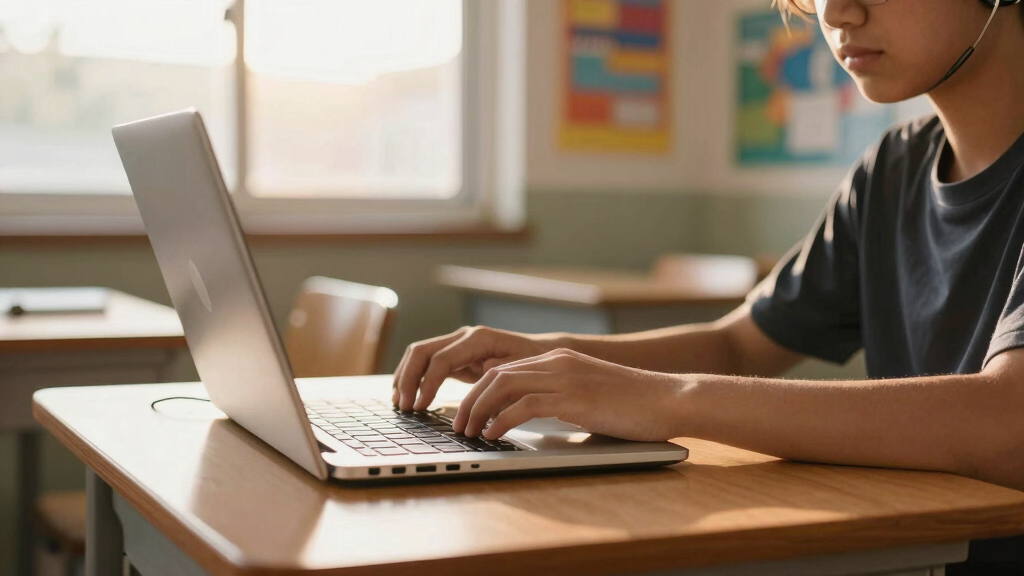
These laptops were selected based on their compatibility with accessibility features and ease of use for students with diverse needs. Performance factors like processor and RAM were prioritized to ensure smooth operation of assistive tools and multitasking. Build quality and keyboard layout were considered for durability and user comfort, especially for students with physical or visual challenges. Value was also a key criterion, aiming to find options that balance affordability with sufficient functionality. Devices were ranked to reflect which offer the best combination of accessibility support, usability, and cost-effectiveness for school environments.| accessible school laptop | Processor | Connectivity |
|---|---|---|
| Dell Chromebook 11 3100 11.6" | Intel Celeron N4020 | — |
| Lenovo Flagship Chromebook 14" | MediaTek Kompanio 520 (Octa-Core) | WiFi 6, Bluetooth 5.1 |
| Acer Chromebook 315 Laptop | Intel Celeron N4500 | — |
| Samsung 14" Galaxy Chromebook | Intel Celeron N4500 | Wi-Fi 6 |
| HP Chromebook 11A G8 Education | AMD A4-9120C | Wi-Fi 5, Bluetooth 4.2 |
| Lenovo IdeaPad 3i Chromebook | Intel Celeron N4500 | — |
Factors to Consider When Choosing Accessible School Laptops
Choosing an accessible school laptop involves considering multiple factors beyond just specifications. It’s essential to focus on aspects that directly impact usability and support for assistive technologies, ensuring the device meets the student’s specific needs. The right choice can enhance learning experiences and reduce frustration, but tradeoffs often involve balancing cost, portability, and feature set. Here are some critical factors to keep in mind when selecting a suitable device.Display Size and Resolution
Display size and resolution significantly influence how comfortably a student can read and interact with content. Larger screens (15.6 inches) can make text and images easier to see, but they also tend to make the device heavier and less portable. Resolution matters as well; Full HD (1920×1080) displays offer sharper visuals, which benefit students with visual impairments. It’s important to consider whether a student needs magnification or high contrast modes that work better with certain display types and sizes.
Processing Power and RAM
Processing power determines how smoothly a laptop handles multiple applications and assistive tools. For students who rely on speech recognition, text-to-speech, or other assistive tech, faster processors and higher RAM (8GB compared to 4GB) can make a big difference. However, higher specs often come with increased costs and shorter battery life. Striking a balance between performance and affordability is key, especially for devices intended for everyday school use.
Keyboard and Input Options
A comfortable, well-laid-out keyboard is vital for students who use alternative input methods or have motor challenges. Look for models with full-sized keys, tactile feedback, and customizable shortcuts if needed. Some devices also support external switches or adaptive input devices, so compatibility with these peripherals can expand accessibility options. Avoid cramped or overly stiff keyboards, which can hinder productivity and increase fatigue.
Portability and Durability
Many students need to carry their laptops throughout the day, making portability a priority. Lightweight models with durable casings reduce the risk of damage and make commuting easier. Consider devices with spill-resistant keyboards or reinforced chassis, especially if the device will be used in unpredictable environments. The tradeoff is often between weight and size versus advanced features like larger batteries or high-resolution screens.
Price and Long-Term Value
Budget constraints are a common concern, but investing in a slightly more expensive device can offer better accessibility features and longer lifespan. Cheaper models may lack essential support or become outdated quickly, requiring early replacement. When evaluating cost, consider the total ownership expense, including warranty, technical support, and software upgrades, which can be critical for maintaining accessibility over time.
Operating System and Compatibility
Most accessible school laptops run Chrome OS or Windows, each offering different accessibility tools and compatibility with assistive software. Chrome OS devices are often more affordable and easier to manage but may lack some advanced features available on Windows. Check whether the student’s required assistive tools work seamlessly on the chosen OS, and consider future software needs to avoid compatibility issues down the line.
Frequently Asked Questions
Can these laptops support screen readers and other assistive technologies?
Yes, all the listed devices support popular screen readers and assistive technologies, though compatibility can vary. Chrome OS, for instance, includes built-in screen reading options and accessibility settings that are easy to enable. Windows-based options may offer more advanced assistive features or third-party software support. It’s important to verify that the specific tools the student needs are compatible with the device’s operating system and can be easily configured.
Are these laptops suitable for students with physical disabilities?
Many of these laptops offer features that support physical accessibility, such as customizable keyboards, touchscreens, and support for external adaptive devices. For students with motor challenges, choosing models with larger keys or compatibility with adaptive switches can make a significant difference. Ensuring the device is durable and lightweight also helps students who need to carry it frequently or handle it with limited dexterity.
How do I choose between a Chromebook and a Windows-based accessible laptop?
The decision depends on the student’s specific needs and the software they require. Chromebooks tend to be more affordable, simple to use, and have excellent support for accessibility features like text-to-speech and magnification. Windows devices, on the other hand, may support a broader range of assistive software and hardware integrations, which can be necessary for students with more complex needs. Consider what tools are essential and whether the student is comfortable with a particular OS.
Is battery life a concern for accessible school laptops?
Battery life varies across models but generally impacts all portable devices. For students who spend long hours in school or need to work remotely, a device with at least 8-10 hours of battery life ensures all-day usability. Devices with larger screens and higher specs may consume more power, so balancing performance with battery longevity is key. Always check real-world battery ratings and consider models with power-saving features.
Should I prioritize a larger screen or better portability?
This depends on the student’s daily routine and physical needs. Larger screens enhance visibility and reduce eye strain, which is beneficial for students with visual impairments. However, bigger devices tend to be heavier and less convenient to carry around. If portability is a priority—such as for students commuting daily—a smaller, lighter model might be preferable, even if it means sacrificing some screen size. Weighing these factors against the student’s specific challenges will lead to a more suitable choice.
Conclusion
For parents and educators seeking the best overall balance of accessibility, performance, and affordability, the Dell Chromebook 11 3100 stands out as a reliable choice. Those prioritizing value and basic functionality should consider the HP Chromebook 11A G8 Education Edition for its simplicity and price. If budget allows for more advanced features, the Lenovo IdeaPad 3i offers bigger screens and more RAM, making it suitable for students with more demanding accessibility needs. For beginners or those new to assistive tech, a straightforward Chromebook like Samsung’s Galaxy Chromebook Go provides an easy entry point. Lastly, for students with specific physical or visual challenges, focusing on models with customizable input options and durable build will ensure long-term usability and comfort.
Halloween Picks

10-Foot Halloween Inflatable Double-Headed Dragon Archway

Fun Costumes Creepy Twin Boys Halloween Animatronic

Thuodo 8 FT Tall Halloween Inflatable Three-Headed Dragon with LEDs
As an affiliate, we earn on qualifying purchases.