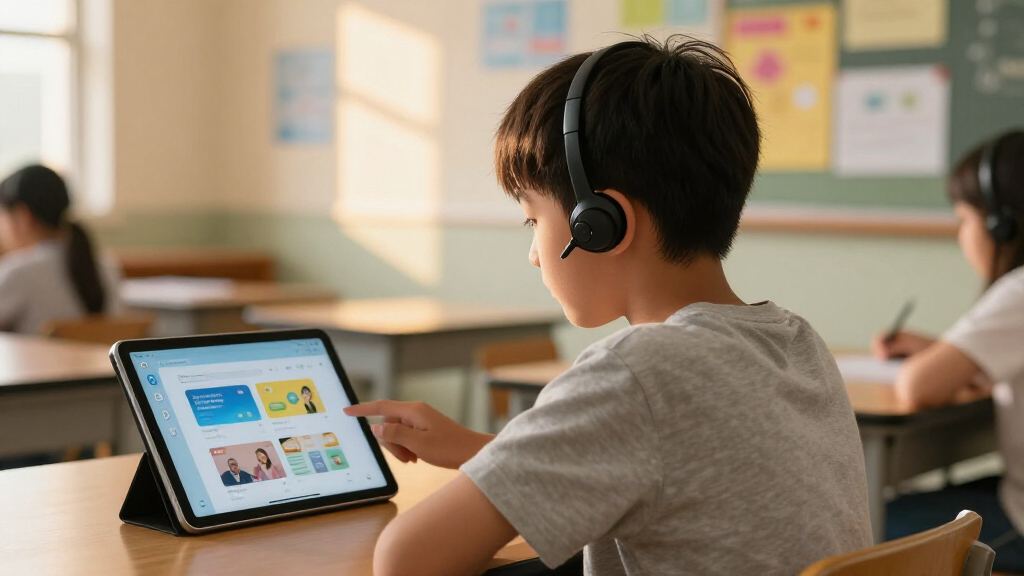

Assistive tech for classroom learning spans two very different product types: hands-on reading devices like scanner pens and AI readers, and professional resource books that help teachers integrate those tools effectively. My top overall pick is the Scanmarker Air Reading Pen, because it combines fast text scanning, text-to-speech, and translation in a device students can operate independently. The OrCam Read stands out as the premium option for students with more severe reading barriers, while the WhisperPhone Solo 6 Pack is the best-value choice for phonics and fluency work in early grades. The main tradeoff in this category is price versus independence: laser-based readers cost more but require less fine motor skill, while budget pen scanners demand steady scanning technique. Read on for the full breakdown of all ten options.

Get everyday helpers delivered free with Prime
- Fast, free delivery on millions of items
- Prime Video, Amazon Music and more included
- Member-only deals all year
Key Takeaways
- The roundup splits into two categories — physical reading devices and teacher resource books — and the best classroom outcomes come from pairing one of each rather than choosing a single product.
- Scan depth was the biggest differentiator among reading pens: the Scanmarker Air and WorldPenScan handled single lines well, but only the OrCam Read could capture full pages or remote displays without contact.
- The Scanmarker Max landed mid-pack because it bridges the Air and the OrCam Read: more classroom-friendly software than the Air, but a steeper price for features many students won’t use daily.
- Budget translation pens supporting 142 languages offered the most features per dollar, but weaker English text-to-speech quality makes them better for language learners than for dyslexic readers.
- The three teacher books ranked lower for individual buyers but are the smartest first purchase for schools building an assistive technology program from scratch.
| Scanmarker Air Reading Pen & Pen Scanner |  | Best Overall Reading Pen | Connectivity: Bluetooth 4.0 or higher | Languages Supported: Over 140 | Compatibility: Mac, Windows, iOS, Android | VIEW LATEST PRICE | See Our Full Breakdown |
| Scan Translation Pen & Reading Pen, Professional Assistive Tool |  | Best Value Standalone Option | Languages Supported: 142 online, 10 offline | Translation Features: Voice translation, photo translation, text excerpt | Connectivity: Bluetooth | VIEW LATEST PRICE | See Our Full Breakdown |
| Scanmarker Max Back to School Reading Pen |  | Best for Classroom Deployment | Languages Supported: Over 100 | Connectivity: Online and offline | Compatibility: Windows, Mac, Chromebook | VIEW LATEST PRICE | See Our Full Breakdown |
| The New Assistive Tech, Second Edition: Make Learning Awesome for All! |  | Best for Strategy and Implementation | Format: Book (Second Edition) | Focus: Inclusive learning strategies and assistive technology | Target Audience: Educators and support staff | VIEW LATEST PRICE | See Our Full Breakdown |
| The New Assistive Tech: Make Learning Awesome for All! |  | Best Starter Reference (First Edition) | Format: Book (First Edition) | Focus: Assistive technology for diverse learners | Target Audience: Educators exploring assistive tech basics | VIEW LATEST PRICE | See Our Full Breakdown |
| WhisperPhone Solo 6 Pack |  | Best Value for Whole-Class Reading Support | Design: Hands-free, wearable | Suitable for: K-4 learners, homeschool, speech therapy, language learning | Includes: 6 units per pack | VIEW LATEST PRICE | See Our Full Breakdown |
| Assistive Technology in the Classroom: Enhancing the School Experiences of Students with Disabilities (2nd Edition) |  | Best for Special Education Foundations | Format: Paperback textbook, 2nd Edition | Audience: Educators, special education professionals, teacher prep courses | Focus: Assistive technology integration for students with disabilities | VIEW LATEST PRICE | See Our Full Breakdown |
| OrCam Read – AI Assistive Reader with Smart Reading Feature |  | Best Premium Reading Device | Recognition: CES 2021 Best of Innovation Award | Language: English | Connectivity: No internet required | VIEW LATEST PRICE | See Our Full Breakdown |
| WorldPenScan AI Reader – Reading Pen with AI Support, Dictionary, Text-to-Speech, and Translation for Kids | 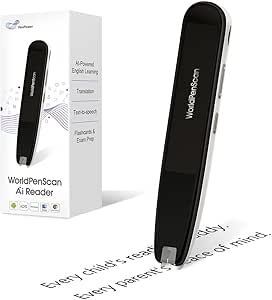 | Best for Young and ESL Readers | Supported languages: English, Spanish, Chinese | Key features: AI Reading Companion, dictionary, text-to-speech, translation, reading support | Designed for: Kids, ESL learners, students | VIEW LATEST PRICE | See Our Full Breakdown |
| Assistive Technology and Universal Design for Learning: Toolkits for Inclusive Instruction | 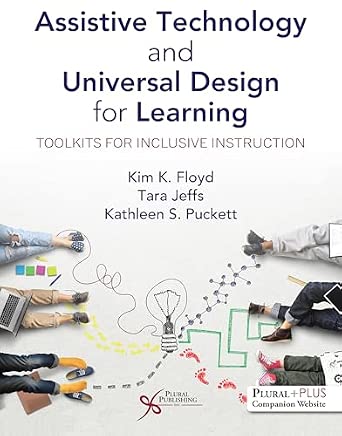 | Best for School-Wide Inclusion Planning | Format: Professional education book | Audience: Educators, instructional designers, administrators | Focus: Assistive technology and Universal Design for Learning (UDL) | VIEW LATEST PRICE | See Our Full Breakdown |
More Details on Our Top Picks
Scanmarker Air Reading Pen & Pen Scanner
The Scanmarker Air earns the top spot because it balances three things classroom buyers care about: genuine dyslexia support, 140+ language translation, and cross-platform flexibility. Unlike standalone pens, it pairs over Bluetooth with whatever device a student already carries, from a classroom Chromebook to a personal phone, which means scanned text flows straight into notes and documents. Compared with the Scanmarker Max, it trades classroom-management features for portability and a lower learning curve, a sensible trade for families and one-to-one use. Compared with generic translator pens like the Scan Translation Pen, its OCR accuracy and text-to-speech polish are stronger for actual reading assistance rather than travel translation. The catch: it is dependent on a paired device and its companion app, so it is not a self-contained tool for students without access to a phone or computer.
Pros:- Wireless Bluetooth scanning into notes and documents on Mac, Windows, iOS, or Android
- Accurate OCR across 140+ languages, strong for both reading support and translation
- Real-time text-to-speech directly supports dyslexic and struggling readers
- Lightweight and portable enough to move between classes without setup friction
Cons:- Cannot operate standalone — always needs a connected device and the companion app
- Full feature set depends on software quality, which varies by platform
- Requires consistent app updates and pairing, which adds failure points during lessons
Best for: Students with dyslexia or reading difficulties who already use a laptop, tablet, or phone and need scanning plus read-aloud support in class and at home
Not ideal for: Buyers wanting a fully standalone device — without a paired device and the app running, this pen cannot do its core job
- Connectivity:Bluetooth 4.0 or higher
- Languages Supported:Over 140
- Compatibility:Mac, Windows, iOS, Android
- Core Functions:Text scanning, translation, real-time text-to-speech
- Primary Use:Reading assistance, dyslexia support, language learning
- Warranty:1 year
- Support:24/7 technical support
- Operation Mode:Requires paired device and app
Our verdict“If a student has a device in hand and needs a reliable all-round reading and scanning pen, this is the pick; if not, look at standalone options.”
Scan Translation Pen & Reading Pen, Professional Assistive Tool
Where the Scanmarker Air leans on a paired device, this translation and reading pen works as a self-contained unit, which is the entire reason it earns the value slot. Students can scan, hear text read aloud, record voice translations, and take notes without touching a phone or laptop — a real advantage in classrooms where personal devices are restricted. Its feature list is surprisingly broad for the price: 142 online languages, voice and photo translation, and text excerpting for study sessions. The tradeoffs are real, though. Offline translation drops to just 10 languages, Japanese recognition is horizontal-text only, and it is explicitly not suitable for blind users, unlike more advanced readers such as the OrCam Read. For budget-conscious buyers, the compromises are livable; for specialized accessibility needs, they are not.
Pros:- Fully standalone operation — no paired phone or computer required for core functions
- Very wide language coverage (142 online) at a lower price than premium rivals
- Combines scanning, voice translation, photo translation, and note-taking in one device
- Compact and lightweight for pocket portability between classes
Cons:- Offline translation limited to 10 major languages — a problem without reliable Wi-Fi
- Vertical Japanese text is not recognized at all
- Not designed for blind or low-vision users, narrowing its assistive scope
Best for: Budget-minded students and language learners who need a standalone pen that works without a phone, especially in device-restricted classrooms
Not ideal for: Learners with visual impairment, or anyone needing robust offline translation beyond 10 languages
- Languages Supported:142 online, 10 offline
- Translation Features:Voice translation, photo translation, text excerpt
- Connectivity:Bluetooth
- Operation Mode:Standalone capable
- Text Recognition:Horizontal Japanese text only
- Study Tools:Note-taking and voice recording
- Portability:Lightweight, compact design
- Accessibility Note:Not suitable for blind users
Our verdict“The most sensible choice when budget and standalone operation matter more than premium accessibility features.”
Scanmarker Max Back to School Reading Pen
The Scanmarker Max is the only pen in this lineup built with the teacher, not just the student, in mind. Its standout differentiator is a lock feature that lets educators restrict settings across a classroom set — something neither the Scanmarker Air nor the standalone Scan Translation Pen offers. Add Chromebook compatibility and web app integration, and it fits the realities of modern school IT far better than consumer-oriented rivals. Offline scanning support also means it keeps working when the network does not. The compromises: full web app features demand an internet connection, it sits at a premium price point that strains school budgets, and new users face a genuine learning curve before the phonetics and photo-scan tools pay off. For a single student at home, the Air is the smarter buy; for a fleet of devices across a district, this is the one.
Pros:- Teacher lock feature enables centralized control over classroom device sets
- Broad compatibility including Chromebook, the dominant classroom platform
- Works both online and offline, so scanning continues without Wi-Fi
- Phonetics support and photo scanning add depth for structured literacy instruction
Cons:- Premium pricing makes large deployments expensive
- Full web app functionality requires an internet connection
- Noticeable learning curve before staff and students use it confidently
Best for: Schools and districts deploying reading pens across many students, where device management and Chromebook support matter
Not ideal for: Individual families — the classroom-management features add cost and complexity a single user never touches
- Languages Supported:Over 100
- Connectivity:Online and offline
- Compatibility:Windows, Mac, Chromebook
- Features:Phonetics, photo scan, text-to-speech, translation
- Classroom Management:Teacher lock feature
- Integration:Web app learning tools
- Primary Use:Classroom reading support and diverse learners
Our verdict“The right call for institutional buyers who need manageability at scale, but overkill for one student at home.”
The New Assistive Tech, Second Edition: Make Learning Awesome for All!
Not every entry here is a gadget, and that is deliberate — buying hardware without a plan is how assistive tech ends up in a drawer. The New Assistive Tech, Second Edition earns its place as the thinking companion to the devices in this roundup. It frames assistive technology through an inclusive, practical lens, helping educators decide which tools fit which learners — the exact question a teacher staring at options like the Scanmarker Max or the WorldPenScan AI Reader will face. Compared with Assistive Technology in the Classroom, which leans textbook-ish and disability-categorical, this title is more strategy-driven and built around making lessons genuinely engaging. The drawback is obvious: it is a book, so it solves nothing on its own, and the sparse product detail makes it hard to judge depth before buying. Pair it with a device purchase, not instead of one.
Pros:- Provides practical, actionable strategies for integrating assistive technology into lessons
- Frames inclusion as a design goal rather than an afterthought
- Helps educators match tools to actual learner needs before spending money
- Updated second edition reflects current classroom technology trends
Cons:- No hands-on functionality — purely a planning and strategy resource
- Minimal published detail on depth, length, or target audience makes pre-purchase evaluation hard
Best for: Teachers, special education coordinators, and IT coaches who need a framework for choosing and deploying assistive tools across classrooms
Not ideal for: Anyone seeking an immediate fix for a specific student — a book cannot read text aloud or scan a worksheet
- Format:Book (Second Edition)
- Focus:Inclusive learning strategies and assistive technology
- Target Audience:Educators and support staff
- Core Value:Practical insights for tool selection and classroom integration
- Edition:Second Edition
- Approach:Strategy-driven, inclusion-focused
Our verdict“A smart companion purchase for educators who want a selection framework, not a substitute for the hardware itself.”
The New Assistive Tech: Make Learning Awesome for All!
The first edition of The New Assistive Tech covers the same inclusive-education territory as the Second Edition, and that is precisely the problem: for most buyers there is little reason to choose it over its own update. It still delivers a solid introduction to assistive technology concepts for educators new to the space, and it may cost less on the used market, which is its one honest selling point. But compared directly with the Second Edition, its guidance on current tools will lag behind, and compared with Assistive Technology and Universal Design for Learning: Toolkits for Inclusive Instruction, it is lighter on ready-to-use classroom materials. With no ratings or detailed specifications available, buyers are ordering with limited information. This pick makes the most sense for budget-limited readers or those who already own the second edition and want the original framing.
Pros:- Approachable introduction to assistive technology and inclusive learning
- Supports understanding of diverse learner needs in plain language
- Often available at lower cost than the updated edition
- Useful historical framing of how classroom assistive tech has evolved
Cons:- Superseded by the Second Edition with more current tools and strategies
- No customer reviews or detailed specifications available to evaluate before purchase
Best for: Budget-conscious teachers or students of education who can find it cheap and want a foundational overview of assistive tech
Not ideal for: Anyone wanting current guidance — the Second Edition supersedes it for a modest price difference
- Format:Book (First Edition)
- Focus:Assistive technology for diverse learners
- Target Audience:Educators exploring assistive tech basics
- Core Value:Introductory insights on innovative learning tools
- Edition Status:Superseded by Second Edition
- Market Feedback:No customer ratings available
Our verdict“Only worth buying at a discount; otherwise the Second Edition is the stronger choice for the same core content.”
WhisperPhone Solo 6 Pack
For teachers who need affordable reading support at scale, this six-pack is hard to beat. Each hands-free unit amplifies a child’s own voice back to their ear, which builds phonemic awareness and fluency without screens, batteries, or setup — a sharp contrast to tech-heavy options like the OrCam Read or WorldPenScan, which serve older, more independent readers. The dishwasher-safe design matters in a K-4 classroom where hygiene and quick turnaround between groups are daily realities. The tradeoff is scope: this does one job, and it does it well, but it won’t help with comprehension, translation, or text-heavy assignments. Compared with the Scanmarker Air, it lacks scanning versatility yet wins on simplicity and price per student.
Pros:- Six units make small-group or center-based instruction practical
- No batteries, charging, or software — works out of the box
- Top-rack dishwasher safe for easy sanitizing between students
- Hands-free design keeps young readers’ hands on the book
Cons:- Limited to phonemic awareness and fluency — no comprehension or translation tools
- Requires proper fitting per student, which takes monitoring in busy classrooms
Best for: K-4 teachers and reading specialists running small-group fluency or phonics instruction on a budget
Not ideal for: Older students or those needing comprehension, translation, or text-scanning support — the function is narrowly auditory
- Design:Hands-free, wearable
- Suitable for:K-4 learners, homeschool, speech therapy, language learning
- Includes:6 units per pack
- Maintenance:Top-rack dishwasher safe
- Power:None required (non-electronic)
- Primary skills supported:Phonemic awareness, reading fluency, speech clarity
Our verdict“Buy this if you’re an elementary educator who wants durable, low-cost fluency support for multiple students at once; skip it for anything beyond early reading skills.”
Assistive Technology in the Classroom: Enhancing the School Experiences of Students with Disabilities (2nd Edition)
Unlike every device in this roundup, this is a strategy guide, not a gadget — and that’s exactly its value. It gives educators a framework for matching technology to student needs, which is the missing piece when teachers buy tools like the WhisperPhone or Scanmarker Air without knowing who benefits and why. Compared with Assistive Technology and Universal Design for Learning, this book leans more toward disability-specific accommodations and IEP contexts rather than school-wide inclusive design. The drawback: it’s a reference text, so it delivers no immediate classroom tool, and some chapters predate the newest AI products like the OrCam Read. This pick makes the most sense for educators building a decision-making foundation rather than solving one reading problem this week.
Pros:- Grounds technology choices in student need rather than product hype
- Practical integration strategies tied to real classroom scenarios
- Disability-focused lens that complements device-focused purchases
- Widely used as a course text, so it’s vetted in teacher prep programs
Cons:- No devices or software included — purely instructional content
- Some content predates current AI reading tools and may need supplementing
Best for: Special education teachers, speech-language pathologists, and administrators building an AT program or IEP accommodation strategy
Not ideal for: Parents or tutors who want an immediate, student-facing tool — this is professional development reading, not assistive hardware
- Format:Paperback textbook, 2nd Edition
- Audience:Educators, special education professionals, teacher prep courses
- Focus:Assistive technology integration for students with disabilities
- Content type:Strategies, case insights, classroom integration guidance
- Edition:2nd Edition
- Subject area:Special education / assistive technology
Our verdict“Choose this book if you’re an educator who wants a framework for selecting and deploying assistive technology across disabilities; pass if you need a student-facing tool today.”
OrCam Read – AI Assistive Reader with Smart Reading Feature
This is the most capable reader in the lineup, built for students facing serious volumes of text — full pages, handouts, and books — read aloud from a pocket-sized wand. Its CES 2021 Best of Innovation Award reflects genuinely advanced smart reading commands, and unlike the WorldPenScan, it doesn’t need to be dragged line-by-line across a page, which matters for longer assignments. The offline operation and low-light performance make it dependable anywhere in a school building. But be clear-eyed about the fit: it requires full hand control and functional hearing, and it isn’t designed for moderate-to-severe visual impairment — a real limitation at this price. Compared with the Scanmarker Max, it’s pricier but far better for sustained, independent reading of longer passages.
Pros:- Captures and reads full pages without line-by-line scanning
- Works completely offline and in low-light classrooms
- Smart reading commands let users target headlines, specific items, or segments
- Award-winning recognition accuracy for printed and screen text
Cons:- Premium price point that’s hard to justify for occasional use
- Requires functional hand control and hearing, excluding some users
- English-only in this version
Best for: Middle school through college students with dyslexia, reading fatigue, or mild low vision who handle dense text independently
Not ideal for: Students with moderate-to-severe visual impairment, limited hand control, or non-English curricula — and buyers on tight budgets
- Recognition:CES 2021 Best of Innovation Award
- Language:English
- Connectivity:No internet required
- Reading features:Smart reading commands, full-page capture, text-to-speech
- Low-light performance:Supported
- Form factor:Handheld wand
- User requirements:Full hand control and hearing ability
Our verdict“This is the pick for a student who reads a lot and needs fast, discreet, page-level text-to-speech — if the budget allows and the user’s abilities match.”
WorldPenScan AI Reader – Reading Pen with AI Support, Dictionary, Text-to-Speech, and Translation for Kids
Where the OrCam Read is built for independent older students, this pen targets younger readers and ESL learners who need help at the word and sentence level, not the page level. Its instant, age-appropriate explanations turn confusion into a teachable moment on the spot, and the built-in dictionary and text-to-speech work offline, so reading practice doesn’t stall when Wi-Fi does. Multi-language support across English, Spanish, and Chinese also makes it more versatile for dual-language classrooms than the English-only OrCam Read. The tradeoffs are real: the richest AI features require a device connection, battery life documentation is thin, and durability is a fair question for a pen in a kid’s backpack. Compared with the Scanmarker Air, it skews younger and more interactive rather than purely utilitarian.
Pros:- Instant, kid-friendly explanations of difficult words and sentences
- Offline dictionary and text-to-speech keep reading uninterrupted
- Three-language support suits bilingual and ESL classrooms
- Interactive AI companion encourages independent problem-solving
Cons:- Full AI features require connection to a companion device
- Battery life and drop durability are underdocumented for young users
- Price is steep compared with simpler reading pens
Best for: Elementary and middle school ESL learners, bilingual households, and kids who need word-level support during independent reading
Not ideal for: Students reading dense full-page texts or adults wanting page-level capture — the pen format rewards line-by-line scanning
- Supported languages:English, Spanish, Chinese
- Key features:AI Reading Companion, dictionary, text-to-speech, translation, reading support
- Designed for:Kids, ESL learners, students
- Offline tools:Dictionary and text-to-speech
- AI features:Require companion device connection
- Form factor:Handheld scanning pen
Our verdict“This is the right choice when the reader is a child or language learner who needs contextual help word by word — not for students consuming long passages quickly.”
Assistive Technology and Universal Design for Learning: Toolkits for Inclusive Instruction
This book earns its spot by widening the lens. While Assistive Technology in the Classroom (2nd Edition) centers on students with disabilities, this title focuses on Universal Design for Learning — building instruction that works for every learner from the start, rather than retrofitting accommodations case by case. The toolkit format gives instructional coaches and classroom teachers ready-to-apply frameworks, which distinguishes it from the more theory-and-case-study approach of its counterpart. That said, it’s a planning resource, not a quick fix: readers hoping for device reviews of items like the Scanmarker Max or WhisperPhone will find strategy instead of shopping guidance. Compared with The New Assistive Tech, this pick is more structurally oriented toward UDL implementation than toward inspiring a culture shift around technology itself.
Pros:- Practical toolkits translate UDL theory into usable lesson structures
- Broadens assistive tech from accommodations to whole-class design
- Applicable across grade levels and subject areas
- Useful for both classroom teachers and instructional designers
Cons:- No product guidance or device evaluations included
- Content depth and update recency are difficult to verify before purchase
Best for: Instructional coaches, curriculum designers, and school leaders rolling out inclusive instruction across classrooms
Not ideal for: Individual teachers or parents seeking a specific student-facing device — this addresses systems and lesson design, not hardware
- Format:Professional education book
- Audience:Educators, instructional designers, administrators
- Focus:Assistive technology and Universal Design for Learning (UDL)
- Content type:Strategies and implementation toolkits
- Scope:Inclusive instruction across educational settings
- Edition:Current printing
Our verdict“Pick this up if your goal is inclusive instruction at the classroom or school level rather than equipping one struggling reader.”
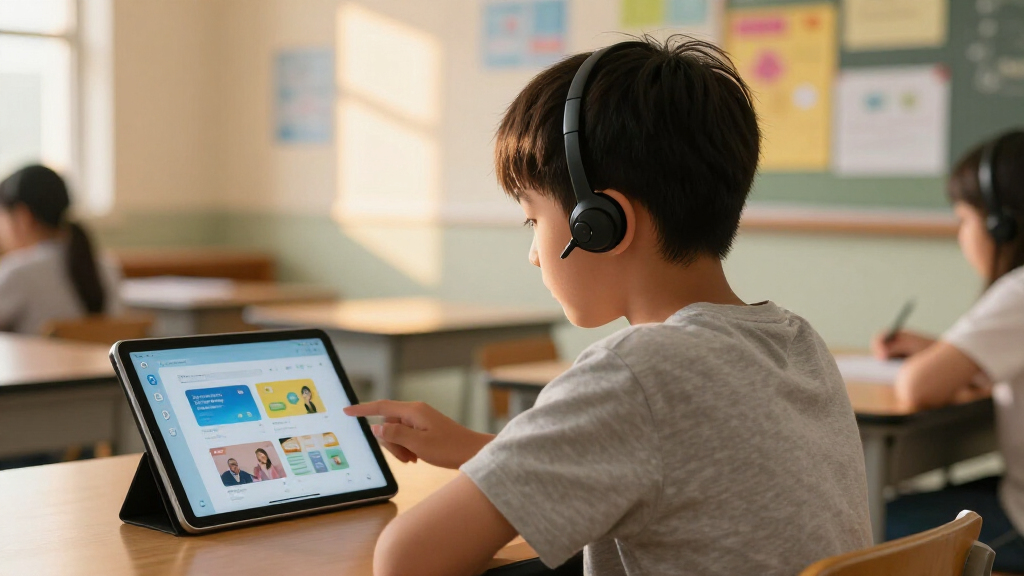
How We Picked
I evaluated every option against how it performs in a real classroom: ease of independent student use, reading accuracy on printed and displayed text, durability for daily handling, and total cost of ownership including subscriptions or consumables. Devices ranked higher when a student could operate them without constant teacher support, because independence is the entire point of assistive tech. I also weighed versatility — a pen that translates 142 languages serves more students than a single-purpose tool, but only if the core reading function stays accurate.
The books were judged on a separate track: practical classroom strategies, alignment with universal design for learning principles, and whether a busy teacher could apply the material immediately. Ranking across both categories forced a clear priority order — devices that directly remove reading barriers placed above resources that support implementation, since most buyers searching for classroom assistive tech need a tool first and guidance second. Where two products overlapped heavily, the one with better support, updates, or classroom management features won the higher slot.
Factors to Consider When Choosing Assistive Tech For Classroom Learning
Choosing assistive tech for a classroom is more complicated than picking the most feature-packed device. These are the factors that actually determine whether a purchase gets used daily or sits in a drawer.Match the Device to the Student’s Specific Barrier
The most common mistake buyers make is treating assistive tech as one-size-fits-all. A student with dyslexia needs strong text-to-speech with natural voices, while a student with motor difficulties may struggle to glide a pen scanner smoothly and would benefit from a camera-based reader like the OrCam Read instead. Language learners need translation accuracy more than reading support. Before buying anything, identify whether the barrier is decoding, comprehension, fluency, or physical access — the answer changes the right product entirely. Schools that skip this step often end up with expensive devices that frustrate the very students they were bought for.
Budget for the Whole Classroom, Not One Student
Individual devices like the OrCam Read deliver the best experience per student, but equipping a resource room that way can cost thousands of dollars. This is where multi-packs like the WhisperPhone Solo 6 Pack and mid-range pens make sense — you can reach six or more students for the price of one premium reader. A practical approach many schools use is buying one high-end device for assessment and intensive support, then filling the rest of the room with affordable tools. Also check whether your district or state has assistive technology funding, because many devices qualify for reimbursement that families and teachers never claim.
Don’t Skip the Teacher Training Piece
A device is only as good as the instruction around it, which is why resource books like Assistive Technology in the Classroom and the Universal Design for Learning Toolkits belong in the conversation. Teachers who understand when and why to introduce a tool get dramatically better student adoption than those who simply hand out devices. The cheapest scanner pen in the world won’t help if it’s introduced at the wrong moment or students are embarrassed to use it in front of peers. If your budget allows only one purchase this year, consider whether a strong teacher guide plus a mid-range device beats a premium device with no implementation plan. Training is the multiplier on every dollar you spend.
Watch for Subscription Costs and Software Lock-In
Some reading pens and AI readers look affordable upfront but require ongoing subscriptions for translation features, cloud processing, or premium voices. Over a three-year classroom lifespan, those fees can double the true cost. Check whether the device works offline, whether software updates are free, and whether it locks you into one platform — classroom devices that only work with specific apps create headaches when school IT policies change. Pen scanners that store text locally and work with standard word processors tend to age better than app-dependent alternatives.
Consider Classroom Durability and Management
Classroom tech gets dropped, shared, and carried between rooms, so build quality matters more than it does for a home device. Look for products with protective cases available, replaceable parts, and simple charging routines — a device that’s always dead when needed gets abandoned fast. Noise is another overlooked factor: text-to-speech devices need headphones, so confirm there’s a standard audio jack or Bluetooth support. Finally, think about how the device looks to peers. Tools that resemble regular pens or earbuds get used; tools that look obviously clinical often stay in backpacks.
Frequently Asked Questions
Is a reading pen or a camera-based reader like the OrCam Read better for dyslexia?
It depends on the severity of the reading difficulty and the student’s motor skills. A reading pen like the Scanmarker Air works well for students who can glide a pen steadily across a line of text and mainly need decoding support for unfamiliar words. The OrCam Read is better for students who tire quickly when reading, have motor challenges, or need to capture entire paragraphs and pages at once — its laser-triggered capture means no line-by-line scanning. Price is the deciding factor for many classrooms: one OrCam Read costs roughly as much as three or four mid-range pens, so schools often reserve camera readers for students with the greatest need.
Are the translation-focused pens actually good for dyslexic students, or just for language learners?
The 142-language pens are genuinely excellent for English learners, but I’d caution against them as a primary dyslexia tool. Their English text-to-speech tends to sound more robotic than dedicated reading pens, and dyslexic students often need the most natural voices possible because they rely heavily on audio to compensate for decoding struggles. If a classroom has both populations, a translation pen is a flexible compromise — just expect the dyslexic students to prefer a dedicated reader when one is available. The reverse is also true: the Scanmarker pens include translation features, so a monolingual English classroom doesn’t need the multi-language models at all.
Why would I buy a book about assistive tech instead of an actual device?
Because the device is only half the equation. Books like Assistive Technology in the Classroom and the UDL Toolkits guide teachers through assessment, implementation, and — critically — getting student buy-in, which is where most assistive tech programs fail. A special education coordinator or district administrator gets far more value from these resources than a parent buying for one child. My honest advice: parents and tutors should buy the device first, while schools building a program should buy the book first, then purchase devices with a clearer plan. The second editions matter here — assistive tech moves fast, and decade-old guidance on tools won’t match what’s on the market in 2026.
Do WhisperPhones actually work, or are they just a gimmick?
The underlying principle is well established: hearing your own voice amplified through bone conduction strengthens phonemic awareness, which is a proven predictor of reading success. WhisperPhones won’t help a student decode advanced text the way a scanner pen does — they target a different, earlier skill. They’re best understood as a fluency and confidence tool for K-3 readers and for older students still working on phonics. The six-pack format makes them one of the cheapest effective interventions in this roundup, and they need no charging, no setup, and no training, which is why they rank as the best value despite their simplicity.
What’s the difference between the Scanmarker Air, the Scanmarker Max, and the WorldPenScan?
The Scanmarker Air is the streamlined choice: fast scanning, solid text-to-speech, and the lightest learning curve, which is why it’s my overall pick. The Scanmarker Max adds classroom-management software, more storage, and broader file export options — worthwhile for resource rooms where teachers track student progress, but overkill for a single student’s homework support. The WorldPenScan leans hardest into AI features, built-in dictionary lookup, and kid-friendly operation, making it the better fit for younger students who need word-level help rather than full-page capture. If you’re choosing among the three, decide first whether you need teacher dashboards (Max), simplicity (Air), or dictionary depth for kids (WorldPenScan).
Conclusion
After comparing all ten options, my recommendations break down cleanly by buyer type. For best overall, the Scanmarker Air wins on the balance of price, accuracy, and student independence — it does the core job well without complexity. The best value pick is the WhisperPhone Solo 6 Pack, which delivers a research-backed literacy benefit to six students for the cost of a single dinner out per unit. For best premium, the OrCam Read is unmatched for students who need hands-free, full-page capture and the most capable AI reading experience.
For beginners — parents or teachers buying their first assistive tool — the WorldPenScan AI Reader offers the gentlest onboarding with its built-in dictionary and kid-focused design. For specific needs, the multi-language translation pen serves ESL classrooms, while the Scanmarker Max fits resource rooms that need progress tracking. And for administrators building a district-wide program, the UDL Toolkits book and Assistive Technology in the Classroom are the smartest first purchases. Whatever you choose, match the tool to the specific barrier the student faces — that single decision matters more than any brand name on this list.
Columbus Day / Indigenous Peoples' Day Picks
long weekend sales
As an affiliate, we earn on qualifying purchases.