
TL;DR

Get everyday helpers delivered free with Prime
- Fast, free delivery on millions of items
- Prime Video, Amazon Music and more included
- Member-only deals all year
Video doorbells with accessibility features help individuals with visual, hearing, or mobility challenges stay safe and independent. Features like adjustable audio, visual alerts, and easy setup are key. Choosing the right device depends on your specific needs and existing smart home setup.
Imagine hearing a gentle chime when a visitor arrives, or seeing a bright flashing light that signals someone at your door. For many with accessibility needs, these simple cues can transform the way they manage their home security. Video doorbells aren’t just about security—they can be lifelines for independence.
This guide highlights what to look for in accessible video doorbells, recent tech advancements, and practical tips to make your choice easier. Because everyone deserves a front door that works for them, no matter their abilities.
Choose video doorbells with adjustable audio and visual alerts to cater to your sensory needs.
Prioritize compatibility with your existing smart home tech and voice assistants for easier control.
Set up your device at eye level and test all accessibility features before regular use.
Consider wired options for reliability if mobility limits maintenance efforts.
Accessible video doorbells empower independence and safety for people of all abilities.
A Guide to Video Doorbells for Accessibility
A well-chosen video doorbell can turn a front entrance into a more responsive, independent and reassuring part of the home—using visual alerts, adjustable sound, voice control and remote communication.
Match alerts to how you sense and move
Accessibility is not a single feature. The right system combines clear cues, a manageable interface and control methods that work with the user’s vision, hearing, mobility and existing assistive technology.
Make information easier to see—or hear
- High-contrast interfaces and adjustable brightness
- Large text with clear, recognizable icons
- Screen reader and spoken-notification support
Turn every ring into a visible signal
- Bright LED or connected-light alerts
- Adjustable volume, pitch and alert tone
- Phone, watch and indoor-display notifications
Answer the door without reaching it
- Hands-free voice assistant control
- Remote two-way talk from phone or display
- Reliable power with minimal maintenance
Features that remove the biggest barriers
This practical emphasis scale shows how strongly each capability can support an accessible setup. Final priorities should always reflect the individual user and their home environment.
Smarter technology, fewer daily obstacles
Recent advances are making doorbells more selective, more hands-free and less demanding to maintain—important gains for people managing cognitive, sensory or mobility challenges.
Fewer false alarms
Improved motion analysis can distinguish people from routine movement, reducing unnecessary notifications and cognitive load.
Hands-free answers
Alexa, Google Assistant or Siri integrations may let users view, answer or dismiss visitors without physically reaching a control.
Less maintenance
Longer battery life and wired options reduce recharging, ladder use and fine-motor tasks that can make upkeep difficult.
A practical accessibility scorecard
Use this matrix to translate personal needs into a shortlist. Verify every feature on the exact model, app version and smart-home platform before purchasing.
| Feature | Visual impairment | Hearing impairment | Limited mobility | What to verify |
|---|---|---|---|---|
| Screen reader support | ✓ Essential | ~ Useful | ~ Useful | Test VoiceOver or TalkBack through setup and live alerts |
| Flashing or connected-light alert | ~ Situational | ✓ Essential | ~ Useful | Check brightness, placement and room coverage |
| Adjustable volume and tone | ~ Useful | ✓ Essential | ~ Useful | Confirm a comfortable, clearly detectable range |
| Voice assistant control | ✓ Strong fit | ~ Varies | ✓ Essential | Test natural commands and response reliability |
| Battery-only installation | ~ Varies | ~ Varies | ✗ More upkeep | Estimate real charging frequency and access difficulty |
| Wired installation | ✓ Reliable | ✓ Reliable | ✓ Low upkeep | Confirm wiring, transformer and professional-install needs |
✓ strong accessibility benefit ~ benefit depends on the user or setup ✗ potential barrier to investigate
From personal need to dependable alert
A successful setup is a connected chain. If one link fails—placement, Wi-Fi, notification delivery or response method—the accessibility benefit can disappear.
Identify the need
Vision, hearing, mobility or cognitive support
Choose the cue
Sound, light, vibration, speech or a combination
Check the connection
Stable Wi-Fi, app access and ecosystem support
Test real scenarios
Day, night, noisy rooms and missed-alert recovery
Build independence
Answer, monitor and communicate with confidence
Run a five-point home test
Do not stop at successful installation. Confirm that the full alert-and-response journey works for the person who will rely on it.
Frequently asked questions
Accessibility varies by model, software version and ecosystem. Treat marketing claims as a starting point and test the complete experience wherever possible.
Are all video doorbells accessible?
No. Look specifically for screen reader compatibility, adjustable audio, visual alerts, accessible apps and alternative control methods.
Is DIY installation always suitable?
Many models support DIY setup, but professional installation may improve camera height, signal reliability, wiring and alert placement.
Will a doorbell work with my smart home?
Compatibility varies. Confirm the precise voice assistant, display, phone operating system and automation platform before buying.
What matters most when choosing?
Prioritize interface simplicity, customizable alerts, assistive-tech support, reliable connectivity and manageable maintenance.
Are there accessibility certifications?
Standards continue to evolve. Review documented accessibility support and feedback from people with similar access needs.
Wired or battery-powered?
Battery models simplify installation; wired models reduce charging and may be better when mobility or dexterity limits maintenance.
A front door that works for everyone
Choose for the person, test the complete journey and plan for reliability. The right video doorbell does more than record visitors: it converts an everyday barrier into clear information, flexible control and greater independence.
How to Find Video Doorbells That Hear and See You Clearly
Accessible video doorbells have features that make hearing and seeing easy. Think of high-contrast screens, large icons, and voice prompts. These design choices are crucial because they directly impact how effectively users can interpret alerts and interact with their devices. For example, a high-contrast display helps those with visual impairments distinguish important information quickly, reducing the risk of missing a visitor or alarm. Voice prompts provide clear, immediate feedback, which is essential for users who cannot rely solely on visual cues. The ability to customize these features ensures the device adapts to diverse needs, making it more inclusive.
Look for:
- Adjustable volume and tone to customize alerts, allowing users to set the sound to a comfortable level and avoid auditory overload or missed notifications.
- Visual signals like flashing lights for those with hearing loss, which serve as reliable cues when audio isn’t sufficient or practical.
- Screen reader compatibility so visually impaired users can navigate settings and receive notifications through audio descriptions, ensuring they stay informed without needing to see the screen.
For instance, a user with a cochlear implant can customize visual alerts to compensate for reduced auditory perception, ensuring they are notified of visitors or alarms. These features collectively foster an environment where communication and awareness are seamless, regardless of sensory limitations.
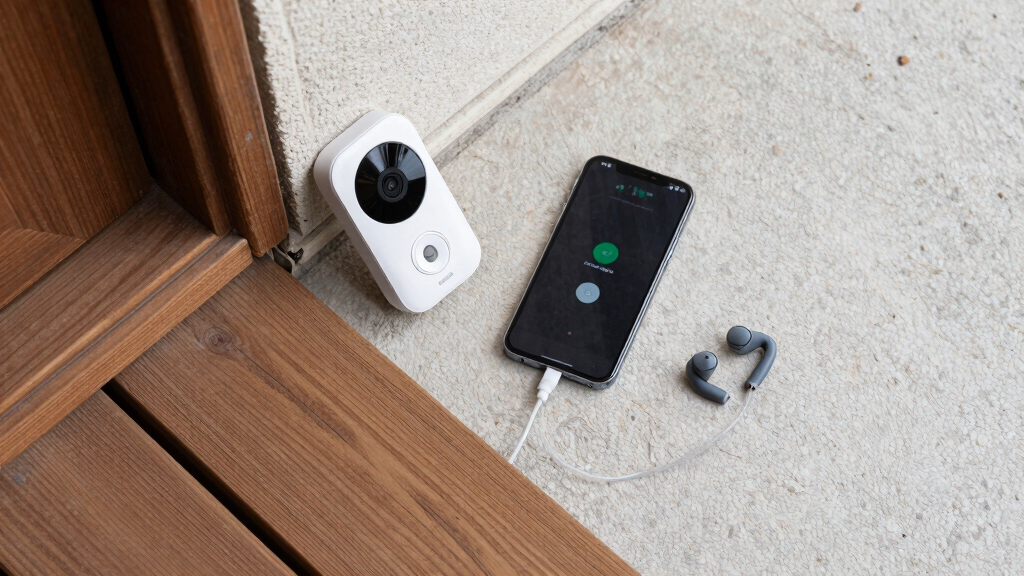
accessible video doorbell with adjustable audio and visual alerts
As an affiliate, we earn on qualifying purchases.
As an affiliate, we earn on qualifying purchases.
The Latest Tech That Makes Video Doorbells Smarter and More Inclusive
Recent innovations are not just about improving image quality or connectivity—they’re about making devices accessible and intuitive for all users. Artificial Intelligence (AI) plays a pivotal role by enabling smarter detection of visitors versus false alarms, which reduces cognitive load for users with memory or attention challenges. For example, AI can learn your routine and prioritize familiar visitors, so you aren’t overwhelmed by irrelevant alerts. Integration with voice assistants like Alexa and Google Assistant transforms interaction, allowing users to operate their doorbells hands-free—crucial for those with mobility issues or who find physical interaction difficult. Voice commands like “Answer the door” can be executed effortlessly, removing physical barriers to access. Additionally, longer-lasting battery options mean fewer recharges, which is particularly advantageous for those with limited mobility or dexterity, as frequent maintenance can be a significant obstacle. These technological advancements collectively enhance the device’s usability, ensuring it serves as an accessible tool rather than a complex gadget.
By combining AI, voice control, and durable power options, manufacturers are addressing common barriers to accessibility, making these devices more inclusive and easier to integrate into daily routines. This progression reflects a broader commitment to designing technology that adapts to human needs rather than forcing users to adapt to technology.
smart doorbell compatible with voice assistants for accessibility
As an affiliate, we earn on qualifying purchases.
As an affiliate, we earn on qualifying purchases.
What You Need to Know Before Picking an Accessible Video Doorbell
Choosing the right device involves understanding how each feature impacts your daily interactions and safety. Visual alerts like flashing lights and high-contrast screens are vital because they often serve as primary cues for users with hearing impairments. However, the effectiveness of visual alerts depends on their placement and brightness—poorly designed signals may be missed or cause discomfort. Audio controls, including adjustable volume and tone, are equally important; they allow customization to prevent auditory overload or ensure clarity for those with hearing challenges. Voice control integration offers a hands-free experience, especially beneficial for users with limited mobility, but its reliability depends on the quality of the voice recognition system and the home’s Wi-Fi stability. Compatibility with existing smart home devices ensures seamless operation, reducing complexity and frustration. When evaluating options, consider tradeoffs such as increased cost for advanced features versus the simplicity of basic models. Balancing these factors helps you select a device that provides the necessary accessibility without unnecessary complications, ultimately supporting safer and more independent living.
wired video doorbell for seniors or mobility challenges
As an affiliate, we earn on qualifying purchases.
As an affiliate, we earn on qualifying purchases.
Frequently Asked Questions
Are all video doorbells accessible for people with visual or hearing impairments?
No, not all models are equally accessible. Look for features like screen reader compatibility, adjustable audio, and visual alerts to find a device that truly meets your needs.
How easy is it to install and set up an accessible video doorbell?
Many devices are designed for DIY setup with clear instructions, but some may benefit from professional installation to optimize accessibility features and placement.
Can I integrate a video doorbell with my existing smart home devices?
Compatibility varies by model. Check if the device supports your preferred voice assistants and smart home system to ensure seamless operation.
What should I consider when choosing a video doorbell for accessibility?
Focus on interface simplicity, alert customization, compatibility with assistive tech, and ease of setup to find a device that fits your lifestyle.
Are there any standards or certifications for accessible smart home devices?
While specific standards are evolving, look for products adhering to general accessibility guidelines and positive user reviews from individuals with disabilities.
battery-operated accessible video doorbell with remote access
As an affiliate, we earn on qualifying purchases.
As an affiliate, we earn on qualifying purchases.
Conclusion
Your front door is more than a entry point—it’s a symbol of independence. Picking a video doorbell with the right accessibility features transforms it into a tool that welcomes everyone, regardless of abilities. When you focus on your specific needs, you turn technology into a true partner in daily life.
Imagine a doorbell that not only alerts but also understands—changing your home into a space that truly works for you. That’s the future of accessible living, starting with your front door.
Halloween Picks
halloween
As an affiliate, we earn on qualifying purchases.