TL;DR

Get everyday helpers delivered free with Prime
- Fast, free delivery on millions of items
- Prime Video, Amazon Music and more included
- Member-only deals all year
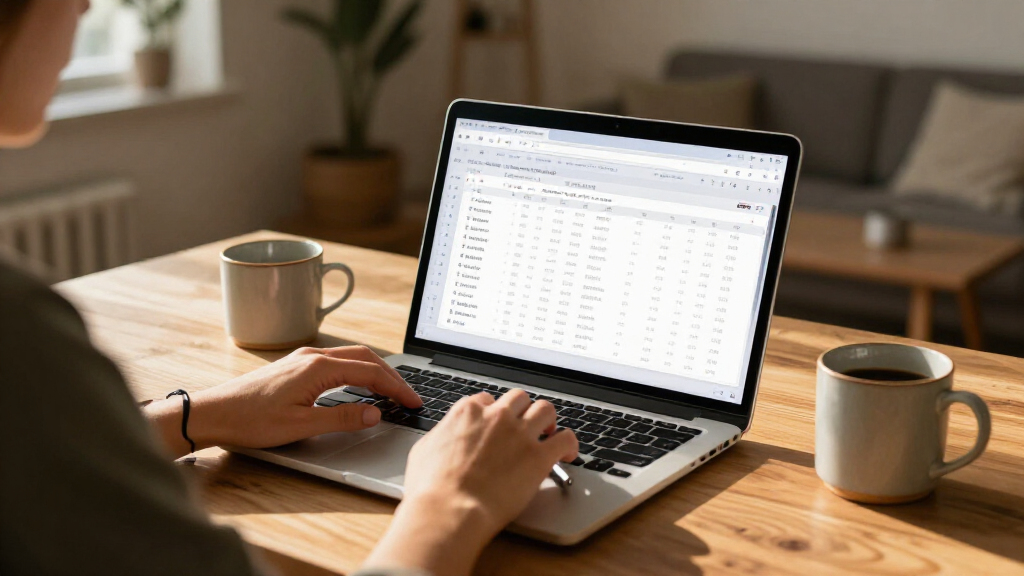
editsqlite is a browser-based tool for editing SQLite database files, SQL dumps and CSV without uploading them to a server. It edits data in a working copy and rebuilds exported SQLite files, while disclosing limits including database size, row length and unsupported schema features.
editsqlite is a browser-based editor for SQLite database files, SQL dumps and CSV that lets users modify data on their device and download an exported copy. The site says files are not uploaded to a server and that its SQLite exports are rebuilt from the edited data, offering a file-based option for people who want to make changes without sending a database to a cloud service.
The editor accepts .sqlite and .db files, SQL dumps produced by MySQL, PostgreSQL or SQLite, and plain CSV. Users can drop in a file or start with a blank database. The grid interface supports editing cells, adding or deleting rows and columns, renaming tables, and undoing or redoing changes. A side panel lists tables, columns, types and row counts.
Users can also run SQL in a built-in console. The site describes its hand-written interpreter as supporting SELECT, UPDATE, DELETE and INSERT, including conditions in WHERE clauses. More involved read-only queries, such as joins, grouping, aggregates and subqueries, are handed off to the SQLite engine when needed, according to the site. Exports can be downloaded as a new SQLite file, an SQL dump in one of three dialects, or CSV.
The site says editing happens in the browser, works offline and requires no account. It describes the original file as read but never modified: changes remain in a working copy in the browser tab, and saving creates a separate export. Those are claims made by the tool’s publisher; the supplied material does not include an independent security review or external test results.
Local Editing Without Database Uploads
For users handling sensitive records, the stated local-only workflow may reduce the need to hand a database file to an online conversion service. That can matter for research, business or personal data where uploading a full database is not permitted or desirable. The file-based approach also gives users a way to edit exported data without connecting the tool directly to a live MySQL or PostgreSQL server.
The rebuild-on-export design is another key part of the offering. Rather than changing the source file’s bytes in place, editsqlite says it creates a fresh SQLite file from the working model and runs the official SQLite engine’s PRAGMA integrity_check against its output. The site says its exports pass that check. This describes a validation step for the generated file, but it is not a substitute for keeping backups or verifying that the edited data is correct.
The trade-off is scope. The editor focuses on data and a limited set of schema changes, rather than preserving every database feature. Users with complex constraints, indexes or large databases may need another workflow, so the published limits are relevant before relying on it for important files.
Popular right now

Ninja DualZone Air Fryer 10 Qt Smart 6-in-1 Grey (DZ950)

Ninja CREAMi Scoop & Swirl 13-in-1 Ice Cream and Soft Serve Maker, NC701

Dyson Cyclone V10 Origin Cordless Vacuum
As an affiliate, we earn on qualifying purchases.
How the File-Based Workflow Works
The site’s account of the project begins with a researcher needing to correct hundreds of entries in a lab specimen catalog. The engineer behind editsqlite says the available web form required a server and handled one row per page load, while other faster options involved uploading the catalog to a cloud service. That experience led to a tool intended to open a file, edit cells locally and save a clean copy.
Under the hood, the publisher describes four components: a reader for SQLite structures, a parser for SQL dumps, a compact SQL interpreter and a writer that builds new SQLite files. The site says the reader was checked against the reference SQLite engine on difficult files and that the writer’s output is tested with the engine’s integrity check. These technical descriptions come from the project itself; no third-party audit or benchmark is provided in the source material.
The workflow is not direct access to a database server. The site says browsers cannot connect through the MySQL or PostgreSQL wire protocols, so users must export or dump data to a file, edit it, then import the result back into the relevant system themselves. Credentials remain outside the browser tool under that process.
““Your original is read once and never written.””
— The editsqlite site
Limits and Independent Verification
The source material does not specify an independent security audit, a formal privacy assessment or third-party testing of the browser-only claim. It also does not provide a launch date, user numbers, performance benchmarks or details about browser compatibility. The site says the editor works offline, but the supplied material does not describe how users can verify that a particular session has no network activity.
The tool also lists practical and technical restrictions. Databases larger than available browser memory and rows longer than about 4 KB are declined, because overflow-page writing is not implemented. Binary values can pass through exports but cannot be edited in the grid. Indexes, views and triggers are retained as recreate scripts rather than fully modeled, while foreign-key and CHECK constraints are set aside. The site says its schema editor covers changes it can regenerate cleanly, such as renaming tables and adding, renaming or dropping columns.
It is not clear from the supplied information how the tool handles every unusual dump or database variant, or how users can independently confirm that all features in a particular source file survive export. The publisher recommends retaining a copy of the original, and users should check exported data and schema against their own requirements before replacing a working database.
Check Files Before Reimporting
The site presents editsqlite as available through its website, with no later launch milestone or announced roadmap in the source material. A typical next step for users is to open a copy of a supported file, make a small test change, export the result and verify that the database and required data are intact before using it elsewhere.
For a database that will be reloaded into a live system, users must handle that import themselves. The site’s stated workflow does not connect to MySQL or PostgreSQL servers, so it does not perform the production update or check how an exported dump fits a particular server configuration. Keeping an untouched backup and reviewing potentially broad SQL changes—especially an UPDATE without a WHERE clause—remain part of the user’s responsibility.
Key Questions
Does editsqlite upload my database?
The site says files are processed in the browser, remain on the user’s device and can be edited offline. The supplied material does not include an independent audit of that claim, so users handling sensitive data may want to verify the tool’s behavior for themselves.
Can it edit a live MySQL or PostgreSQL database?
No direct server connection is described. The site’s workflow is to export a SQL dump, edit the file in the browser and then load the resulting dump back into the database using a separate process.
What SQL can the console run?
The hand-written console supports SELECT, UPDATE, DELETE and INSERT, including WHERE conditions, according to the site. More complex read-only queries, including joins and grouping, are handled by the SQLite engine when required.
Will it preserve indexes and database constraints?
The site says indexes, views and triggers are kept as recreate scripts rather than edited as live objects. It also says foreign keys and CHECK constraints are set aside, so users with those features should review the exported database carefully.
Should I use it on my only copy?
No. The publisher says the original file is not written to and exports are new files, but it also advises users to keep a copy. Retaining an untouched backup is prudent before editing or importing database data.
Source: editsqlite.com