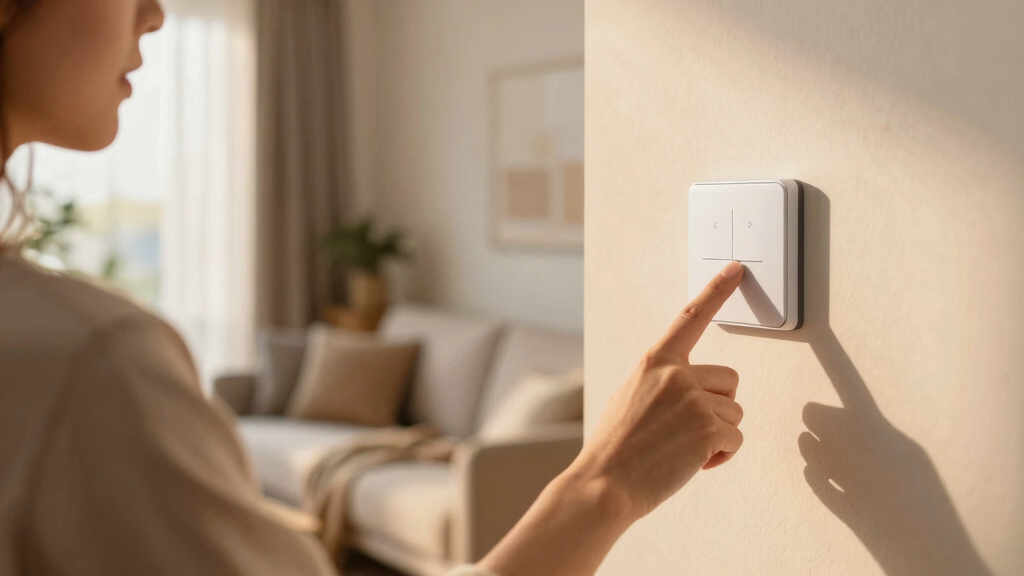

TL;DR
Open a free Amazon Business account
Business pricing, bulk buying and tax-exempt orders.
Create a free accountAs an affiliate, we earn on qualifying purchases.
Setting up voice-controlled lighting is quicker than you think. By choosing compatible devices, connecting them with your voice assistant, and creating routines, you can enjoy hands-free control that enhances your home’s accessibility. Recent tech improvements make it smarter, more customizable, and easier to manage than ever before.
Imagine walking into a room and having the lights turn on with just your voice. No fumbling for switches, no reaching overhead. Voice-controlled lighting transforms your home into a more accessible, effortless space. It’s not just about tech; it’s about gaining independence and comfort, especially if mobility or vision poses challenges.
In this guide, you’ll discover how simple it is to set up your own voice-controlled lighting system. We’ll cover everything from choosing the right devices to creating routines that fit your lifestyle. Whether you’re tech-savvy or just starting out, these steps make your home smarter without the hassle.
Choose smart bulbs compatible with your voice assistant to avoid setup headaches.
Create routines that automate lighting based on your daily schedule or activities.
Ensure your Wi-Fi network is fast and stable—smart lighting depends on it.
Test voice commands regularly to confirm everything responds correctly.
Compare features and prices to find smart lights that match your needs and budget.
Pick the Right Smart Lights for Your Voice Assistant
Choosing compatible smart lights is the first step. Not all bulbs work with every voice assistant, so matching your devices is key. For example, Philips Hue and LIFX offer seamless integration with Amazon Alexa, Google Assistant, and Apple Siri.
Consider the brightness, color options, and whether the bulb supports dimming or color-changing features. For instance, a color-changing bulb can switch from soft white for reading to vibrant reds and blues for parties, all controlled by your voice.
In a practical scenario, you might pick Philips Hue for its broad compatibility and the ability to create preset scenes like ‘Relax’ or ‘Focus,’ activated with a simple voice command.
Understanding why these features matter helps you make smarter choices. Brightness affects visibility and ambiance; too dim or too bright can impact comfort. Color options influence mood and functionality—changing lighting can help with concentration or relaxation. Dimming features provide flexibility, allowing you to set the perfect atmosphere without needing manual switches. When selecting bulbs, weigh these tradeoffs: more features often come at a higher cost and setup complexity, but they offer greater customization and convenience in the long run.

SYLVANIA Wifi LED Smart Light Bulb, 60W Equivalent Full Color and Tunable White A19, Dimmable, Compatible with Alexa and Google Home Only – 4 Pack (75674)
- Voice Control Compatibility: Works with Alexa, Google, Siri Shortcuts
- Color Customization: Millions of colors and tunable white
- High Color Accuracy: 90+ CRI for vibrant colors
As an affiliate, we earn on qualifying purchases.
As an affiliate, we earn on qualifying purchases.
Set Up Your Voice Assistant and Connect Your Lights
Once your smart lights are chosen, the next step is connecting them with your voice assistant. Start by installing the manufacturer’s app and following setup instructions—this usually involves connecting the bulbs to your Wi-Fi network.
After installing the app, open your voice assistant’s app (like Google Home or Alexa), and initiate device discovery. For example, saying ‘Discover devices’ helps the assistant find your new smart bulbs.
For a typical setup, you’ll assign bulbs to specific rooms—kitchen, living room—making voice commands more intuitive. Say, ‘Turn on the living room lights,’ and your system responds instantly.
Connecting your lights to a voice assistant isn’t just about control; it’s about creating a cohesive ecosystem where your devices communicate seamlessly. Proper setup ensures reliable operation, minimizes lag, and prevents frustration. If the connection isn’t stable, it may be due to network issues or interference. Troubleshooting these early can prevent future problems, ensuring your lighting responds instantly when you need it. Additionally, assigning devices to specific rooms isn’t just organizational; it enables precise control and automation, which enhances usability and reduces the cognitive load of remembering device names and locations.

TORCHSTAR 6pcs 12 Inch Voice Control Smart LED Safe Lighting Kit, 5000K
- Voice Control Compatibility: Works with Alexa and Smart Life App
- Easy Installation: Includes 3M adhesive and extension cables
- Smooth Stepless Dimming: Adjust brightness from 0% to 100%
As an affiliate, we earn on qualifying purchases.
As an affiliate, we earn on qualifying purchases.
Create Routines That Make Your Lighting Smarter
Voice-controlled lighting shines brightest when you set routines—automatic behaviors triggered by time, location, or other devices. For example, you can say, ‘Good morning,’ and your smart lights gradually brighten to simulate sunrise.
To do this, open your voice assistant’s app and craft routines. Many apps let you add multiple actions—like turning on lights, playing music, or adjusting the thermostat—all with one command.
Imagine coming home after a long day. With routines, you say, ‘I’m home,’ and the hallway lights turn on, the living room warms up, and your favorite playlist starts. Setting up routines isn’t just about convenience; it’s about creating a personalized environment that responds to your habits, saving you time and effort. The tradeoff is in complexity—more sophisticated routines require more setup time and understanding of your devices’ capabilities. However, once established, they significantly enhance your home automation experience, making your environment more intuitive and responsive to your lifestyle.

Linkind Smart Light Bulbs, Work with Alexa, Google Home, AiDot
- Voice Control Compatibility: Works with Alexa and Google Home
- No Hub Required: Easy setup via AiDot App
- Dual WiFi & Bluetooth: Stable, fast connectivity
As an affiliate, we earn on qualifying purchases.
As an affiliate, we earn on qualifying purchases.
Troubleshoot Common Problems and Keep Things Running Smoothly
If your voice commands don’t work as expected, troubleshooting is straightforward. Check your Wi-Fi connection—smart lighting relies on a strong, stable network. Sometimes, a simple reboot of your router or re-discovering devices in the app solves connectivity hiccups.
Ensure your voice assistant recognizes your commands. Clear, specific instructions like ‘Turn on the kitchen lights to 50%’ are more reliable than vague commands.
For example, if voice commands aren’t controlling the lights, verify that the bulbs are connected to the correct Wi-Fi band—2.4 GHz networks often provide better range for smart devices. Keep in mind, repeated issues might indicate compatibility problems or outdated firmware, which can limit functionality. Regular maintenance, such as firmware updates and network checks, is essential to keep your smart lighting system running smoothly and reliably. This proactive approach minimizes frustration and ensures your smart home remains responsive and efficient, especially as your system grows or updates over time.
Linkind Smart Light Bulbs, Work with Alexa, Google Home, AiDot
- Voice Control Compatibility: Works with Alexa and Google Home
- No Hub Required: Easy setup via AiDot App
- Dual WiFi & Bluetooth: Stable, fast connectivity
As an affiliate, we earn on qualifying purchases.
As an affiliate, we earn on qualifying purchases.
Compare Popular Smart Lighting Options to Find Your Best Fit
| Feature | Philips Hue | LIFX | TP-Link Kasa |
|---|---|---|---|
| Compatibility | Works with Alexa, Google, Siri | Works with Alexa, Google, Siri | Works with Alexa, Google, no Siri |
| Color Options | Millions of colors | Millions of colors | Limited, mainly white & warm white |
| Brightness | 800 lumens | 800 lumens | 800 lumens |
| Price Range | $30–$70 per bulb | $40–$80 per bulb | $20–$50 per bulb |
| Ease of Setup | Requires hub (sometimes) | No hub needed | No hub needed |
Choosing between these depends on your needs—color control, budget, and ecosystem compatibility. For instance, Philips Hue offers the most extensive scene options but costs a bit more. Consider how each option aligns with your existing devices and your willingness to invest in a more robust ecosystem, as this can influence long-term satisfaction and system integration. The tradeoffs include cost versus versatility and ease of setup versus advanced features—understanding these helps you build a system that truly fits your lifestyle and expectations.
Start Using Voice Commands and Make Your Home Smarter
Once everything is set, you’re ready to talk to your lights. Use simple commands like ‘Turn on the living room light,’ ‘Dim the bedroom lights,’ or ‘Change the kitchen to blue.’
Experiment with routines—say, ‘Good night,’ and your lights turn off, or ‘Movie time,’ and they dim to a cozy glow. The more you use, the more natural it feels.
For example, a busy parent might say, ‘Wake me up at 7 am,’ and the lights gradually brighten, making mornings smoother and less stressful. Developing a routine of regular voice commands helps reinforce the system’s responsiveness and reliability, ensuring your smart home stays intuitive and effective. The tradeoff is that initial learning curves and command specificity can sometimes cause frustration if commands aren’t precise enough. However, with practice, your system becomes more natural, and your home responds seamlessly, enhancing your daily comfort and efficiency.
Frequently Asked Questions
Do I need a special hub to set up voice-controlled lighting?
Most smart bulbs today are hubless, meaning they connect directly to your Wi-Fi network. However, some brands like Philips Hue still use a hub for advanced features, so check your device requirements before purchasing.Can I control my smart lights from multiple voice assistants?
Yes, many smart lighting systems support multiple platforms, including Alexa, Google Assistant, and Siri. You can control your lights using different devices, making your setup flexible and versatile.How secure are smart lighting systems against hacking?
Smart lights are generally secure when connected to a strong Wi-Fi network and when you use unique, strong passwords. Keep your device firmware updated and avoid using default passwords to reduce risks.Is it possible to automate lights based on occupancy without sensors?
While sensors provide more precise automation, routines based on time or voice commands can simulate occupancy. For example, setting scheduled routines to turn lights on and off mimics presence in your home.Conclusion
Setting up voice-controlled lighting is a straightforward process that dramatically enhances your home’s accessibility and convenience. With just a few steps—picking the right devices, connecting them, and creating routines—you turn your space into a smarter, more responsive environment.
Remember: the simplest command can transform your daily experience, making your home more comfortable and empowering your independence. Imagine a future where your home responds effortlessly—every time you walk in or speak out.
College move-in / dorm season Picks
dorm essentials
As an affiliate, we earn on qualifying purchases.