
TL;DR

Get everyday helpers delivered free with Prime
- Fast, free delivery on millions of items
- Prime Video, Amazon Music and more included
- Member-only deals all year
A well-chosen day-clock can transform daily life for those with memory challenges. Focus on ease of use, clear display, and helpful features—modern options now include smart tech and customization. This guide walks you through how to pick the perfect one.
Imagine waking up every day unsure of what time it is, what day it is, or what comes next. That confusion can be overwhelming, especially as memory fades or cognitive challenges grow. A well-chosen day-clock acts like a personal assistant, anchoring your sense of time and helping you stay independent.
If you’re caring for someone with memory issues or managing your own cognitive health, understanding how to pick the right day-clock can make a world of difference. It’s not just about telling time — it’s about reducing anxiety, fostering routine, and reclaiming confidence in daily living.
Prioritize simplicity: large buttons, clear display, minimal fuss.
Match features to the user’s needs: visual, auditory, or both.
Consider future tech: smart devices offer adaptive routines and remote controls.
Test before committing: ensure the device is easy for the user to operate.
Balance cost and features: basic models often do the job, but tech-savvy users benefit from smart options.
3 Must-Have Features That Make a Day-Clock Work for Memory Support
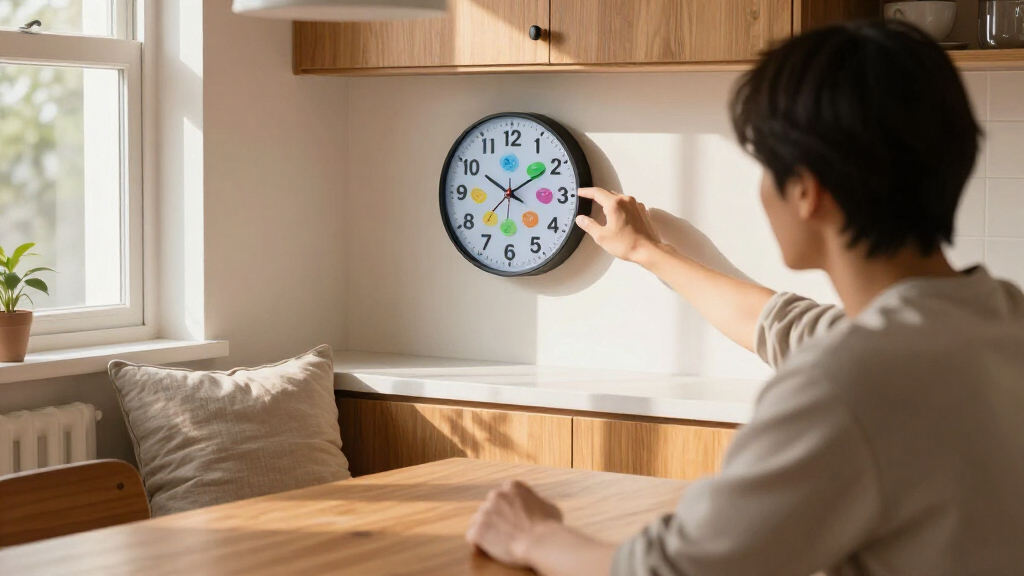
The best day-clocks for memory support share a few key features. First, they must be easy to operate — big buttons, simple labels, intuitive controls. This simplicity minimizes user frustration and ensures consistent use, which is crucial for effectiveness. Second, the display should be clear and high-contrast, with large numbers and minimal clutter. This enhances readability for users with visual impairments or cognitive difficulties, reducing the mental effort needed to interpret the time. Third, customization options like reminders or personal photos help tailor the device to individual routines and preferences. These features can reinforce routines, provide visual cues, and make the clock feel more familiar and personalized, thereby increasing engagement and adherence.
For example, a caregiver might choose a day-clock with large, brightly colored digits and preset reminders for medication times. This straightforward setup reduces confusion and keeps the user oriented without frustration. The ability to customize ensures the device remains relevant as routines evolve, making it a long-term supportive tool rather than a temporary fix.
large display day clock for memory support
As an affiliate, we earn on qualifying purchases.
As an affiliate, we earn on qualifying purchases.
How to Pick the Perfect Day-Clock in 5 Easy Steps
- Identify needs: Does the user struggle primarily with visual cues, memory recall, or both? Do they benefit more from auditory reminders or visual prompts? Clarifying these needs will help determine which features are most essential. For example, someone with visual impairments may need a clock with high-contrast display and large fonts, while someone with auditory processing issues might require clear sound alerts. Understanding these nuances ensures the device effectively addresses the user’s specific challenges, rather than offering a one-size-fits-all solution.
- Set a budget: Basic models start around $40, offering fundamental features like large display and simple timekeeping. More advanced, smart devices can cost over $300, providing automation, remote access, and adaptive routines. Deciding on a budget helps narrow options and focus on what’s achievable within financial constraints. It also prompts consideration of the long-term value—whether investing in a more expensive device translates into better support and durability over time.
- Prioritize simplicity: Choose a device with a user-friendly interface—large buttons, simple menu, minimal fuss. Overly complex features can overwhelm users and reduce adherence. Prioritizing simplicity ensures the device is accessible and reduces the learning curve, encouraging consistent use which is vital for effectiveness. A straightforward device minimizes frustration, making daily routines smoother and less stressful for both users and caregivers.
- Check customization options: Does it allow reminders, personal photos, or adjustable display settings? Customization enhances relevance and engagement. For example, personal photos can serve as visual cues linked to routines, while adjustable reminders can be tailored to changing schedules. These options help the device become an integral part of daily life, supporting independence by reinforcing familiar cues and routines.
- Test usability: If possible, try the device with the user or a caregiver before committing. Observe how easily it is operated, whether the display is readable, and if the routines can be set up without confusion. This hands-on approach identifies potential issues early, ensuring the device truly meets the user’s needs. Testing also provides an opportunity to train caregivers and users, increasing the likelihood of sustained, effective use.
As an affiliate, we earn on qualifying purchases.
Compare Basic vs. Smart Day-Clocks — Which Fits Your Needs?
| Feature | Basic Day-Clock | Smart Day-Clock |
|---|---|---|
| Display | Large, simple, high-contrast | Can include color cues, animations |
| Reminders | Manual setup, visual only | Automated, voice prompts, app control |
| Customization | Limited, e.g., photos or routines | More flexible, learning routines over time |
| Connectivity | None or minimal | Wi-Fi, Bluetooth, remote updates |
| Price Range | Under $100 | $200–$400 |
For many users, a simple clock with big digits and easy reminders effectively supports daily routines. However, understanding the tradeoffs is key: basic models excel in simplicity and reliability but lack adaptability. Smart devices, while more complex and costly, offer personalized prompts, remote management, and learning capabilities that can adapt to evolving needs. Choosing between them depends on the user’s specific challenges, comfort with technology, and budget—each option has distinct advantages that can significantly impact daily support and independence.
visual and auditory day clock for cognitive impairment
As an affiliate, we earn on qualifying purchases.
As an affiliate, we earn on qualifying purchases.
The Latest Day-Clock Tech You Need to Know About
New models now incorporate AI learning routines, making reminders smarter with less manual setup. Voice-activated controls help users with visual or motor challenges, enabling hands-free operation and reducing frustration. Sleek, unobtrusive designs blend into home decor, which is important because stigma and self-consciousness can hinder device use. Some devices even sync with smartphones or home automation systems, allowing caregivers to monitor and adjust settings remotely, fostering a sense of support without constant physical presence. For example, a user might wake up to personalized greetings and reminders that adapt to their daily patterns, making routines feel more natural and less robotic. This level of integration ensures the device becomes a seamless part of daily life, rather than a mechanical aid that feels out of place.
These innovations mean that choosing a device isn’t just about basic functionality anymore — it’s about creating a supportive environment that feels familiar, personalized, and intuitive, helping users maintain independence with less effort.
As an affiliate, we earn on qualifying purchases.
Key Facts Every Caregiver Should Know About Day-Clocks
Day-clocks are designed to help people with memory challenges stay oriented, reducing confusion and frustration. Research shows a properly selected device can boost independence by up to 30%, easing caregiver stress at the same time. Choosing the right device involves understanding the user’s cognitive level, physical abilities, and daily routines. A device that aligns well with these factors is more likely to be used consistently and to have a positive impact. For example, a user with limited vision benefits from high-contrast displays, while someone with motor difficulties may need large, easy-to-press buttons. The implication is that a tailored approach increases the likelihood of sustained use and meaningful support, ultimately fostering better quality of life for both users and caregivers.
Your Top 5 Questions About Day-Clocks — Answered
- What features should I prioritize? Focus on simplicity, large display, and reminders tailored to routines. These elements directly influence ease of use and the device’s effectiveness, as they reduce cognitive load and ensure the user can interpret and respond to cues without confusion.
- Are affordable options effective? Yes. Many basic models work well if they’re easy to read and operate. The key is matching the device’s capabilities to the user’s specific needs—an inexpensive clock with large, clear numbers can be highly effective if it’s simple enough for the user to operate independently.
- How hard are they to set up? Most are straightforward, especially models with large buttons and simple menus. Ease of setup encourages initial adoption and ongoing use, which are critical for the device to serve its purpose effectively.
- Can I customize routines? Many devices allow adding photos or setting specific reminders for meals, meds, or activities. Customization increases relevance, making routines more intuitive and reinforcing independence by providing familiar cues.
- Are smart models worth the extra cost? If you need remote control, adaptive prompts, or integration with other tech, yes. They can significantly enhance support through automation and personalization. However, for many users, basic models suffice if they meet core needs, offering a cost-effective solution that still promotes independence.
Conclusion
Choosing the right day-clock isn’t about bells and whistles — it’s about finding a simple, reliable tool that helps the user feel grounded and independent. Think about their routines, abilities, and preferences, then select a device that seamlessly fits into daily life.
Imagine a morning routine where the clock greets them with a bright display and gentle reminders, easing anxiety and fostering confidence. That’s the power of a well-chosen day-clock — a small device with the potential to transform everyday living into a more manageable, peaceful experience.
Fall Picks
fall essentials
As an affiliate, we earn on qualifying purchases.