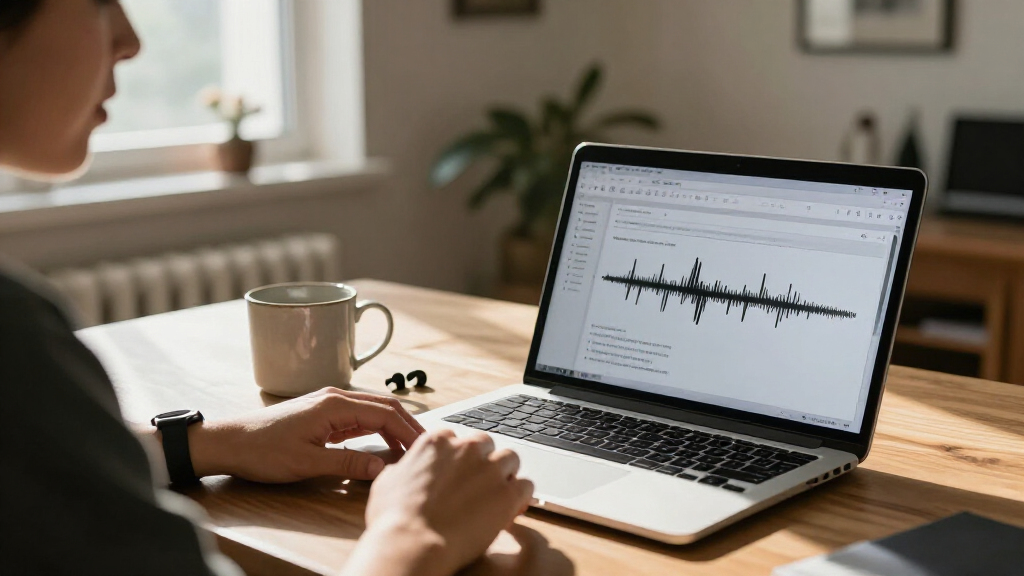

Choosing the best Mac dictation software depends on what you mean by dictation. If you want to speak directly into Mac apps and revise the result with AI tools, AI VoiceWriter is the most direct fit. For people who already record dictation and need hands-on playback control, I’d look first at the Express Scribe and Infinity foot pedal bundle. Philips SpeechExec Pro takes a different route, organizing a professional recording workflow and supporting Dragon NaturallySpeaking.

Get everyday helpers delivered free with Prime
- Fast, free delivery on millions of items
- Prime Video, Amazon Music and more included
- Member-only deals all year
These picks are not four interchangeable voice-to-text apps. Two focus on managing and transcribing recorded audio; one pairs playback software with a foot pedal; and VoiceWriter is the only listed option that explicitly provides desktop speech-to-text dictation plus AI editing features. I rank them by how well their stated functions serve Mac users, while weighing compatibility, workflow fit, licensing, and the limits of the available product details. The main tradeoff is live speech input versus recorded-file control: choose the first when you want to speak into apps, and the second when you need to control audio while producing a transcript.
Key Takeaways
- AI VoiceWriter is the clearest match for direct Mac speech-to-text, with support for macOS 13 or later, a phone-as-microphone app, and AI writing tools.
- The Express Scribe bundle suits recorded-audio transcription: its USB foot pedal controls playback, while its professional license does not require a subscription.
- Philips SpeechExec Pro is aimed at managed dictation workflows, with USB file downloads, workflow monitoring, priority handling, and Dragon NaturallySpeaking support.
- Olympus DSS Player Standard is a single-user file organization and playback option for Mac users working with DSS, DSS Pro, WMA, or MP3 recordings.
- These products solve different problems; check your Mac version, recording formats, and need for live dictation before choosing.
| AI VoiceWriter Dictation and AI Writing Assistant with USB Dongle and Mobile App |  | Best Overall for Direct Mac Dictation | Supported operating systems: macOS 13 or later; Windows 10 or later; iOS 15 or later; Android 9.0 or later | Dictation languages: 33 | Input method: Desktop dictation; mobile app can use a phone microphone for desktop input | VIEW LATEST PRICE | See Our Full Breakdown |
| Express Scribe Professional Transcription Software with Infinity IN-USB-3 Foot Pedal |  | Best for Foot-Pedal Audio Transcription | Software: Express Scribe Professional | Included hardware: Infinity IN-USB-3 USB transcription foot pedal | License: Professional user license; no subscription required | VIEW LATEST PRICE | See Our Full Breakdown |
| Philips SpeechExec Pro Dictation Software, 2-Year Subscription |  | Best for Managed Dictation Workflows | Model: LFH4422/00 | Subscription term: 2 years | File transfer: Automatic download via USB | VIEW LATEST PRICE | See Our Full Breakdown |
| Olympus SN-AS49TM DSS Player Standard Transcription Software |  | Best for Mac Users with DSS Recordings | Model: SN-AS49TM | License type: Single user | Compatibility: Windows and Mac | VIEW LATEST PRICE | See Our Full Breakdown |
| Mac dictation software | Warranty | Model |
|---|---|---|
| AI VoiceWriter Dictation and A | 1 year | — |
| Express Scribe Professional Tr | 1 year | — |
| Philips SpeechExec Pro Dictati | — | LFH4422/00 |
| Olympus SN-AS49TM DSS Player S | — | SN-AS49TM |
More Details on Our Top Picks
AI VoiceWriter Dictation and AI Writing Assistant with USB Dongle and Mobile App
AI VoiceWriter earns the top spot because it is the only pick here explicitly described as dictating speech to text on Mac desktop apps. It supports macOS 13 or later and offers 33 dictation languages, giving multilingual users a broader stated language range than the workflow-centered alternatives in this list. Its mobile app can use a phone microphone for desktop voice input, a useful option if you would rather speak into a familiar device than rely on a separate microphone.
The package also goes beyond capture with AI proofreading, rewriting, and formatting. That makes it a closer match for someone who wants to draft by voice and then polish the result in one software workflow. By comparison, Express Scribe and Olympus focus on playback and recorded-file handling; neither is described here as providing direct speech recognition. Philips supports Dragon NaturallySpeaking, but its central role is dictation workflow management rather than an all-in-one Mac writing assistant.
The tradeoff is that some details are limited. AI writing features support fewer languages than dictation, and the listed digital recording time is less than an hour. The supplied information does not say how recognition accuracy varies by language, whether the software works offline, or which individual Mac applications it supports. I would check the current compatibility and privacy details before adopting it for sensitive work. It also requires macOS 13 or later, so a Mac on an older system may rule it out.
For buyers who want direct voice input and post-dictation editing, VoiceWriter is the most aligned option in this comparison. Buyers who mainly need foot-controlled playback of existing audio should instead compare it with Express Scribe, while those organizing a dedicated recording workflow may get more from Philips SpeechExec Pro. Its strength is breadth around voice drafting, not a proven advantage in transcription accuracy or advanced team administration.
Pros:- Explicitly supports speech-to-text dictation on Mac desktop apps.
- Mobile app can use a phone microphone for desktop voice input.
- Adds proofreading, rewriting, and formatting tools after dictation.
- Lists support for 33 dictation languages and lifetime software updates.
Cons:- Requires macOS 13 or later.
- AI writing features support fewer languages than the dictation function.
- Listed digital recording time is less than one hour, and recognition accuracy and offline use are not specified.
Best for: Mac users on macOS 13 or later who want speech-to-text in desktop apps, phone-based microphone input, and AI-assisted editing.
Not ideal for: People with older macOS versions, buyers who only need playback controls for recorded dictation, or users who need confirmed support for a particular language in the AI writing tools.
- Supported operating systems:macOS 13 or later; Windows 10 or later; iOS 15 or later; Android 9.0 or later
- Dictation languages:33
- Input method:Desktop dictation; mobile app can use a phone microphone for desktop input
- AI writing tools:Proofreading, rewriting, and formatting
- Hardware interface:USB dongle
- Updates:Lifetime software updates
- Warranty:1 year
Our verdict“I’d choose VoiceWriter for direct Mac voice drafting and AI-assisted revisions, provided its macOS requirement and language limits fit your setup.”
Express Scribe Professional Transcription Software with Infinity IN-USB-3 Foot Pedal
This bundle stands out for transcribing recorded audio with hands-free playback control. Express Scribe Professional handles variable-speed playback, multichannel control, video playback, and file management, while the included Infinity IN-USB-3 foot pedal lets the typist control playback from a computer. That pairing is more purpose-built for repeated listening than VoiceWriter, which is positioned around speaking directly into desktop apps.
The distinction is important: this is transcription software, not a listed live speech-recognition tool. If your source is a recording and you type the transcript yourself, the pedal can keep your hands on the keyboard. Philips SpeechExec Pro is a closer alternative for users who need workflow tracking, automatic USB downloads, and priority handling; Express Scribe instead emphasizes playback control and file handling. Olympus also supports playback and footswitch use, but the Express Scribe package includes its pedal rather than requiring a separately compatible footswitch.
The included professional user license has no subscription requirement, which may suit an individual who wants a defined software purchase rather than Philips’s two-year subscription. However, the product details say it works with a personal computer and do not specify Mac operating-system compatibility. I would confirm that the current software version supports your macOS release before buying. The listed weight is also inconsistent: one description says 2.3 pounds and another product-information field says 0.27 grams, so I would not rely on that figure.
Choose this kit when the job is controlling existing recordings while you transcribe, not turning live speech into text. It beats the Olympus option on the supplied bundle’s included pedal, but Olympus calls out Mac and Windows license keys and DSS format support. A Mac buyer should weigh those distinctions and confirm compatibility rather than treating the bundle name alone as proof of Mac support.
Pros:- Includes an Infinity IN-USB-3 USB foot pedal for playback control.
- Offers variable-speed playback, multichannel control, and video playback.
- Includes file-management functions for transcription work.
- Professional user license does not require a subscription.
Cons:- Product information does not specify a Mac operating-system version or clearly confirm Mac compatibility.
- Designed to control playback, not described as live speech-to-text recognition.
- The listed item weight conflicts between product fields.
Best for: Transcribers who work from recorded audio on a confirmed-compatible computer and want a foot pedal for playback control.
Not ideal for: Mac buyers who need explicit compatibility confirmation, live speech-to-text, or an included workflow based on automatic transcription.
- Software:Express Scribe Professional
- Included hardware:Infinity IN-USB-3 USB transcription foot pedal
- License:Professional user license; no subscription required
- Supported audio formats:MP3, WAV, WMA
- Playback tools:Variable speed, multichannel control, and video playback
- Connection:USB
- Warranty:1 year
Our verdict“I’d pick this bundle for hands-free control of recorded audio, but only after confirming that the current Express Scribe version supports your Mac.”
Philips SpeechExec Pro Dictation Software, 2-Year Subscription
Philips SpeechExec Pro is the workflow pick: it is described as managing digital dictation and speeding document creation through automatic USB file downloads, real-time work monitoring, and priority processing for urgent recordings. These tools matter when recordings move through a process and someone needs to see their status or handle time-sensitive work ahead of routine files. That focus gives it a different role from VoiceWriter, which targets direct speech input and AI-assisted editing.
SpeechExec Pro also supports Dragon NaturallySpeaking voice recognition, a connection that may appeal to buyers already using Dragon in their process. The supplied description does not say that Dragon is included, nor does it establish that speech recognition runs natively on Mac. I would treat this as a workflow manager with voice-recognition support, not as a guaranteed standalone Mac dictation engine. Before buying, check current system requirements and confirm what additional Dragon software or hardware your setup needs.
Compared with Express Scribe, Philips places more emphasis on monitoring and routing work than on a supplied foot pedal and playback features. Compared with Olympus DSS Player Standard, it is presented as a more managed workflow product rather than a single-user tool for organizing and archiving compatible audio files. Those distinctions make Philips more compelling for users coordinating recordings and priorities, but less direct for an individual simply dictating into a Mac document.
The clearest drawback is the two-year subscription term, which makes its licensing commitment different from Express Scribe’s stated no-subscription professional license. The product details also do not list supported Mac versions, file formats, included hardware, or team-user limits. Because those facts affect whether it fits a particular office, I would verify them before purchase. Its stated strengths are workflow administration and Dragon compatibility; buyers seeking simple Mac voice input should start with VoiceWriter instead.
Pros:- Automatically downloads files via USB.
- Provides real-time workflow monitoring.
- Allows urgent recordings to receive priority processing.
- Supports Dragon NaturallySpeaking voice recognition.
Cons:- The license is a two-year subscription.
- The supplied details do not confirm Mac system compatibility or list supported audio formats.
- It is not described as a standalone live speech-to-text app, and Dragon inclusion is not established.
Best for: People managing digital dictation files who need workflow status, urgent-recording prioritization, USB downloads, and a process that uses Dragon NaturallySpeaking.
Not ideal for: Mac users seeking a clearly documented, standalone live dictation app, buyers avoiding subscriptions, or individuals who only need simple audio playback.
- Model:LFH4422/00
- Subscription term:2 years
- File transfer:Automatic download via USB
- Workflow tools:Real-time work monitoring and priority processing
- Voice recognition support:Dragon NaturallySpeaking
- Mac compatibility:Not specified in the supplied product details
Our verdict“I’d choose SpeechExec Pro for a monitored recording workflow that already uses Dragon, after confirming Mac requirements and subscription terms.”
Olympus SN-AS49TM DSS Player Standard Transcription Software
Olympus DSS Player Standard is a focused choice for an individual who needs to organize, archive, and transcribe existing dictation files. Its clearest advantage for Mac shoppers is that the listing specifies license keys for both Windows and Mac versions. It supports DSS, DSS Pro, WMA, and MP3, which makes it a better-defined fit for those formats than SpeechExec Pro, whose supplied details do not name supported audio formats.
The software includes a transcribe bar for playback control and works with RS-27 or RS-27H footswitches. That makes it a more modest playback-centered alternative to the Express Scribe bundle: Olympus organizes and plays compatible files, while Express Scribe adds an included Infinity USB pedal and lists variable-speed and multichannel controls. Olympus does not state that a footswitch is included, so buyers should treat compatibility as support for separate equipment rather than bundled hardware.
This is not the best match for someone who wants to dictate live into a Mac app. Unlike VoiceWriter, it is not described as providing speech recognition, AI editing, or mobile microphone input. Its appeal is narrower: single-user file organization and transcription playback for people whose recordings use supported formats. The one-user license also makes it a poor fit for a team that needs shared access or multiple seats.
Electronic delivery brings another practical wrinkle. The license key is sent by email, and delivery may be delayed when a purchase is made outside business hours. If you need immediate access, allow for that possibility. For the right buyer, Olympus has a useful combination of explicit Mac licensing and named audio-format support; for direct voice drafting, VoiceWriter remains the better fit, and for a supplied pedal, Express Scribe has the advantage.
Pros:- Includes license keys for both Windows and Mac versions.
- Supports DSS, DSS Pro, WMA, and MP3 files.
- Provides a transcribe bar for playback control.
- Supports RS-27 and RS-27H footswitches.
Cons:- The license is for a single user, not a team.
- A compatible footswitch is not stated as included.
- Email license delivery may be delayed outside business hours.
Best for: Individual Mac users who need to organize and transcribe DSS, DSS Pro, WMA, or MP3 recordings and may use a compatible Olympus footswitch.
Not ideal for: Teams needing multiple user licenses, people seeking live speech recognition or AI writing tools, or buyers who need an included footswitch.
- Model:SN-AS49TM
- License type:Single user
- Compatibility:Windows and Mac
- Supported formats:DSS, DSS Pro, WMA, MP3
- Footswitch support:RS-27 and RS-27H
- Delivery method:Electronic download; license key sent by email
- Playback control:Transcribe bar
Our verdict“I’d choose Olympus for single-user Mac transcription of its named audio formats, not for live dictation or shared team workflows.”
How We Picked
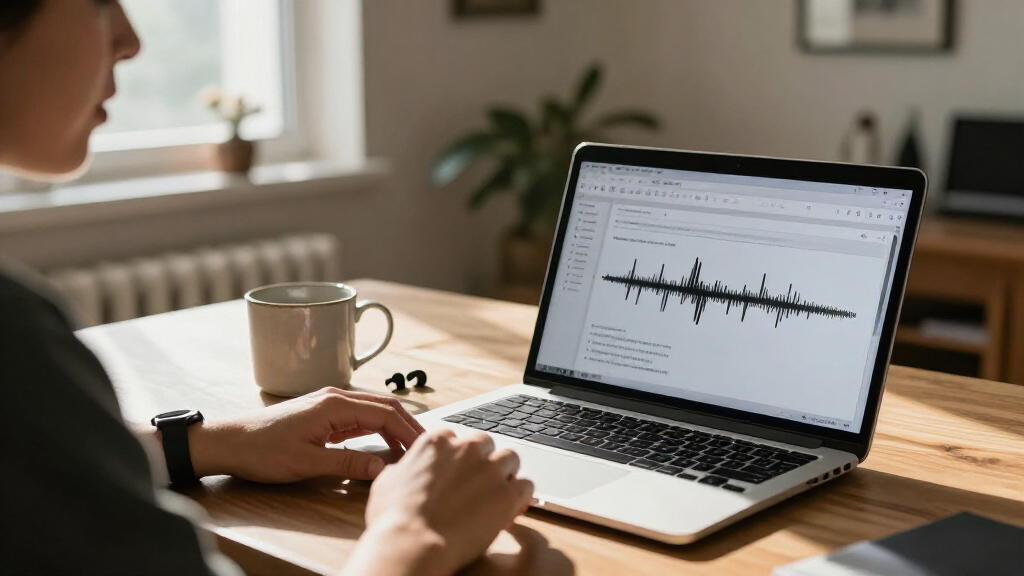
I ranked these options around the needs behind a search for Mac dictation software: getting speech into written form, managing recorded dictation, and controlling playback while transcribing. I gave the strongest fit to the product whose supplied details explicitly describe speech-to-text on Mac desktop apps. The other recommendations earn their places for specific transcription workflows rather than for live dictation features they are not described as having.
I also compared Mac compatibility, supported audio formats, the role of included hardware, workflow tools, and licensing. A foot pedal can make repeated playback easier, but it does not itself turn speech into text. Likewise, workflow monitoring and automatic downloads help organize recordings, but they are not the same as native Mac dictation. That distinction matters when products share words like “dictation” and “transcription” while serving different stages of the work.
The supplied product information does not establish recognition accuracy, offline behavior, privacy practices, system-wide hotkeys, or performance across Mac applications. I do not assume those capabilities. I also weigh practical limits, including VoiceWriter’s stated macOS 13 minimum and the difference between subscription and non-subscription licenses. My ranking is a fit-based comparison, not a claim that every buyer needs the same kind of speech tool.
| Mac dictation software | Model |
|---|---|
| AI VoiceWriter Dictation and A | — |
| Express Scribe Professional Tr | — |
| Philips SpeechExec Pro Dictati | LFH4422/00 |
| Olympus SN-AS49TM DSS Player S | SN-AS49TM |
Factors to Consider When Choosing Best Mac Dictation Software
I’d start by identifying whether you need live speech-to-text or control over recordings you already have. That choice separates VoiceWriter from the other three more clearly than any shared use of the word “dictation.”Live dictation or recorded transcription?
If you want to speak and have words appear in desktop apps, AI VoiceWriter is the most direct match in this group. Its product details explicitly describe Mac speech-to-text and a phone microphone option. The other products are chiefly about managing or playing recorded audio. Express Scribe and Olympus can help you control playback while you produce a transcript; that is a different workflow from having software recognize live speech.
Philips SpeechExec Pro supports Dragon NaturallySpeaking, but the supplied description does not confirm a Mac-native speech engine or say Dragon is included. I would verify the exact Dragon setup before treating it as live dictation software. If you already receive recordings from yourself or other speakers, workflow and playback features may matter more than direct speech recognition.
Check Mac compatibility before buying
Compatibility details vary in how clearly they are stated. VoiceWriter lists macOS 13 or later, and Olympus explicitly includes a Mac license key. Express Scribe’s supplied details describe a personal computer but do not name a Mac version or macOS release. Philips does not list Mac system requirements in the information provided. I would confirm the current software requirements for the exact product version rather than infer support from a product title or general computer compatibility.
Also check the Mac you intend to use, not just the latest system named by a product. If you rely on an older macOS release, VoiceWriter’s stated minimum may exclude it. For the other options, ask the seller or software publisher to confirm current compatibility and any hardware requirements before you commit to a workflow.
Match the product to your recording formats
For pre-recorded dictation, file compatibility can decide the purchase. Olympus names DSS, DSS Pro, WMA, and MP3; Express Scribe lists MP3, WAV, and WMA. Philips’s supplied details mention automatic USB downloads but do not specify formats. VoiceWriter supports desktop dictation and multiple formats are listed, but the product information does not name each format in the supplied description.
Check a sample of the files you actually receive, including any specialized recorder formats. A tool that handles playback well is of little use if your recordings need conversion first. If your process relies on DSS files, Olympus is the clearest documented choice here; if you use common MP3, WAV, or WMA files, Express Scribe lists those formats directly.
Decide whether a pedal changes your workflow
A foot pedal helps when your hands need to stay on the keyboard while you pause, replay, or move through a recording. The Express Scribe kit includes the Infinity IN-USB-3 pedal, making it the most ready-made pedal option in this comparison. Olympus supports RS-27 and RS-27H footswitches, but the supplied product details do not say a switch is included.
Neither detail means the software will automatically recognize speech. The pedal controls playback, while a user still handles the transcript unless another speech-recognition tool is part of the setup. If you dictate live, VoiceWriter’s phone-microphone function is more relevant than a pedal. If playback is central, compare supported controls and confirm your Mac can run the software.
Compare licensing and workflow needs
The licensing models differ: Express Scribe includes a professional user license with no subscription required, Philips SpeechExec Pro is listed as a two-year subscription, VoiceWriter includes lifetime software updates, and Olympus is a single-user electronic license. These details affect how each option fits an individual or an organization, but they do not by themselves establish future feature access or support terms. Check the publisher’s current license conditions before purchase.
For one person drafting text by voice, VoiceWriter’s editing tools may reduce the need to move between separate writing utilities. For a recording process with status tracking and urgent work, Philips’s workflow tools are more relevant. For a solo transcriber, Olympus has a narrow file-and-playback role; Express Scribe makes more sense when an included pedal and adjustable playback are central. I would choose based on the task you repeat most often, not on the longest feature list.
Know what the listings do not establish
The supplied details do not confirm dictation accuracy, offline recognition, privacy handling, system-wide controls, or performance in specific Mac applications. They also leave gaps around Mac compatibility for Express Scribe and Philips, and around supported formats for Philips. Treat those as questions to verify, especially if you handle confidential recordings, need a particular language, or depend on a specific Mac release.
VoiceWriter lists 33 dictation languages, but its AI writing features support fewer; that difference matters if you expect proofreading or rewriting in every dictation language. Philips names Dragon support without confirming that Dragon is bundled. Olympus supports footswitches without stating that one is included. Looking closely at these distinctions helps avoid buying a product for a capability the listing does not actually promise.
Frequently Asked Questions
Which option is the best fit for live dictation on a Mac?
AI VoiceWriter is the clearest fit in this comparison because its details explicitly describe speech-to-text dictation on Mac desktop apps and list macOS 13 or later. It also offers a mobile app that can use a phone microphone for desktop input. I would confirm support for your language and target apps, since the supplied information does not establish recognition accuracy or compatibility with every Mac application.
Are Express Scribe and Olympus speech-to-text dictation apps?
The supplied descriptions position both mainly as tools for recorded-audio transcription and playback control, not as live speech-recognition apps. Express Scribe adds variable-speed playback and an included USB foot pedal; Olympus organizes and plays supported dictation files and works with specified footswitches. If you want software to turn live speech into text, VoiceWriter is the more direct option among these four.
Which products explicitly list Mac compatibility?
VoiceWriter lists macOS 13 or later, and Olympus says it includes a license key for the Mac version. The Express Scribe bundle information says it works with a personal computer but does not name a Mac version or system requirement. Philips SpeechExec Pro’s supplied details do not specify Mac compatibility. I would confirm current requirements for Express Scribe and Philips before buying for a Mac.
Which pick is best for transcribing existing recordings with a pedal?
The Express Scribe bundle is the most direct choice when you want a foot pedal included: it pairs the software with an Infinity IN-USB-3 USB pedal and lists variable-speed playback. Olympus is another playback-centered option, but its product details describe support for RS-27 and RS-27H footswitches without saying that either is included. Check supported formats and Mac requirements before choosing between them.
Does Philips SpeechExec Pro include Dragon NaturallySpeaking?
The supplied description says SpeechExec Pro supports Dragon NaturallySpeaking voice recognition, but it does not establish that Dragon is included with the two-year subscription. It also does not specify Mac system requirements. If Dragon is central to your setup, confirm whether you need a separate Dragon license, which versions work together, and whether your Mac configuration is supported.
Conclusion
My recommendation depends on the work you need to get done. For direct Mac voice drafting with editing tools, start with AI VoiceWriter, provided your Mac runs macOS 13 or later and its language limits suit you. For recorded audio and hands-free playback, compare the Express Scribe bundle, but confirm Mac compatibility before buying. If you manage recordings that need status tracking and priority handling, Philips SpeechExec Pro may fit, especially when Dragon is already part of your workflow; verify its Mac and licensing requirements first.
For an individual working with DSS, DSS Pro, WMA, or MP3 files, Olympus offers the most explicit Mac license and format list, though it is not live dictation software and its license is single-user. I would not pick one product just because it is labeled “dictation.” Match the tool to the input you have—live speech or saved recordings—then check Mac support, file formats, and license terms before making the final call.
Fall Picks
fall essentials
As an affiliate, we earn on qualifying purchases.