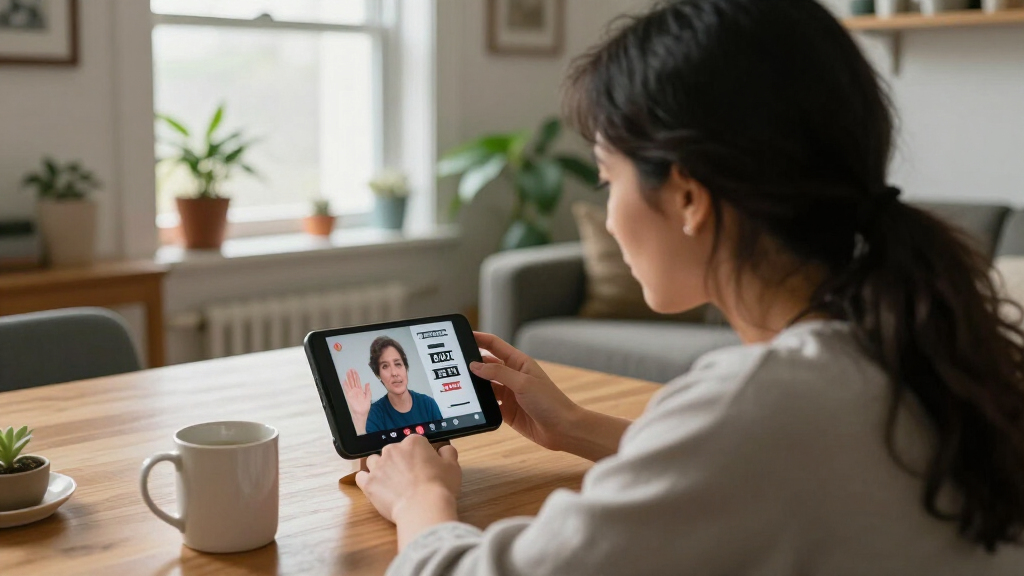

Choosing a phone for deaf or hard-of-hearing users starts with a practical distinction: live captions on a telephone call are not the same as video calling in sign language. The Hamilton CapTel 2400i models and 840i display spoken-call captions; none of the four products listed is a video phone. The Ultratec Minicom IV is a TTY for text conversations with compatible equipment, not a captioning phone.

Get everyday helpers delivered free with Prime
- Fast, free delivery on millions of items
- Prime Video, Amazon Music and more included
- Member-only deals all year
For buyers who want spoken calls transcribed on a large display, I put the Hamilton CapTel 2400iSPNBT (B00ZYHA1KI) first for its touchscreen and adjustable caption settings. The CapTel 840i is a more straightforward choice with large physical buttons, while the other 2400i listing, B077XZ2VJ3, also pairs a touchscreen with amplification and captioned voicemail. The central tradeoff is between a familiar corded phone with speech-to-text captions and a TTY-style text exchange; service eligibility, internet access, and the way you communicate can rule out an option before its feature list matters.
Key Takeaways
- None of these four listings is a video phone. The CapTel models caption spoken telephone calls; the Minicom IV communicates through TTY text with compatible devices.
- Choose a CapTel 2400i for touchscreen reading and adjustable caption display, especially if large on-screen text matters more than physical keys.
- The CapTel 840i favors familiar button operation. It still offers captions, up to 40 dB amplification, and captioned voicemail, but lacks the described large touchscreen.
- All three CapTel options depend on service and setup. High-speed internet and power are required, and registration is restricted to eligible US residents with hearing loss.
- The Minicom IV suits TTY-to-TTY communication, not speech captioning. Its small 20-character display and compatible-device requirement make it a different category of choice.
| Hamilton CapTel 2400iSPNBT Captioned Telephone with Large Touchscreen |  | Best Overall for Large, Adjustable Caption Display | Phone type: Corded captioned telephone | Display: Large touchscreen; adjustable caption size and tone | Captioning: Automated captions or optional live operator support | VIEW LATEST PRICE | See Our Full Breakdown |
| Hamilton CapTel 840i Captioned Telephone with Large Buttons |  | Best for Physical-Button Operation | Phone type: Corded captioned telephone | Controls: Large buttons | Amplification: Up to 40 dB | VIEW LATEST PRICE | See Our Full Breakdown |
| Hamilton CapTel 2400iSPNBT Captioned Telephone with Large Touchscreen | | Best Alternative 2400i Listing | Phone type: Corded captioned telephone | Model information: Title: 2400iSPNBT; supplied model field: 2400i-LHS-KIT | Display: Large touchscreen | VIEW LATEST PRICE | See Our Full Breakdown |
| Ultratec Minicom IV TDD/TTY |  | Best for Compatible TTY Text Conversations | Device type: TTY/TDD | Display: Bright, slanted 20-character display | Keyboard: Easy-touch | VIEW LATEST PRICE | See Our Full Breakdown |
| captioned video phones for deaf user | Captioning | Phone type | Display | Amplification |
|---|---|---|---|---|
| Hamilton CapTel 2400iSPNBT Cap | Automated captions or optional live operator support | Corded captioned telephone | Large touchscreen; adjustable caption size and tone | Up to 40 dB |
| Hamilton CapTel 840i Captioned | Incoming and outgoing call captions; live operator option | Corded captioned telephone | — | Up to 40 dB |
| Hamilton CapTel 2400iSPNBT Cap | Automated captions or live operator support | Corded captioned telephone | Large touchscreen | Up to 40 dB |
| Ultratec Minicom IV TDD/TTY | Does not caption spoken telephone calls | — | Bright, slanted 20-character display | — |
More Details on Our Top Picks
Hamilton CapTel 2400iSPNBT Captioned Telephone with Large Touchscreen
I rank this CapTel 2400i first for buyers whose priority is reading spoken calls on a prominent screen. It captions both incoming and outgoing calls, and its large touchscreen with adjustable caption size and tone gives users more control over how the conversation appears than the supplied 840i description specifies. Up to 40 dB of amplification and hearing aid compatibility add another route to understanding, which matters when a user benefits from both listening and reading rather than relying on captions alone.
Compared with the CapTel 840i, this model is the stronger fit for touch-based navigation and a large caption area; the 840i is more appealing to someone who prefers large physical buttons. Its captioned voicemail and optional live operator support also make it more versatile than the Minicom IV, which requires compatible TTY equipment and does not caption speech. Three-way calling is listed, but this remains a single-line corded telephone—not a video phone or a mobile captioning device.
The main drawback is that the display cannot compensate for a service or connectivity mismatch. It needs high-speed internet and electrical power, and captioning is restricted to eligible US residents who register. Telephone service may also be needed depending on the connection. I would check eligibility and network compatibility before choosing it, particularly if the household wants video relay or sign-language video calling; those functions are not described here. The repeated 2400i listing at B077XZ2VJ3 has a similar core feature set, so I would compare exact package and model details with the seller rather than assume a major functional difference.
Pros:- Real-time captions for incoming and outgoing calls
- Large touchscreen with adjustable caption size and tone
- Up to 40 dB amplification and hearing aid compatibility
- Captioned voicemail, three-way calling, and optional live operator support
Cons:- Requires high-speed internet and electrical power, with telephone service needed in some cases
- Captioning service requires registration and is limited to eligible US residents with hearing loss
- Not a video phone and does not provide sign-language video calling
Best for: Deaf or hard-of-hearing US residents who qualify for the captioning service, have reliable internet and power, and want a large touchscreen for reading spoken telephone calls.
Not ideal for: Anyone specifically seeking a video phone for sign-language calls, users outside the stated service area, people without high-speed internet or power at the phone location, or those who prefer physical keys to touchscreen controls.
- Phone type:Corded captioned telephone
- Display:Large touchscreen; adjustable caption size and tone
- Captioning:Automated captions or optional live operator support
- Amplification:Up to 40 dB
- Hearing aid compatibility:Yes
- Voicemail:Digital answering system; up to 18 minutes
- Calling:Single-line; three-way calling
- Requirements:High-speed internet, electrical power, telephone service in some cases, and US registration
Our verdict“I would choose this 2400i for a large, adjustable caption display on spoken calls, provided its US service and connection requirements fit the household.”
Hamilton CapTel 840i Captioned Telephone with Large Buttons
The CapTel 840i is my pick for someone who wants captioned spoken calls but would rather use a conventional button layout than a touchscreen. It provides real-time captions for incoming and outgoing calls, up to 40 dB of amplification, and adjustable caption size and tone. That combination covers the core communication need while keeping the interface less touch-dependent than the 2400i models.
Against the 2400iSPNBT, the 840i gives up the large touchscreen described for that model, so it is less suited to a buyer who wants a broad visual caption area and touch controls. In return, its large-button design gives it a distinct appeal for people who prefer tactile operation. Its captioned voicemail and option for live operator assistance keep it closer to the 2400i in call support than to the Minicom IV, which is a TTY for text exchange rather than a speech-captioning phone.
This is still a corded setup, not a video phone. It needs high-speed internet through Ethernet or Wi-Fi, telephone service, and electrical power; the service also requires registration and is limited to eligible US residents with hearing loss. Those conditions may matter more than the choice of buttons or screen. I would skip it if video calls in sign language are the main goal, or if the household cannot provide the required connection. For someone who qualifies and wants large physical controls plus call captions, it is a clear alternative to the touchscreen-first 2400i.
Pros:- Captions incoming and outgoing calls
- Large-button design with adjustable caption size and tone
- Amplification up to 40 dB
- Captioned voicemail and live operator captioning option
Cons:- Requires high-speed internet, telephone service, and electrical power
- Captioning service is limited to registered eligible US residents with hearing loss
- Does not provide video calling or sign-language relay
Best for: A user who wants real-time captions and amplified sound but prefers large physical buttons over a touchscreen interface.
Not ideal for: People who need video relay or sign-language calling, want the large touchscreen format of the 2400i, cannot provide internet and power, or are not eligible for the US captioning service.
- Phone type:Corded captioned telephone
- Controls:Large buttons
- Amplification:Up to 40 dB
- Caption controls:Adjustable caption size and tone
- Captioning:Incoming and outgoing call captions; live operator option
- Answering system:Digital, with captioned voicemail
- Voicemail capacity:18 minutes
- Requirements:High-speed internet via Ethernet or Wi-Fi, telephone service, power, and US registration
Our verdict“I recommend the 840i over the touchscreen 2400i when tactile buttons matter more than a large touch display.”
Hamilton CapTel 2400iSPNBT Captioned Telephone with Large Touchscreen
This listing describes the same broad kind of solution as the other Hamilton 2400i: a corded telephone that displays real-time captions for incoming and outgoing spoken calls. It adds up to 40 dB amplification, hearing aid compatibility, captioned voicemail, and a choice between automated captions and live operator support. I place it behind the B00ZYHA1KI 2400i because that listing explicitly describes adjustable caption size and tone, while this product description emphasizes the touchscreen and its captioning modes without the same adjustment detail.
For a buyer choosing between this model and the CapTel 840i, the key split is screen versus controls. This 2400i listing is the better fit for someone who wants a large touchscreen; the 840i has large physical buttons and adjustable caption settings. Both provide captions and amplification, so the choice is less about the basic communication function and more about how the user prefers to interact with the phone. As with the other 2400i, captioned voicemail is useful when calls are missed, because the message can be read on the display rather than understood only by listening.
The limitation is not subtle: this is not a video phone. It captions speech on telephone calls and does not claim to support sign-language video communication. It also needs high-speed internet and electricity, while service eligibility and registration restrict who can use the captioning. The supplied model field says 2400i-LHS-KIT, whereas the product title uses 2400iSPNBT; I would verify the exact listing and included configuration before ordering. Its feature profile is strong, but the near-duplicate listing means I would compare the exact model details carefully rather than assume this version has a different call experience.
Pros:- Real-time captions for incoming and outgoing calls
- Large touchscreen and up to 40 dB amplification
- Hearing aid compatible
- Captioned voicemail and automated or live operator captioning options
Cons:- High-speed internet and electrical power are required
- Service requires registration and is limited to eligible US residents with hearing loss
- Listing details overlap with another 2400i model, so the exact configuration should be checked
Best for: A qualifying US user seeking a touchscreen captioned telephone with amplification, hearing aid compatibility, and captioned voicemail, who has confirmed the exact model configuration.
Not ideal for: Buyers who require a true video phone, prefer physical buttons, lack the required internet or electrical supply, or want a clearly differentiated option from the other 2400i listing.
- Phone type:Corded captioned telephone
- Model information:Title: 2400iSPNBT; supplied model field: 2400i-LHS-KIT
- Display:Large touchscreen
- Captioning:Automated captions or live operator support
- Amplification:Up to 40 dB
- Hearing aid compatibility:Yes
- Voicemail:Captioned digital voicemail; up to 18 minutes
- Requirements:High-speed internet, electrical power, telephone service in some cases, and US registration
Our verdict“I would choose this listing when its exact package is confirmed and a touchscreen captioned phone suits the user better than the 840i’s physical-button layout.”
Ultratec Minicom IV TDD/TTY
The Minicom IV is the outlier in this lineup, and I include it because some deaf users prefer direct text-based telephone communication rather than speech captions. It is a TTY/TDD terminal with an easy-touch keyboard and a bright, slanted 20-character display. Turbo Code supports real-time conversations with compatible TTYs, and a printer port allows connection to an external printer. That makes it a different communication route from the three CapTel phones, which caption spoken calls on a screen.
Compared with the CapTel 840i or either 2400i, this device does not turn a spoken conversation into captions. Both parties need a compatible TTY arrangement for the described text exchange, so a buyer should confirm that the people and services they contact can communicate this way. The 20-character display is compact compared with the large caption screens on the Hamilton phones, and the listing does not describe amplification, captioned voicemail, or operator-supported speech captions. Its value is therefore specific: it is for a user who wants TTY text communication, not a lower-feature substitute for a CapTel.
Its basic design may suit a familiar TTY workflow, but optional accessories—including an extended warranty, dust protection, and a carry case—are not included in the described core feature set. I would choose it only when compatibility with TTY contacts is already established. If the goal is to follow calls with live speech-to-text captions, either Hamilton model is a much closer match. If the goal is video calling in sign language, this product does not meet that need either.
Pros:- Easy-touch keyboard for entering text
- Slanted 20-character display
- Turbo Code for real-time conversations with compatible TTYs
- Printer port supports an external printer
Cons:- Requires compatible TTY equipment and does not caption spoken calls
- Display is much smaller than the Hamilton touchscreen options
- Extended warranty, dust protection, and carry case are optional
Best for: A user who already communicates by TTY and needs a basic terminal for real-time text conversations with compatible TTY equipment.
Not ideal for: Anyone seeking speech-to-text captions on ordinary calls, a large display, voicemail captions, amplification, or video relay for sign-language conversations.
- Device type:TTY/TDD
- Display:Bright, slanted 20-character display
- Keyboard:Easy-touch
- Text mode:Turbo Code for compatible TTY conversations
- Printer connection:Printer port included
- Captioning:Does not caption spoken telephone calls
Our verdict“I would select the Minicom IV only for an established TTY communication setup, not as a captioned phone replacement.”
How We Picked
I ranked these options by how directly they meet the request for a phone that helps deaf users follow telephone communication. Because the supplied products are not all video phones—and one is not a captioned telephone at all—I make that distinction explicit rather than treating unlike devices as interchangeable. My ranking favors products that provide real-time captions for incoming and outgoing spoken calls, then separates them by display style, controls, and practical setup.
I also weighed the factors that change day-to-day usability: caption size and readability, amplification, hearing aid compatibility, voicemail captions, and whether live operator support is available. The 2400i touchscreen models rank ahead for buyers who want captions to occupy a prominent display; the 840i ranks close behind for physical-button operation. The Minicom IV sits fourth because it supports text communication only with compatible TTY equipment, rather than captioning ordinary spoken calls.
Finally, I treated service requirements as a major part of the decision, not a footnote. The CapTel options require high-speed internet and electrical power, and the described captioning service requires registration by eligible US residents with hearing loss. Product details supplied for the two 2400i listings are similar, so I distinguish them only where their descriptions identify different model details; I do not assume that the repeated model name means their packages or service terms are identical. I did not rank these products by price or customer feedback.
| captioned video phones for deaf user | Display | Captioning | Voicemail | Requirements |
|---|---|---|---|---|
| Hamilton CapTel 2400iSPNBT Cap | Large touchscreen; adjustable caption size and tone | Automated captions or optional live operator support | Digital answering system; up to 18 minutes | High-speed internet, electrical power, telephone service in some cases, and US registration |
| Hamilton CapTel 840i Captioned | — | Incoming and outgoing call captions; live operator option | — | High-speed internet via Ethernet or Wi-Fi, telephone service, power, and US registration |
| Hamilton CapTel 2400iSPNBT Cap | Large touchscreen | Automated captions or live operator support | Captioned digital voicemail; up to 18 minutes | High-speed internet, electrical power, telephone service in some cases, and US registration |
| Ultratec Minicom IV TDD/TTY | Bright, slanted 20-character display | Does not caption spoken telephone calls | — | — |
Factors to Consider When Choosing Captioned Video Phones For Deaf Users
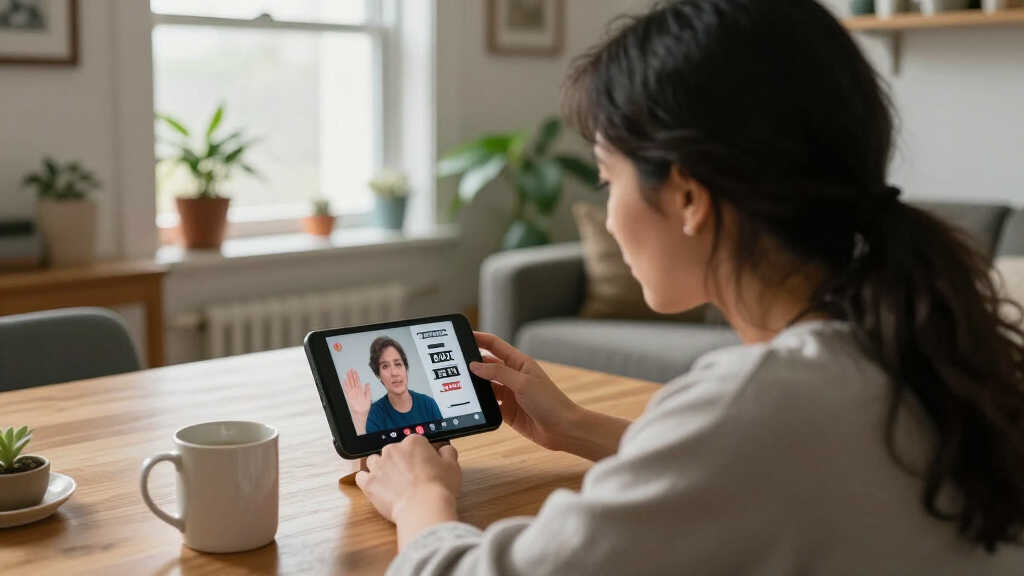
Before comparing screen size or amplification, I would identify the communication task. The options here fall into two distinct groups: CapTel phones display captions for spoken calls, while the Minicom IV supports text conversations with compatible TTYs. None of the listed products is described as a video phone, so buyers seeking sign-language video calls should look for a dedicated video relay service or video phone instead.
Captioned telephone, TTY, or video phone?
A captioned telephone lets a user follow speech on a display while a telephone conversation takes place. The three Hamilton products fit this category: they offer captions for incoming and outgoing calls, with captioned voicemail also described. A TTY works differently. The Minicom IV sends and receives typed text with compatible TTY equipment; it does not convert a caller’s speech into captions. A video phone or video relay service serves another need: seeing a signer during a call. Match the device to the communication method before comparing convenience features, because these categories are not interchangeable.
The title phrase “video phones” can lead to a mismatch with these listings. Their supplied descriptions identify corded captioned telephones and a TTY, not video calling devices. I would not buy one of them expecting a camera, sign-language relay, or video connection. For spoken calls that need on-screen text, a CapTel model is relevant; for TTY text exchanges, the Minicom is relevant. For visual sign-language conversation, I would search for a device or service specifically described as video relay.
Choose the display and controls that work for the user
The 2400i models use a large touchscreen, making them the clearest choices here for a user who wants captions on a prominent display. One supplied 2400i description specifically notes adjustable caption size and tone; the other emphasizes its touchscreen and captioning options. The 840i instead leads with large physical buttons and adjustable caption settings. That difference is more meaningful than small variations in the shared core features: the best interface is the one the user can operate comfortably and read reliably.
The Minicom IV’s 20-character display is a different proposition, designed for a short line of TTY text rather than a large transcript-style caption area. If the user needs to read ongoing spoken conversation, I would favor one of the CapTel models. If they already use TTY and value a keyboard, the Minicom may fit. When possible, check the exact phone layout and display information before ordering, especially when a touchscreen is difficult to use or a physical keypad is preferred.
Treat service access as a deciding factor
Every Hamilton option is described as requiring high-speed internet and electrical power; the 840i also specifies telephone service, and the 2400i descriptions note telephone service may be needed in some cases. The CapTel captioning service is limited to eligible US residents with hearing loss and requires registration. A buyer should confirm eligibility and current connection requirements before relying on the phone for everyday calls. A suitable handset cannot provide its intended captioning service if the household lacks a compatible connection or does not qualify.
The Minicom IV does not have the same captioning-service requirement in the supplied description, but its usefulness depends on compatible TTY contacts and equipment. That is a different kind of access check: ask whether the people or services the user calls can participate in TTY conversations. Do not assume that choosing a TTY avoids every compatibility issue or that it provides the same experience as captioned speech.
Decide whether captions or amplified listening are both needed
The Hamilton models combine captions with up to 40 dB amplification, and the listed 2400i options also specify hearing aid compatibility. This can suit someone who follows a call through both listening and reading, or who wants amplification available alongside captions. The supplied Minicom IV description does not list amplification or speech captioning, so it is not a direct alternative for a buyer who needs either feature.
Consider the user’s preferred communication style rather than treating amplification as a substitute for text. Some people may benefit from a louder signal and captions together; others may mainly read the screen. If hearing aids or other listening equipment are part of the setup, confirm compatibility and adjustability with the provider or seller. The stated “up to 40 dB” figure describes the listed amplification capability, not a guarantee that every caller, line, or user will experience the same clarity.
Compare voicemail and assisted captioning
All three Hamilton descriptions include captioned voicemail, with an 18-minute capacity listed for the 2400i and 840i specifications. This matters if calls are often missed: the user can read messages rather than depend only on listening. The two 2400i listings describe automated captioning and live operator support, while the 840i also identifies a live operator option. I would check how the service works and what is currently available before choosing based on that feature.
These additions make the Hamilton phones more complete for spoken telephone use than the Minicom IV, but they do not turn them into video phones. Likewise, an answering system is not a substitute for a video relay service. Buyers should separate call captions, voicemail captions, operator assistance, and sign-language video as distinct functions and confirm which ones are genuinely required.
Check near-duplicate listings and model details
The two 2400i products have closely overlapping descriptions and the same title wording, while their supplied model information is not identical. One listing gives the model field as 2400i-LHS-KIT; the other identifies 2400iSPNBT. I would verify the exact model, package contents, and service details on the current listing before ordering, rather than assume the two ASINs describe different captioning experiences. The information supplied here does not establish a major functional distinction beyond the details called out in each listing.
If the touchscreen and captioning modes are the deciding factors, compare those exact attributes with the 840i’s large-button layout. If the seller information is unclear, ask for confirmation of what is included and which service requirements apply. This is particularly useful when replacing an existing phone, since connection setup and service registration can affect whether the new device works in the intended location.
Frequently Asked Questions
Are any of these products video phones for sign-language calls?
No. The three Hamilton products are described as corded captioned telephones for spoken calls, and the Ultratec Minicom IV is a TTY for text conversations with compatible equipment. None of the supplied descriptions identifies a camera, video calling, or sign-language relay. If the user needs to see a signer, I would look for a dedicated video phone or video relay service rather than choosing from this list.
Which product is best for reading captions on a large screen?
I would start with either Hamilton CapTel 2400i listing, since both describe a large touchscreen and real-time captions for incoming and outgoing calls. The B00ZYHA1KI description explicitly adds adjustable caption size and tone. The 840i has adjustable caption settings but is positioned around large buttons rather than a large touchscreen, so it suits users who prefer physical controls.
Does the Ultratec Minicom IV caption ordinary spoken calls?
No. The Minicom IV is a TTY/TDD device with a keyboard and a 20-character display. It supports text conversations with compatible TTYs using Turbo Code, but the supplied details do not describe speech-to-text captioning. Buyers who want spoken telephone calls displayed as captions should compare the Hamilton CapTel options instead.
What do I need to use a Hamilton CapTel phone?
The listed CapTel models require high-speed internet and electrical power. Telephone service is specified for the 840i and may be needed for the 2400i depending on the connection. The captioning service is described as available to eligible US residents with hearing loss who register, so I would verify eligibility and current setup requirements before buying or relying on the phone.
Which Hamilton model should I choose: the 840i or a 2400i?
I would choose the 2400i if a large touchscreen and prominent captions are the main priorities. I would choose the 840i if the user prefers large physical buttons and still wants captions, amplification, and captioned voicemail. Their service and power needs are substantial in either case, and neither model provides sign-language video calling. The two 2400i listings also overlap closely, so I would confirm the exact model and included configuration.
Conclusion
For large on-screen captions and touchscreen controls, I would start with the Hamilton CapTel 2400iSPNBT listing B00ZYHA1KI, after confirming service eligibility and the exact model. For someone who wants tactile operation, the CapTel 840i is the more natural match, with large buttons and the same core spoken-call captioning purpose. The other 2400i listing, B077XZ2VJ3, may suit a buyer seeking that touchscreen format, but I would verify its model and package details because the supplied listing overlaps with the first 2400i.
I would choose the Ultratec Minicom IV only for a user who already communicates with compatible TTY equipment. It is not a speech-captioning alternative. Most importantly, if the real need is video calls in sign language, I would skip all four products and seek a dedicated video phone or video relay service. The right choice depends first on communication mode, then on display preference, service eligibility, and the connections available at home.
Halloween Picks
halloween
As an affiliate, we earn on qualifying purchases.