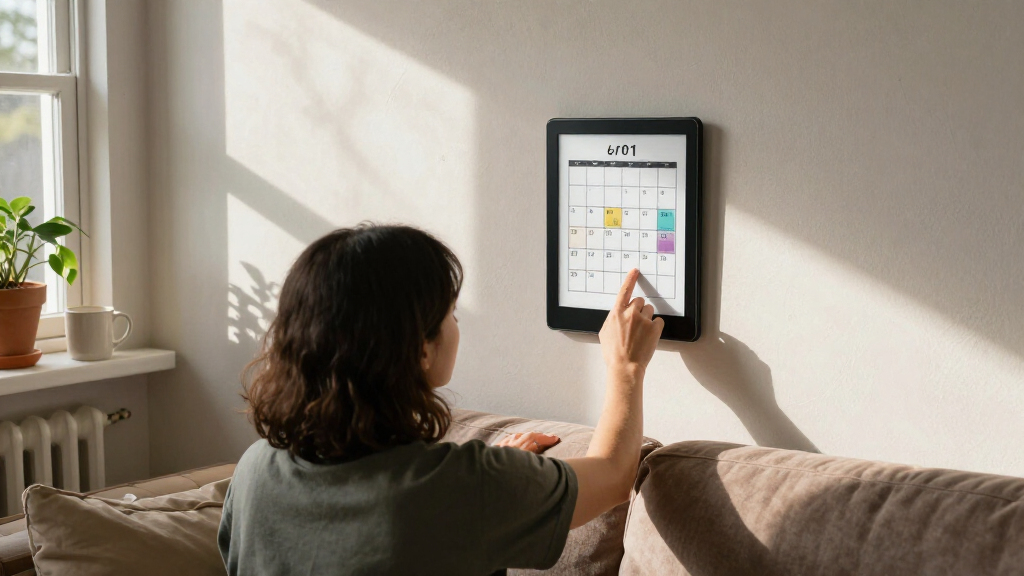

Finding the best e-ink display boards in 2026 involves balancing size, color capabilities, interface options, and price. The Waveshare 12.48-inch E-Ink Display stands out for its impressive size and high resolution, making it ideal for detailed projects. Meanwhile, the reTerminal E1002 offers a full-color experience with smart features, perfect for more advanced applications. Smaller displays like the 2.13-inch modules excel for compact projects but lack the larger viewing areas and color options of bigger models. Buyers face the common tradeoff of choosing between size, color, and budget. Keep reading for a detailed comparison to help you pick the best e-ink display board for your project.

Get everyday helpers delivered free with Prime
- Fast, free delivery on millions of items
- Prime Video, Amazon Music and more included
- Member-only deals all year
Key Takeaways
- The largest displays, like the Waveshare 12.48-inch, deliver detailed visuals but come with higher costs and power consumption.
- Color models, especially full-color options, significantly increase complexity and price but enable richer visual interfaces.
- Smaller, simpler displays are more affordable and easier to integrate but limit use cases to basic information display.
- Compatibility with popular development boards (Raspberry Pi, ESP32, Arduino) remains a key factor in ease of use and project flexibility.
- Display resolution and refresh rate vary widely; higher resolutions are better for detailed graphics, but may reduce refresh speeds.
| 7.5-inch 3-Color E-Paper Display (Black/White/Red) 800×480 SPI Module for Raspberry Pi, ESP32, STM32, Arduino |  | Best for Versatile Signage and Dashboards | Display Size: 7.5 inches | Resolution: 800×480 | Colors: Black, White, Red | VIEW LATEST PRICE | See Our Full Breakdown |
| Waveshare 7.5-inch E-Ink Display HAT for Raspberry Pi |  | Best for Ultra-Low Power Applications | Display Size: 7.5 inches | Resolution: 800×480 | Interface: SPI | VIEW LATEST PRICE | See Our Full Breakdown |
| Waveshare 1.54 Inch E-Paper Display Module V2 Kit 200×200 Resolution for Raspberry Pi/Jetson Nano/Arduino/STM32 |  | Best for Compact, Battery-Friendly Labels | Display Size: 1.54 inches | Resolution: 200×200 | Display Colors: Black and White | VIEW LATEST PRICE | See Our Full Breakdown |
| 2.13-inch E-Ink Display HAT V4 Version, 250×122 Pixel E-Paper, SPI Interface |  | Best for Small, Crisp Displays with Partial Refresh | Display Size: 2.13 inches | Resolution: 250×122 | Display Colors: Black and White | VIEW LATEST PRICE | See Our Full Breakdown |
| Waveshare 7.5-inch E-Ink Raw Display for Raspberry Pi and More |  | Best for Large, High-Resolution Static Displays | Display Size: 7.5 inches | Resolution: 800×480 | Interface: SPI | VIEW LATEST PRICE | See Our Full Breakdown |
| Waveshare 3.6-inch E Ink Spectra 6 (E6) Full Color E-Paper Display with Driver Board |  | Best Overall for Color E-Paper Displays | Display Size: 3.6 inches | Resolution: 600×400 pixels | Display Technology: E-Ink Spectra 6 (E6) Full Color | VIEW LATEST PRICE | See Our Full Breakdown |
| LAFVIN 2.13-inch E-Ink E-Paper HAT Display Module for Raspberry Pi and More |  | Best Value for Black-and-White E-Paper Projects | Display Size: 2.13 inches | Resolution: 250×122 | Display Type: E-Ink E-Paper | VIEW LATEST PRICE | See Our Full Breakdown |
| 2.13 Inch E-Ink Display with ESP32-S3 Development Board |  | Best for DIY IoT Projects with Sunlight Readability | Display Size: 2.13 inches | Resolution: 122×250 | Controller: ESP32-S3 | VIEW LATEST PRICE | See Our Full Breakdown |
| 2PCS 2.13-inch E-Ink Display HAT, 250×122 Pixel E-Paper, SPI Interface |  | Best for Budget Multi-Display Projects | Display Size: 2.13 inches | Resolution: 250×122 pixels | Colors: Black and White | VIEW LATEST PRICE | See Our Full Breakdown |
| ELECROW ESP32 5.79 Inch E-Ink Display Black/White |  | Best for High-Resolution, Sunlight-Readable Displays | Display Size: 5.79 inches | Resolution: 272×792 | Controller: ESP32-S3 | VIEW LATEST PRICE | See Our Full Breakdown |
| Waveshare 12.48-inch E-Ink Display Module 1304×984 Resolution Red/Black/White Three-Color Compatible with Raspberry Pi |  | Best Overall for High-Resolution Multi-Color Displays | Display Size: 12.48 inches | Resolution: 1304×984 | Colors: Red, Black, White | VIEW LATEST PRICE | See Our Full Breakdown |
| reTerminal E1002 – 7.3″ Color E Ink Spectra 6 Smart Display, ESP32-S3 WiFi Dashboard Panel, No-Code SenseCraft HMI, Home Assistant & ESPHome Compatible |  | Best for Smart Home DIY and No-Code Dashboard Creation | Display: 7.3-inch 800×480 E Ink Spectra 6 | Battery: 2000mAh, up to 3 months | Connectivity: ESP32-S3 WiFi | VIEW LATEST PRICE | See Our Full Breakdown |
| Waveshare 13.3-inch Full Color E-Paper Display with ESP32-S3 Driver Board |  | Best Large-Format Color Display with Wireless Connectivity | Display Size: 13.3 inches | Technology: E Ink Spectra 6 (E6) | Processor: ESP32-S3-WROOM-2 | VIEW LATEST PRICE | See Our Full Breakdown |
| ESP32 E-Ink Display 2.13 Inch CrowPanel E-Paper HMI e Ink Display |  | Best Compact Black-and-White Display for Space-Constrained Projects | Display Size: 2.13 inches | Resolution: 122×250 pixels | Controller: ESP32-S3 | VIEW LATEST PRICE | See Our Full Breakdown |
| e-ink display board | Display Size | Resolution | Interface | Power Consumption |
|---|---|---|---|---|
| 7.5-inch 3-Color E-Paper Displ | 7.5 inches | 800×480 | SPI | — |
| Waveshare 7.5-inch E-Ink Displ | 7.5 inches | 800×480 | SPI | Ultra low |
| Waveshare 1.54 Inch E-Paper Di | 1.54 inches | 200×200 | SPI | — |
| 2.13-inch E-Ink Display HAT V4 | 2.13 inches | 250×122 | SPI | Ultra low |
| Waveshare 7.5-inch E-Ink Raw D | 7.5 inches | 800×480 | SPI | Ultra low |
| Waveshare 3.6-inch E Ink Spect | 3.6 inches | 600×400 pixels | — | — |
| LAFVIN 2.13-inch E-Ink E-Paper | 2.13 inches | 250×122 | SPI | Ultra-low |
| 2.13 Inch E-Ink Display with E | 2.13 inches | 122×250 | SPI, UART, GPIO | Ultra-Low Power |
| 2PCS 2.13-inch E-Ink Display H | 2.13 inches | 250×122 pixels | SPI | Ultra low |
| ELECROW ESP32 5.79 Inch E-Ink | 5.79 inches | 272×792 | SPI, UART, GPIO | Ultra-Low Power |
| Waveshare 12.48-inch E-Ink Dis | 12.48 inches | 1304×984 | — | Ultra low |
| reTerminal E1002 | — | — | — | — |
| Waveshare 13.3-inch Full Color | 13.3 inches | — | — | — |
| ESP32 E-Ink Display 2.13 Inch | 2.13 inches | 122×250 pixels | SPI | Ultra-Low Power |
More Details on Our Top Picks
7.5-inch 3-Color E-Paper Display (Black/White/Red) 800×480 SPI Module for Raspberry Pi, ESP32, STM32, Arduino
This 7.5-inch display stands out for its ability to display three colors—black, white, and red—making it ideal for highlighting critical information on signage or dashboards. Compared with the Waveshare 7.5-inch E-Ink Display HAT, this module offers more flexible refresh modes, which can be a boon for projects requiring both static and dynamic updates. However, its refresh speed relies heavily on the microcontroller and firmware, which might limit real-time responsiveness. Its compatibility with various microcontrollers through a standard SPI interface makes it accessible for a range of DIY projects, though some technical expertise is necessary for setup and integration. The limited color palette means it’s not suitable for full-color applications, but for simple visual cues, it hits the mark.
Pros:- Large, high-resolution display suitable for signage and dashboards
- Supports three colors for highlighting important info
- Compatible with multiple microcontrollers via SPI
- Flexible refresh modes for different update needs
Cons:- Refresh speed depends on controller and firmware, possibly slow for dynamic content
- Requires some technical knowledge for integration
- Limited color palette compared to full-color displays
Best for: Developers creating low-power signage or dashboards requiring color accents.
Not ideal for: Users seeking full-color displays or plug-and-play simplicity for non-technical applications.
- Display Size:7.5 inches
- Resolution:800×480
- Colors:Black, White, Red
- Interface:SPI
- Voltage Compatibility:3.3V/5V
- Refresh Modes:Full, Fast, Partial
Our verdict“This display makes the most sense for developers who need customizable, multi-color signage with flexible refresh options, but it’s less suited for quick-changing content or non-technical users.”
Waveshare 7.5-inch E-Ink Display HAT for Raspberry Pi
This Waveshare HAT excels in ultra-low power consumption, making it a top choice for battery-powered projects like shelf labels or remote sensors. Its 800×480 resolution provides clear content, and its wide viewing angle ensures readability from different perspectives. Compared to the B0GJSXRQQL module, it lacks color support but gains simplicity and energy efficiency, which is critical for long-term deployments. The setup requires careful manual configuration, which might be a hurdle for beginners, and its lack of backlight means visibility could suffer in low-light environments. Nevertheless, its compatibility with Raspberry Pi and Jetson Nano broadens its application scope in industrial and IoT projects.
Pros:- Ultra-low power consumption ideal for battery-powered projects
- Wide viewing angle with clear display without backlight
- Supports multiple controllers including Raspberry Pi and Jetson Nano
- High resolution suitable for detailed signage
Cons:- Requires careful manual setup and configuration
- No backlight may limit visibility in low-light conditions
Best for: Engineers designing battery-operated displays and remote informational panels.
Not ideal for: Users needing colorful visuals or plug-and-play solutions without technical setup.
- Display Size:7.5 inches
- Resolution:800×480
- Interface:SPI
- Power Consumption:Ultra low
- Supported Boards:Raspberry Pi, Jetson Nano
- Voltage Compatibility:3.3V/5V
Our verdict“This display suits projects where energy efficiency and long-term operation outweigh the need for color or backlight, but it demands technical setup skills.”
This tiny 1.54-inch display offers a compact solution with a 200×200 resolution, perfect for small labels or wearable info displays. Its support for partial refresh allows efficient updates, extending battery life in continuous-use scenarios. Compared to larger displays like the 7.5-inch models, this module sacrifices size and color for ultra-low power draw and simplicity. It supports multiple controllers, including Raspberry Pi, Arduino, and STM32, but setup requires familiarity with SPI and programming. The absence of backlight limits visibility in dark conditions, yet its small form factor makes it ideal for embedded applications where space and power are at a premium.
Pros:- Very low power consumption suitable for battery operation
- Supports partial refresh for dynamic updates
- Compatible with multiple microcontrollers
- Small form factor ideal for embedded projects
Cons:- Limited to black and white, no color support
- Requires understanding of SPI and programming
- No backlight for low-light visibility
Best for: Enthusiasts building miniature, battery-operated information labels or wearables.
Not ideal for: Anyone seeking large, colorful displays or easy plug-and-play solutions without technical setup.
- Display Size:1.54 inches
- Resolution:200×200
- Display Colors:Black and White
- Interface:SPI
- Voltage Compatibility:3.3V/5V
- Refresh Type:Partial refresh
Our verdict“This module is perfect for compact, energy-efficient displays in projects where size and power are critical, but it’s not suited for color or quick setup needs.”
2.13-inch E-Ink Display HAT V4 Version, 250×122 Pixel E-Paper, SPI Interface
This 2.13-inch HAT offers a crisp 250×122 resolution and supports partial refresh, making it suitable for small, energy-efficient displays on Raspberry Pi or Jetson Nano. Its onboard voltage translation simplifies integration across different microcontrollers, and the ultra-low power draw extends battery life. Compared with larger options like the 7.5-inch models, it is less suited for detailed signage but excels in compact applications like status indicators or simple labels. The absence of a backlight can hinder visibility in low-light settings, and setup requires some familiarity with SPI protocols and programming. Its size and low power make it a practical choice for minimalist, long-term display needs.
Pros:- Compact size ideal for embedded or wearable projects
- Supports partial refresh for efficient updates
- Low power consumption extends battery life
- Compatible with popular microcontrollers
Cons:- Limited to black and white display, not suitable for color needs
- Requires technical knowledge for setup and programming
- No backlight, limiting visibility in low-light environments
Best for: DIY creators developing tiny, battery-powered indicators or notification panels.
Not ideal for: Users who need large, colorful, or high-resolution displays for dynamic content.
- Display Size:2.13 inches
- Resolution:250×122
- Display Colors:Black and White
- Interface:SPI
- Power Consumption:Ultra low
- Refresh Type:Partial refresh
Our verdict“This display is well-suited for small-scale, battery-powered applications where size and energy efficiency matter most, but not for colorful or high-contrast visuals.”
Waveshare 7.5-inch E-Ink Raw Display for Raspberry Pi and More
This 7.5-inch raw display provides a high-resolution 800×480 screen suitable for industrial or signage projects demanding static images or labels. Its SPI interface and ultra-low power consumption make it a practical choice for long-term installations, especially where backlight isn’t necessary. Compared to the B0GJSXRQQL module, this version emphasizes simplicity and energy savings, but lacks the color support and refresh flexibility of multi-color units. Its manual calibration and setup can be challenging for beginners, and the absence of backlight limits visibility in poorly lit environments. Nonetheless, it offers a clean, glare-free display for static content in demanding settings.
Pros:- High-resolution, large display suitable for signage
- Ultra low power consumption for long-term use
- Wide viewing angle and clear display without backlight
Cons:- Requires manual setup and calibration
- No backlight may hinder visibility in low-light conditions
Best for: Industrial or signage projects requiring large, stable displays with minimal power use.
Not ideal for: Applications needing dynamic updating or colorful content, or users seeking easy plug-and-play solutions.
- Display Size:7.5 inches
- Resolution:800×480
- Interface:SPI
- Power Consumption:Ultra low
- Backlight:None
- Supported Use Cases:Signage, industrial labels
Our verdict“Ideal for static, high-resolution displays in industrial or signage environments where power efficiency is a priority, but not for dynamic or colorful content.”
Waveshare 3.6-inch E Ink Spectra 6 (E6) Full Color E-Paper Display with Driver Board
This 3.6-inch full-color E-Ink display stands out for its vibrant color capability combined with high resolution, a feature rarely matched by monochrome options like the LAFVIN 2.13-inch E-Ink E-Paper HAT. While its color display offers a more engaging visual experience, it does come with a higher price point and limited size, making it less versatile for large-scale signage. Its low power consumption and wide viewing angles make it perfect for portable, battery-powered projects that require colorful visuals. Compared to larger black-and-white screens, this model sacrifices size for color, which can be a tradeoff for projects needing more display real estate. The setup may require familiarity with SPI communication, but its compatibility with Raspberry Pi broadens its appeal for hobbyists and developers alike.
Pros:- Vivid full-color display enhances visual impact
- High resolution for detailed graphics
- Low power consumption ideal for portable projects
- Wide viewing angles support better readability
Cons:- Limited to 3.6-inch size, unsuitable for large displays
- Requires technical knowledge for integration
- Price may be higher than monochrome equivalents
Best for: Developers creating portable, color-rich information displays or signage who want a compact, low-power solution.
Not ideal for: Users needing larger or high-resolution monochrome displays for detailed graphics or extended viewing, as this model’s size and color limit its scope.
- Display Size:3.6 inches
- Resolution:600×400 pixels
- Display Technology:E-Ink Spectra 6 (E6) Full Color
- Communication:SPI
- Included:HAT+ Standard Driver Board
- Compatible Devices:Raspberry Pi
- Power:Low power consumption
- Viewing Angle:Wide
Our verdict“This pick is best suited for developers seeking a compact, colorful display for portable projects that prioritize visual engagement over size.”
LAFVIN 2.13-inch E-Ink E-Paper HAT Display Module for Raspberry Pi and More
Compared with larger, color-capable displays like the Waveshare 3.6-inch E Ink Spectra 6, the LAFVIN 2.13-inch E-Ink E-Paper HAT offers a more affordable and energy-efficient solution for monochrome applications. Its high resolution and persistent display make it ideal for long-term signage, e-readers, or status indicators, especially when power conservation is key. While it supports partial refreshes and is compatible with a wide range of boards including Raspberry Pi, Arduino, and ESP32, its black-and-white display limits its use for projects requiring color visuals. Setup may require some familiarity with SPI communication, but its low power draw makes it a favorite for battery-powered, low-maintenance projects, trading off color vibrancy for simplicity and efficiency.
Pros:- Affordable and energy-efficient
- Supports persistent display without power
- Wide compatibility with development boards
- Supports partial refresh for dynamic updates
Cons:- Limited to black-and-white visuals
- Requires technical setup and configuration
- No backlight, which may affect readability in low-light conditions
Best for: Hobbyists and developers building energy-efficient, monochrome displays for long-term, low-power applications.
Not ideal for: Projects that demand colorful visuals or large-scale signage, as this module only supports black-and-white display.
- Display Size:2.13 inches
- Resolution:250×122
- Display Type:E-Ink E-Paper
- Compatibility:Raspberry Pi, Arduino, ESP32
- Interface:SPI
- Power Consumption:Ultra-low
Our verdict“This module is perfect for those seeking a cost-effective, low-power monochrome display for simple, long-term signage or e-reader projects.”
2.13 Inch E-Ink Display with ESP32-S3 Development Board
Compared to the LAFVIN monochrome module, this ESP32-S3-based 2.13-inch E-Ink display integrates a powerful microcontroller, making it an all-in-one solution for IoT projects. Its high resolution of 122×250 and sunlight-readable, anti-glare surface make it particularly suitable for outdoor or battery-operated applications like smart labels or digital shelf tags. The inclusion of ESP32-S3 simplifies compatibility with Arduino IDE and other DIY environments, but its small size and black-and-white display may limit use in projects requiring larger or more colorful visuals. Power efficiency during static display makes it ideal for always-on signage, but the technical setup can be complex for beginners.
Pros:- Sunlight-readable and anti-glare surface
- Includes ESP32-S3 chip for integrated performance
- Ultra-low power consumption during static display
- High-resolution black-and-white visuals
Cons:- Limited to black-and-white display
- Small screen size might not suit all needs
- Requires technical expertise for setup and integration
Best for: DIY enthusiasts designing sunlight-readable, battery-powered IoT displays or smart labels.
Not ideal for: Projects needing larger displays or vibrant color visuals, as this is a small, monochrome solution with specialized use cases.
- Display Size:2.13 inches
- Resolution:122×250
- Controller:ESP32-S3
- Power Consumption:Ultra-Low Power
- Interface:SPI, UART, GPIO
- Compatibility:Arduino IDE
Our verdict“This display excels for outdoor IoT projects where sunlight readability and low power use are priorities, with some technical setup required.”
2PCS 2.13-inch E-Ink Display HAT, 250×122 Pixel E-Paper, SPI Interface
Offering two identical small monochrome E-Ink displays, this set is tailored for multi-display or redundancy projects, such as complex signage or status boards. When compared with the single, more integrated options like the Waveshare 7.5-inch HAT, these 2.13-inch units excel in modularity and cost-effectiveness. They support partial refresh and low power operation, making them suitable for long-term, embedded applications. However, their small size and black-and-white visuals limit their use for larger or more vibrant displays. Technical setup requires familiarity with SPI and wiring, but the bundled resources ease this process for experienced users.
Pros:- Cost-effective for multiple units
- Supports partial refresh and low power
- Compatible with popular boards like Raspberry Pi and Jetson Nano
- Includes development resources for easier setup
Cons:- Limited to black-and-white visuals
- Small display size restricts application scope
- Requires technical knowledge for configuration
Best for: Developers needing multiple small displays for embedded or signage projects on a budget.
Not ideal for: Projects requiring large, colorful, or high-resolution displays, as these are limited in size and color.
- Display Size:2.13 inches
- Resolution:250×122 pixels
- Colors:Black and White
- Interface:SPI
- Power Consumption:Ultra low
- Compatibility:Raspberry Pi, Jetson Nano, Arduino
Our verdict“This product is well-suited for multi-display setups where budget and size are key considerations, not visual richness.”
ELECROW ESP32 5.79 Inch E-Ink Display Black/White
Compared with smaller monochrome options, the ELECROW 5.79-inch E-Ink display delivers a larger viewing area with a high resolution of 272×792, making it suitable for more detailed information or labels. Its ESP32-S3 controller supports multiple interfaces, including SPI and UART, facilitating integration into custom DIY projects like smart home dashboards or digital labels. The sunlight-readable, anti-glare surface enhances outdoor usability, but its size may be too large for compact applications, and it remains limited to black-and-white visuals. Its low power operation makes it ideal for always-on displays, with setup requiring some familiarity with ESP32 development environments.
Pros:- Large display size with high resolution
- Sunlight-readable and anti-glare surface
- Supports multiple interfaces for versatility
- Low power consumption with static content retention
Cons:- Limited to black-and-white visuals
- Size may be too bulky for small devices
- Requires some technical knowledge for setup
Best for: DIYers creating large, high-resolution, sunlight-readable displays for smart labels or signage.
Not ideal for: Projects that require colorful visuals or small form factors, as this is a sizable, monochrome solution.
- Display Size:5.79 inches
- Resolution:272×792
- Controller:ESP32-S3
- Power Consumption:Ultra-Low Power
- Interface:SPI, UART, GPIO
- Application:Smart labels, outdoor signage
Our verdict“This display is ideal for outdoor, high-resolution signage where size and clarity matter most, but not for color applications.”
This 12.48-inch display stands out for its high resolution of 1304×984 pixels and vibrant three-color capability, making it ideal for detailed signage or information boards. Compared with the 13.3-inch full-color option, it offers sharper monochrome and limited color detail, but lacks backlighting, which could hinder visibility in dim environments. Its ultra-low power consumption makes it suitable for continuous operation with minimal energy use. The inclusion of onboard voltage translation and a protective acrylic case simplifies integration for experienced users, though it demands some technical skill to set up and operate. This display is perfect for projects where clarity and color are important but consistent lighting is available, and where power efficiency matters.
Pros:- High-resolution, sharp image quality with 1304×984 pixels
- Supports three colors (red, black, white) for versatile display options
- Ultra low power consumption suitable for continuous use
- Includes protective case and onboard voltage translator for easier integration
Cons:- Requires technical knowledge for setup and programming
- No backlight, limiting visibility in low light conditions
Best for: Developers and advanced makers needing high-res, multi-color e-ink screens for detailed signage or dashboards
Not ideal for: Beginners or users seeking a plug-and-play display with built-in backlight for easy outdoor visibility
- Display Size:12.48 inches
- Resolution:1304×984
- Colors:Red, Black, White
- Power Consumption:Ultra low
- Compatibility:Raspberry Pi 4B/3B+/3A+/2B/B+/A+/Zero/Zero W/WH/Zero 2W, CM3+
- Control Interface:GPIO, SPI
Our verdict“This pick is best for experienced developers seeking a high-resolution, low-power multi-color e-ink display for indoor use.”
reTerminal E1002 – 7.3″ Color E Ink Spectra 6 Smart Display, ESP32-S3 WiFi Dashboard Panel, No-Code SenseCraft HMI, Home Assistant & ESPHome Compatible
The reTerminal E1002 offers a 7.3-inch color E Ink Spectra 6 display with impressive battery life of up to three months, making it well-suited for smart home dashboards or information panels that need to run autonomously. While its moderate customer rating suggests some variability in user experience, its no-code SenseCraft HMI platform simplifies interface creation, especially compared to more technical options like the Waveshare 13.3-inch full-color display. Its flexible hardware expansion—via GPIO, I²C, SPI—enables a wide range of DIY projects, although the screen’s brightness in direct sunlight and limited advanced customization might be drawbacks for some. This device excels for hobbyists seeking an easy-to-use, colorful, low-power display for smart home control or casual monitoring systems.
Pros:- Long-lasting battery life of up to three months
- Bright, vibrant color display suitable for indoor use
- No-code interface with AI-powered SenseCraft HMI for simple dashboard setup
- Supports hardware expansion for custom DIY projects
Cons:- Limited information on advanced customization options
- No built-in speakers or audio features
Best for: Home automation enthusiasts and DIYers wanting a colorful, battery-efficient display with no coding required
Not ideal for: Users needing detailed or high-brightness displays for outdoor or industrial environments
- Display:7.3-inch 800×480 E Ink Spectra 6
- Battery:2000mAh, up to 3 months
- Connectivity:ESP32-S3 WiFi
- Expansion Support:GPIO, I²C, SPI, Grove
- Included Accessories:Screwdriver, stand, USB-C cable
- Warranty:2 years
Our verdict“Ideal for DIY smart home projects where ease of use, color, and long battery life are priorities over advanced customization.”
Waveshare 13.3-inch Full Color E-Paper Display with ESP32-S3 Driver Board
This 13.3-inch full-color E-Paper display, utilizing E Ink Spectra 6 technology, delivers vibrant contrast and saturation, making it a compelling choice for digital signage or information kiosks. Its inclusion of an ESP32-S3 microcontroller with Wi-Fi and Bluetooth support simplifies wireless connectivity and embedded projects compared to the smaller, more basic options like the 2.13-inch CrowPanel. While the large size and colorful display are advantages, the absence of a backlight can limit visibility in low-light conditions. The setup complexity and limited durability data mean it’s best suited to users with some technical experience aiming to create engaging, battery-conscious displays where color and size are key.
Pros:- Vivid color saturation with E Ink Spectra 6 technology
- Large 13.3-inch display ideal for signage
- Built-in Wi-Fi and Bluetooth for seamless wireless communication
- Low power usage suitable for battery-powered projects
Cons:- No backlight, affecting visibility in dim environments
- Setup may be complex for less experienced users
- Limited long-term durability information
Best for: Embedded system developers and hobbyists needing large, colorful displays with wireless capabilities
Not ideal for: Beginners seeking a straightforward, plug-and-play display without hardware programming experience
- Display Size:13.3 inches
- Technology:E Ink Spectra 6 (E6)
- Processor:ESP32-S3-WROOM-2
- Processor Speed:240MHz
- Memory:16MB PSRAM, 32MB Flash
- Connectivity:Wi-Fi, Bluetooth
Our verdict“This display is best for advanced users wanting a sizable, colorful, wireless e-ink solution for dynamic signage or smart displays.”
ESP32 E-Ink Display 2.13 Inch CrowPanel E-Paper HMI e Ink Display
The 2.13-inch CrowPanel offers a small, highly portable e-ink display with a resolution of 122×250 pixels, making it ideal for smart labels, wearable devices, or embedded sensors where space is limited. Its integrated ESP32-S3 controller simplifies setup, especially for developers familiar with Arduino IDE, compared to larger or more complex screens like the Waveshare 12.48-inch model. While its compact size and ultra-low power consumption are definite advantages, the monochrome display limits visual richness, and the resolution may be insufficient for detailed images or complex graphics. This device fits well into projects where size and power efficiency outweigh the need for color or high detail.
Pros:- Integrated ESP32-S3 controller simplifies development
- Ultra-low power consumption with good memory retention
- Sunlight-readable with anti-glare surface
- Compact size perfect for space-constrained applications
Cons:- Limited to monochrome display, reducing visual appeal
- Resolution may be too low for detailed graphics
- Requires some technical setup and coding knowledge
Best for: Developers creating small, battery-powered devices or smart labels requiring simple monochrome displays
Not ideal for: Users needing detailed images, color, or larger displays for complex interfaces
- Display Size:2.13 inches
- Resolution:122×250 pixels
- Controller:ESP32-S3
- Interface:SPI
- Power Consumption:Ultra-Low Power
- Compatibility:Arduino IDE
Our verdict“This compact, low-power display is best suited for simple, space-efficient projects where color and high resolution are not critical.”
How We Picked
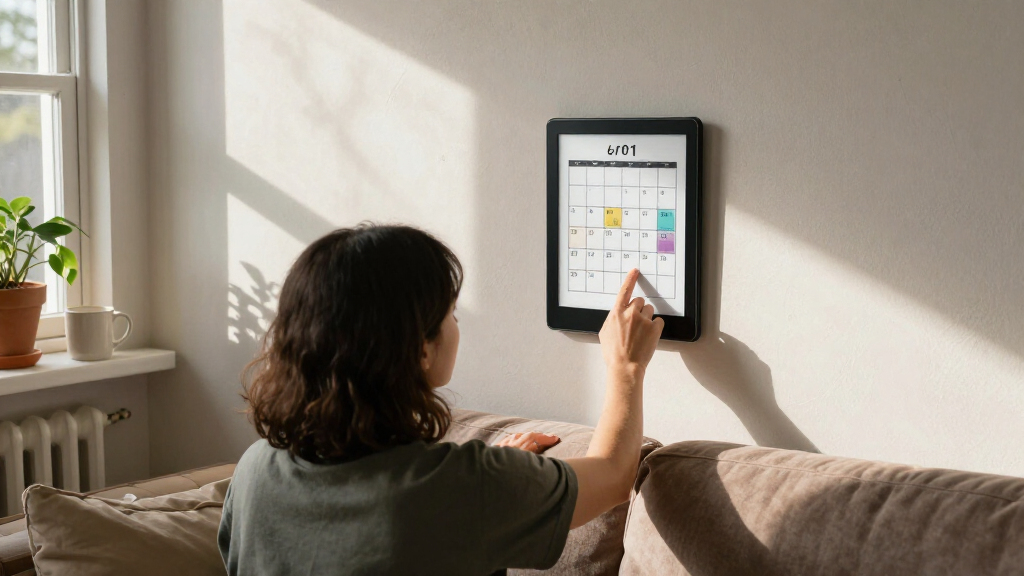
To select the best e-ink display boards, I focused on key factors that influence usability and project success. Performance metrics such as resolution, refresh rate, and color support were prioritized, along with build quality and interface options like SPI and I2C. I also considered versatility for different development environments, including compatibility with popular microcontrollers and single-board computers. Cost-to-value ratio played a major role, ensuring options were accessible without sacrificing essential features. The rankings reflect a balance between advanced capabilities and ease of integration, catering to a range of user needs from hobbyists to professionals.| e-ink display board | Interface | Power Consumption |
|---|---|---|
| 7.5-inch 3-Color E-Paper Displ | SPI | — |
| Waveshare 7.5-inch E-Ink Displ | SPI | Ultra low |
| Waveshare 1.54 Inch E-Paper Di | SPI | — |
| 2.13-inch E-Ink Display HAT V4 | SPI | Ultra low |
| Waveshare 7.5-inch E-Ink Raw D | SPI | Ultra low |
| Waveshare 3.6-inch E Ink Spect | — | — |
| LAFVIN 2.13-inch E-Ink E-Paper | SPI | Ultra-low |
| 2.13 Inch E-Ink Display with E | SPI, UART, GPIO | Ultra-Low Power |
| 2PCS 2.13-inch E-Ink Display H | SPI | Ultra low |
| ELECROW ESP32 5.79 Inch E-Ink | SPI, UART, GPIO | Ultra-Low Power |
| Waveshare 12.48-inch E-Ink Dis | — | Ultra low |
| reTerminal E1002 | — | — |
| Waveshare 13.3-inch Full Color | — | — |
| ESP32 E-Ink Display 2.13 Inch | SPI | Ultra-Low Power |
Factors to Consider When Choosing Best E-ink Display Boards
Choosing the right e-ink display board requires understanding several critical factors beyond just size and price. The intended use case—whether for simple notifications, detailed graphics, or color images—should guide your selection. Compatibility with your existing development setup can prevent frustration and save time. Additionally, consider the display’s refresh rate, power consumption, and ease of coding, as these influence overall usability. Investing in a slightly more expensive model might pay off if it offers better durability or more features suited to your project’s complexity. Below are key considerations to help you make an informed decision.Display Size and Resolution
Size impacts both visibility and integration flexibility. Larger displays, like the 12.48-inch model, are ideal for detailed visuals but take up more space and power. Smaller displays, such as the 2.13-inch modules, are perfect for compact projects with limited space. Resolution affects clarity—higher resolutions deliver sharper images, especially important for detailed graphics or small text. Balance size and resolution based on your project’s display needs and space constraints.
Color Capabilities
While most e-ink displays are monochrome, the market now offers models with full color, like the 3-color or full-color options. Color displays enable more engaging interfaces but often come with increased cost, complexity, and potentially slower refresh rates. If your project benefits from color—such as signs or dashboards—invest in a full-color model. For basic notifications or data displays, monochrome models will suffice and are more affordable.
Interface and Compatibility
Most e-ink boards use SPI or I2C interfaces, which are widely supported by microcontrollers like Arduino, Raspberry Pi, and ESP32. Confirm that the display’s interface matches your chosen development platform to avoid integration headaches. Additionally, check if the display comes with compatible driver libraries and documentation, as these can significantly reduce setup time and troubleshooting.
Refresh Rate and Power Consumption
Refresh rate determines how quickly the display updates, which is crucial for dynamic content. E-ink displays typically refresh slowly compared to LCDs, but some models offer faster updates—essential for interactive projects. Power consumption is another critical factor; e-ink displays are generally low power, making them suitable for battery-powered applications. Consider these tradeoffs when selecting a model for projects where update speed or battery life is a priority.
Cost and Value
Price varies significantly among options, often correlating with size, color, and resolution. Determine your budget upfront and weigh it against the features you need. Sometimes investing a bit more yields a durable, higher-performance display that reduces future hassle. Conversely, for simple or temporary projects, budget-friendly options can deliver sufficient functionality without overextending your costs.
Frequently Asked Questions
Can I use these e-ink displays with a Raspberry Pi?
Yes, most of these e-ink display boards are compatible with Raspberry Pi, especially those utilizing SPI interfaces. Many models come with dedicated libraries and detailed guides, making integration straightforward. It’s important to check the specific display’s compatibility and required drivers before purchasing, but generally, Raspberry Pi users will find plenty of options to suit their needs.
Are color e-ink displays worth the extra cost?
Color e-ink displays enable richer visuals, which can be beneficial for interactive signage, dashboards, or creative projects. However, they tend to be more expensive, have slower refresh rates, and sometimes require more complex wiring. If your project doesn’t need color, sticking with monochrome models can save money and simplify development while still delivering clear, crisp information.
How do I know if a display’s resolution is sufficient for my project?
Higher resolutions provide sharper images and clearer text, which is essential for detailed graphics or small font sizes. For basic notifications or simple text, lower resolutions might be enough and will help keep costs down. Consider the viewing distance and content complexity—if users need to read fine details from a distance, opt for a higher resolution display.
What is the typical lifespan of an e-ink display?
E-ink displays generally have a long lifespan because they only consume power during updates. Most models can endure tens of thousands of refresh cycles, making them suitable for long-term use in signage or dashboards. However, mechanical damage or environmental factors like moisture can affect longevity, so proper enclosure and handling are recommended for durability.
Is it easy to program these e-ink displays for real-time updates?
Programming complexity varies with the display model, but many come with supportive libraries and example code, especially for popular platforms like Raspberry Pi and Arduino. Slower refresh rates are typical, but for static or infrequently updated content, this isn’t an issue. If your project demands frequent updates, selecting a model with a faster refresh rate and robust software support will be beneficial.