TL;DR

Get everyday helpers delivered free with Prime
- Fast, free delivery on millions of items
- Prime Video, Amazon Music and more included
- Member-only deals all year
An accessible home office improves comfort and productivity for everyone. Focus on ergonomic furniture, assistive tech, and inclusive design to create a space that works for all abilities.
Imagine sitting at your desk, surrounded by clutter and poor lighting. Now picture a space where everything feels just right—ergonomic, easy to navigate, and adaptable to your needs. That’s the power of designing an accessible home office.
Whether you work from home full-time or just need a dedicated space, creating an environment that’s inclusive can boost your productivity, reduce health issues, and honor your independence. This guide shows you how to make that happen, step by step, with practical tips and real-world examples.
Use adjustable furniture like desks and chairs to fit your body and needs.
Ensure pathways and storage are accessible—wide enough, clutter-free, at reachable heights.
Leverage assistive tech like screen magnifiers, speech recognition, and amplification devices.
Incorporate sensory-friendly elements—soft lighting, soundproofing, calming colors—for focus and calm.
Design from the start with universal principles—contrast, ramps, adaptable furniture—to welcome everyone.
How to Make an Accessible Home Office
A well-designed office adapts to the person using it. Combine ergonomic furniture, clear movement space, assistive technology, and sensory control to create a workspace that supports comfort, focus, and independence—for every ability.
Five layers of accessibility
Think beyond a single chair or gadget. An accessible office is a connected system: your body, the room, your technology, the sensory environment, and the flexibility to accommodate changing needs.
Fit the room to your body
Choose an adjustable chair with lumbar support, a sit-stand desk, and a monitor stand. Keep the keyboard and mouse close enough that shoulders remain relaxed and wrists stay straight.
Protect a clear route
Keep pathways wide, cords secured, and floors free from clutter. Provide knee clearance beneath the desk and enough turning room for a wheelchair or mobility aid.
Bring essentials closer
Place frequently used tools between seated waist and shoulder height. Open bins, pull-out drawers, and wall-mounted shelves reduce stretching, bending, and lifting.
Offer more ways to work
Screen magnification, speech recognition, captions, large-print keyboards, and voice controls provide alternatives to small text, precise hand movements, or audio-only information.
Make stimulation adjustable
Dimmable task lighting, warm bulbs, acoustic panels, soft materials, and noise cancellation allow each person to tune brightness, sound, glare, and texture.
Plan for change
Contrast, tactile labels, threshold ramps, and adjustable furniture make the office usable today while helping it adapt to future needs.
Turn good intentions into clear dimensions
Start with the route into the room, then check the desk zone. The best layout lets a person enter, turn, approach the work surface, reach essential storage, and leave without navigating obstacles.
Aim for at least 32 inches of clear doorway width. Remove protruding furniture and consider offset hinges or doorway modifications where additional clearance is needed.
Match the tool to the barrier
Assistive technology works best when it solves a specific point of friction. Trial multiple options, adjust settings, and combine software with physical changes rather than assuming one product fits everyone.
| Technology | Primary function | Especially useful for | Quick-start action |
|---|---|---|---|
| Screen magnifier | +Enlarges text, icons, and images | Low vision, visual fatigue, small interfaces | Test built-in operating-system zoom before buying software |
| Screen reader | +Converts interface content into speech or braille output | Blind and low-vision users | Learn heading, link, and form-navigation shortcuts |
| Speech recognition | +Turns speech into text and commands | Arthritis, fatigue, limited hand mobility | Create custom commands for repeated actions |
| Live captions | +Displays spoken meeting content as text | Deaf or hard-of-hearing users, noisy rooms | Enable captions by default in meeting software |
| Amplification devices | +Improves sound and speech clarity | Hearing loss or auditory processing needs | Reduce room echo before increasing volume |
| Voice-controlled devices | +Controls lights, blinds, temperature, and routines | Limited reach, dexterity, or mobility | Build one simple “start work” automation |
Remember: accessibility settings already included in computers and phones can be powerful, immediate, and free. Begin there before investing in specialist equipment.
Create calm without removing choice
Sensory-friendly design is not about making every room silent or dim. It is about giving the user reliable control over light, sound, visual activity, and physical texture.
Light
Use indirect daylight, dimmable lamps, warm bulbs, and adjustable blinds. Position screens perpendicular to windows to reduce glare.
Sound
Add curtains, rugs, acoustic panels, or a white-noise source. Keep noise-canceling headphones within easy reach.
Visual load
Use closed storage for clutter, clear labels for essential items, and a restrained backdrop behind the monitor.
Reset space
Create a low-stimulation corner with a comfortable seat, soft texture, and minimal equipment for short recovery breaks.
Choice is the accessible feature. Let the user increase or decrease stimulation instead of locking the room into a single sensory setting.
A practical route from audit to adaptation
Make improvements in a deliberate order. Removing hazards first creates a safer baseline; ergonomic, technological, and sensory refinements can then be tested against real daily tasks.
Observe
List moments of pain, fatigue, delay, confusion, or dependence.
Clear
Remove floor hazards and protect a continuous route to the desk.
Adjust
Set chair, desk, monitor, keyboard, and storage to the user.
Assist
Add input, display, captioning, or environmental controls.
Review
Test during a real workday and revise as needs change.
Start on a budget
Secure loose cables, declutter paths, raise the monitor, reposition lighting, and reorganize storage. These low-cost changes can remove major barriers before new furniture is purchased.
Invest where it compounds
Prioritize an adjustable chair, adaptable desk, reliable task lighting, and the assistive tool used most often. Daily comfort delivers more value than rarely used features.
Eight questions before you log in
An office can meet general guidelines and still fail its user. Complete this check from the seated position, while moving through the room, and during a normal video call or focused work session.
- Can you enter and reach the desk without shifting furniture or stepping over cords?
- Does the chair support your back while allowing feet or footrest to remain stable?
- Is the monitor near eye level and roughly 20 inches from your face?
- Can you use the keyboard and mouse with relaxed shoulders and straight wrists?
- Are everyday supplies reachable without stretching, climbing, or deep bending?
- Can you control glare, brightness, and noise without leaving the work position?
- Is information available in more than one form through captions, speech, magnification, or labels?
- Can the setup adapt for another user, a visitor, or a future change in ability?
Accessibility is a continuous practice, not a finished room.
Begin with the person and the tasks they need to complete. Remove physical hazards, support healthy posture, offer multiple ways to interact, and make sensory conditions adjustable. Review the setup regularly as work patterns, technology, and abilities evolve.
Lower physical strain
Greater independence
Stronger focus
How to Make Your Home Office Ergonomically Friendly
Your comfort at work begins with your body. An ergonomic setup means adjustable furniture that fits your body type and reduces strain. Think of a desk that can be raised or lowered like a ride that adjusts to each rider’s height.
Invest in an adjustable chair with lumbar support, a monitor at eye level, and a keyboard tray that keeps your wrists straight. For example, a person with a back injury found relief by switching to a sit-stand desk, which they can raise during long work sessions, reducing back pain and fatigue.
Key tips:
- Use an adjustable chair with proper lumbar support.
- Position your monitor 20 inches away, with the top at eye level.
- Keep keyboard and mouse within easy reach, at a height that keeps your wrists straight.
As an affiliate, we earn on qualifying purchases.
Making Your Space Physically Accessible for All
Clear pathways are essential—imagine a runway wide enough for a wheelchair or mobility aid. Doorways should be at least 32 inches wide, and hallways should be free of clutter. These design choices aren’t just about compliance; they’re about ensuring everyone can move safely and comfortably without obstacles that could cause accidents or frustration.
Accessible storage is also key. Use shelves at waist level, with open bins or pull-out drawers that allow easy access. For instance, a home office was transformed by adding a low, wide bookshelf and a desk with knee clearance, making it usable for someone with limited mobility. This isn’t just about physical space but about fostering independence—if a person can reach their tools and supplies easily, they’re more likely to work efficiently and feel empowered.
Practical steps:
- Widen doorways if possible or install door jamb extensions, which are affordable modifications that make a significant difference.
- Keep floors clear of cords and obstacles to prevent tripping hazards, especially for those using mobility aids.
- Use adjustable or wall-mounted shelving at reachable heights, reducing the need for dangerous stretching or climbing.
accessible desk with height adjustment
As an affiliate, we earn on qualifying purchases.
As an affiliate, we earn on qualifying purchases.
Integrate Assistive Technologies for a Smarter Workspace
Assistive tech can turn a standard workspace into an inclusive hub. For example, screen readers and magnifiers help those with visual impairments, while voice recognition software allows hands-free control. These tools are not just conveniences—they can be essential for independence and productivity, especially for individuals with disabilities or health conditions that limit manual dexterity.
Using a large-print keyboard or a speech-to-text app can make a noticeable difference. For instance, a writer with arthritis found that voice commands helped maintain productivity without pain. These technologies can reduce fatigue, minimize strain, and open up new ways of working that might not be possible otherwise.
Here’s a quick comparison:
| Technology | Function | Ideal For |
|---|---|---|
| Screen Magnifier | Enlarges text and images on screen | Visual impairments |
| Speech Recognition | Convert speech to text, control devices | Limited hand mobility or fatigue |
| Amplification Devices | Enhance sound and speech clarity | Hearing impairments |
Tip: Experiment with different tools to find what fits your needs best—we’re all unique. Recognizing that each person’s needs are different is crucial; trying various assistive tech options can help you discover the most effective combination for your specific situation, leading to a more productive and comfortable workspace.
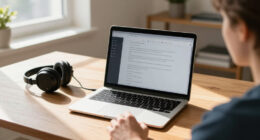
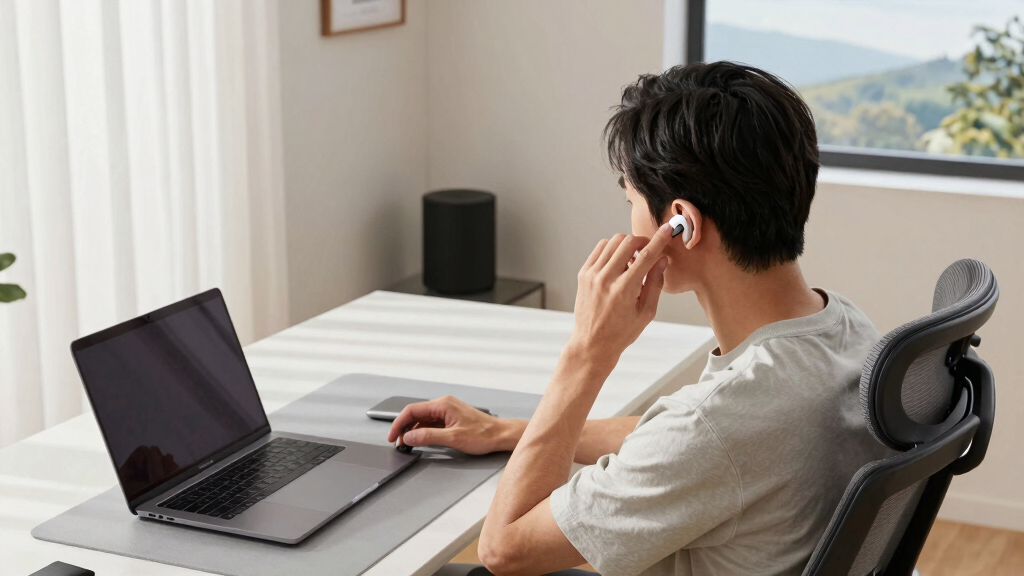
assistive technology for home office
As an affiliate, we earn on qualifying purchases.
As an affiliate, we earn on qualifying purchases.
Create a Sensory-Friendly Environment
Sensory sensitivities are real—think of a room that’s too noisy or lights that flicker. An accessible home office considers lighting, sound, and textures to foster calm. Using soft, natural light and noise-canceling headphones can make a huge difference. Creating a sensory-friendly environment isn’t just about comfort; it can significantly improve focus and reduce stress, especially for those with sensory processing disorders or anxiety.
For example, a person with sensory processing disorder set up a corner with blackout curtains, a small fountain for soothing sounds, and a soft rug, turning their space into a peaceful retreat during stressful days. These elements help create a space that’s not overstimulating but calming, allowing for better concentration and emotional regulation.
Some quick ideas:
- Install dimmable lights or use lamps with warm bulbs to control brightness and reduce glare.
- Add soundproofing panels or a white-noise machine to mask disruptive sounds, helping to maintain focus.
- Choose calming colors like soft blues or greens, which can promote relaxation and mental clarity.
sensory-friendly lighting for workspace
As an affiliate, we earn on qualifying purchases.
As an affiliate, we earn on qualifying purchases.
Design with Inclusivity in Mind from the Start
Universal design isn’t just a buzzword; it’s about creating a space everyone can use. Think of it like a well-designed park—accessible paths, gentle slopes, inviting benches. Use clear signage, labels, and contrasting colors to guide and assist. Incorporating these elements from the beginning ensures that the space is welcoming and functional for all users, regardless of ability or mobility.
For example, a family converted a spare room into a home office with adjustable height desks, tactile labels on tech devices, and a ramp at the entrance. It became welcoming for visitors and family members with different needs. Planning inclusivity upfront avoids costly retrofits later and fosters an environment where everyone feels comfortable and valued.
Actionable tips:
- Use contrasting colors for key items and signs to enhance visibility and navigation.
- Install ramps or threshold ramps for entryways to facilitate wheelchair access.
- Choose furniture that’s adjustable or easy to use for everyone, minimizing barriers to use and ensuring adaptability for future needs.
Latest Trends and Tools Making Accessibility Easier
Modern tech is transforming home offices. Voice-activated assistants like Alexa or Google Home let you control lights, blinds, or even start a meeting with a simple command. Sit-stand desks are now more affordable, offering ergonomic benefits without breaking the bank. These innovations are not just convenient—they’re essential for creating flexible, adaptable work environments that can grow with your needs.
Remote collaboration tools with real-time captions or sign language interpretation support inclusivity by removing communication barriers. Recent standards like ADA and WCAG are guiding new builds and renovations to prioritize accessibility from the ground up, making the spaces more universally usable. Embracing these trends can reduce frustration, improve efficiency, and ensure your workspace remains accessible as technology evolves.
Think of your workspace as a living, breathing system—adapt it with the latest tools for maximum flexibility and comfort.
Frequently Asked Questions
How can I make my home office more accessible on a budget?
Start with simple solutions like adjustable chairs, good lighting, and organizing cables to prevent tripping. Even small upgrades can make a big difference without costing a fortune.
What are the best ergonomic tools for an accessible workspace?
Look for adjustable desks, ergonomic chairs with lumbar support, monitor stands, and keyboard trays. These tools help reduce strain and support long hours of work comfortably.
How do I incorporate assistive technology into my home office?
Use software like speech recognition, screen magnifiers, and captioning tools. Consider hardware like large-print keyboards or hearing devices to support different needs seamlessly.
What are the legal requirements for accessible home offices?
While there are no strict laws for home offices, guidelines like the ADA and WCAG provide best practices for accessible design that you can adapt to meet your needs.
How can I ensure my home office is inclusive for visitors or family members with disabilities?
Design flexible spaces, include ramps if needed, and select accessible furniture. Making small adjustments ensures everyone feels welcome and comfortable.
Conclusion
Your home office can be a sanctuary of comfort, independence, and productivity. Small adjustments—ergonomic furniture, assistive tech, thoughtful design—create a space that works for you and everyone who visits.
Remember, accessibility isn’t just for special needs; it’s about making your environment better for all. Picture a workspace where everyone feels at home—start building it today, one thoughtful change at a time.
Columbus Day / Indigenous Peoples' Day Picks
long weekend sales
As an affiliate, we earn on qualifying purchases.