
TL;DR
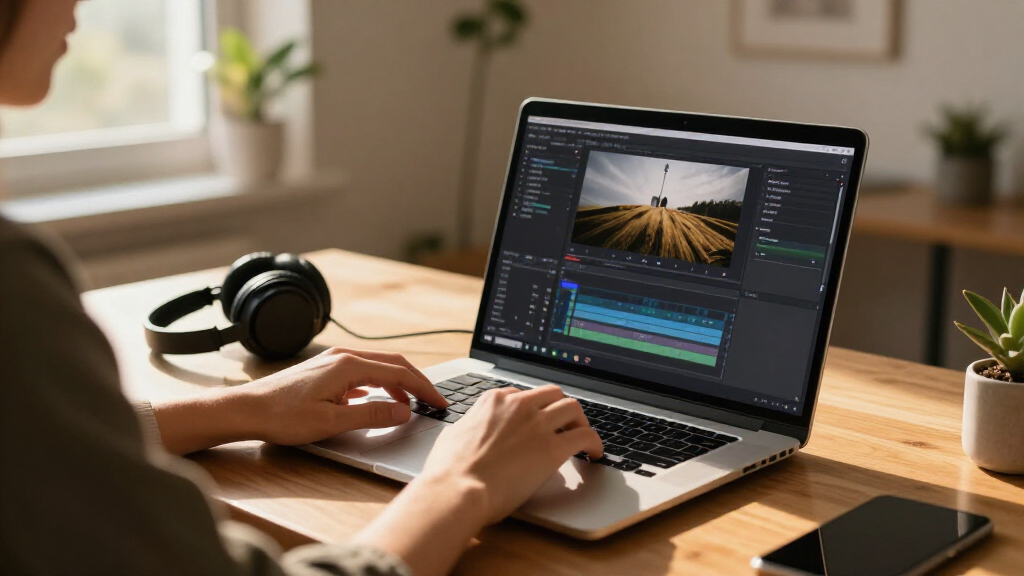
Developers Marcos and Harrison have announced Palmier Pro, an open-source video editor for macOS designed to integrate AI features. The tool aims to streamline video editing with AI capabilities and is now available for community use. Details about its features and future plans are still emerging.
Developers Marcos and Harrison have announced Palmier Pro, an open-source video editing application for macOS designed specifically to incorporate artificial intelligence features. The announcement was made on Show HN, signaling a new community-driven project aimed at enhancing video editing workflows with AI capabilities.
Palmier Pro is being developed as an open-source project, with the goal of providing a free, customizable video editing tool for macOS users that leverages AI technology. Marcos and Harrison, the cofounders, highlighted that the software is built to facilitate more efficient editing processes, potentially including features like automatic scene detection, intelligent trimming, and AI-assisted effects.
The project is currently in the early stages of development, with the founders inviting community feedback and contributions. They emphasized that the open-source nature allows users to adapt and extend the software according to their needs. No detailed feature list has been fully disclosed, but the focus on AI integration is a core aspect of the project.
As of now, Palmier Pro is available for download and testing, with the developers planning ongoing updates and improvements based on user input. The project aims to position itself as a competitor or complement to existing professional editing tools, with a focus on accessibility and innovation through AI.
Why Palmier Pro Could Transform Mac Video Editing
Palmier Pro represents a significant step toward democratizing advanced video editing capabilities through open-source development. Its focus on AI integration could make complex editing tasks more accessible to a broader audience, including hobbyists and small content creators. If successful, it may challenge proprietary software by providing a customizable, community-supported alternative that accelerates workflows and introduces novel AI-driven features.
Moreover, the project reflects a broader trend of AI becoming a core component in creative tools, potentially shaping future standards in video editing technology. Its open-source nature encourages collaboration, innovation, and transparency, which could lead to rapid feature development and widespread adoption.
![Adobe Premiere Elements 2026 | Software Download | Video Editing | 3-year term license | Activation Required [PC/Mac Online Code]](https://m.media-amazon.com/images/I/51qVIY2ZcyL._SL500_.jpg)
Adobe Premiere Elements 2026 | Software Download | Video Editing | 3-year term license | Activation Required [PC/Mac Online Code]
- AI-Powered Video Trimming: Quickly trim and adjust footage
- Multiple Editing Modes: Quick, Guided, and Advanced modes
- VR and 360° Video Editing: Edit and enhance VR and 360° videos
As an affiliate, we earn on qualifying purchases.
As an affiliate, we earn on qualifying purchases.
Open-Source Video Editors and AI Integration on macOS
Open-source video editing tools have historically played a significant role in democratizing access to editing technology, with projects like Shotcut and OpenShot gaining popularity. However, mainstream professional editors like Adobe Premiere and Final Cut Pro dominate the market with proprietary features.
Recently, there has been increased interest in integrating artificial intelligence into creative software, aiming to automate routine tasks and enhance creative potential. Several startups and established companies are exploring AI-powered editing features, but few open-source options specifically tailored for macOS have emerged with a focus on AI integration.
The announcement of Palmier Pro aligns with this trend, positioning itself as a community-supported, AI-enabled alternative for Mac users that could influence future development in the space.
“We want Palmier Pro to be a flexible, open platform where users can customize and extend AI features to suit their editing needs.”
— Marcos, cofounder
![VideoPad Video Editor - Create Professional Videos with Transitions and Effects [Download]](https://m.media-amazon.com/images/I/91zAUcPqOhL._SL500_.png)
VideoPad Video Editor – Create Professional Videos with Transitions and Effects [Download]
- Apply Effects and Transitions: Add effects, transitions, and adjust speed
- Fast Video Processing: One of the quickest stream processors
- Easy Drag-and-Drop Editing: Simplify editing with drag and drop
As an affiliate, we earn on qualifying purchases.
As an affiliate, we earn on qualifying purchases.
Unclear Details About Features and Development Timeline
Specific features of Palmier Pro, such as the exact AI functionalities and user interface design, remain undisclosed. It is also unclear when the software will reach a stable release or how actively it will be developed in the near term. Community contributions and feedback are expected to influence its evolution, but concrete milestones have not yet been announced.

AI-Assisted Photo Editing: A Step-by-Step ChatGPT Guide for Photographers, Sellers, and Creators
As an affiliate, we earn on qualifying purchases.
As an affiliate, we earn on qualifying purchases.
Next Steps for Palmier Pro Development and Community Engagement
The developers plan to continue refining Palmier Pro based on user feedback, with updates expected to improve AI capabilities and usability. They have invited community contributions and are likely to release further versions publicly. Watching for official release notes and the project’s GitHub repository will be key to understanding its future trajectory.
![Corel VideoStudio Ultimate 2023 | Video Editing Software with Premium Effects Collection | Slideshow Maker, Screen Recorder, DVD Burner [PC Key Card]](https://m.media-amazon.com/images/I/513tvZCeKeL._SL500_.jpg)
Corel VideoStudio Ultimate 2023 | Video Editing Software with Premium Effects Collection | Slideshow Maker, Screen Recorder, DVD Burner [PC Key Card]
- Powerful Video Editing Suite: Create stunning movies and slideshows
- Exclusive Editing Tools: Mask Creator, Color Grading, Face Indexing
- Enhanced Video Features: Split Screen, Audio Cues, Stabilization
As an affiliate, we earn on qualifying purchases.
As an affiliate, we earn on qualifying purchases.
Key Questions
What AI features will Palmier Pro include?
Specific AI features have not been fully detailed yet. The developers have indicated plans for functionalities like scene detection, automatic trimming, and AI-assisted effects, but these are still under development.
Is Palmier Pro suitable for professional video editing?
As an early-stage open-source project, Palmier Pro is likely more suited for hobbyists and small creators at this stage. Its suitability for professional workflows will depend on future feature development and stability.
Can I contribute to Palmier Pro?
Yes, the project is open-source, and the developers have encouraged community contributions through its GitHub repository and feedback channels.
When will Palmier Pro be officially released?
No official release date has been announced. The project is currently in development, with ongoing updates planned based on community input.
Is Palmier Pro compatible with other operating systems?
Currently, Palmier Pro is designed specifically for macOS, with no announced plans for Windows or Linux versions.
Source: hn




![[In Photos] Shanghai Forum Explores New Pathways For Tech Innovation, Industrial Integration - 一财全球Yicai Global](https://thedailyadapt.com/wp-content/uploads/2026/07/in-photos-shanghai-forum-explores-new-pathways-for-tech-innovation-industrial-in-featured-260x140.jpg)